
How to Make a Photo Album on Facebook A Modern Guide
Creating a Facebook photo album is a classic move for sharing memories. You’ve probably done it a dozen times. Just head to your profile, click 'Photos,' then 'Create Album' on your computer, and you're off. It’s the go-to method for dumping photos from a vacation or a big birthday bash.
But when it comes to huge events like a wedding, it's worth taking a closer look at what Facebook albums can—and can't—do.
Understanding Facebook Photo Albums
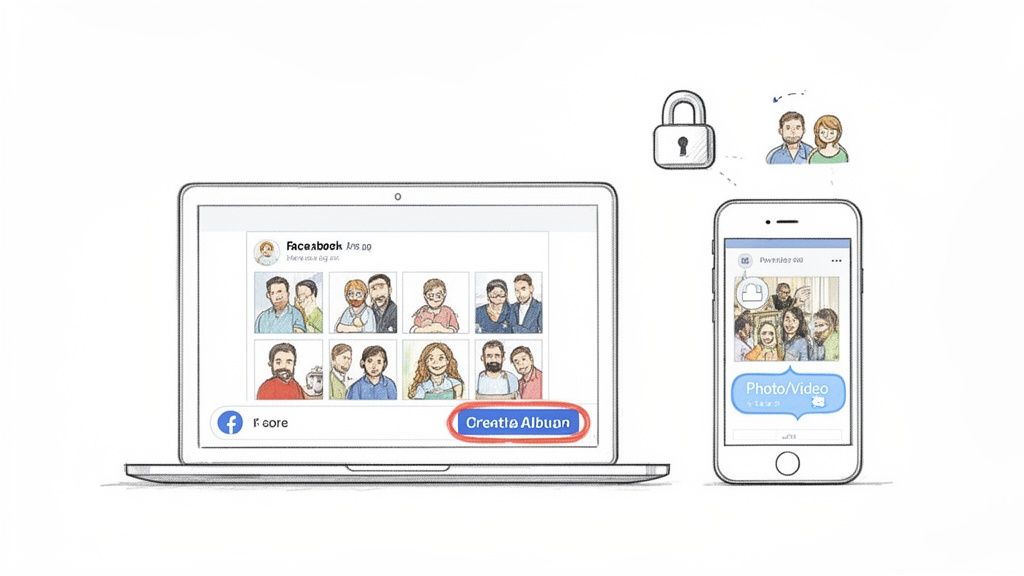
Tapping into Facebook's photo album feature is like using a trusted old tool. It's straightforward and gets the job done for grouping pictures from parties, work events, or family reunions into one neat package. You can write captions, tag your friends, and lock down the privacy settings to control exactly who gets to see your moments.
Here’s the rub, though: getting photos from everyone at a modern event is a whole different ballgame.
Sure, Facebook lets you create collaborative albums, but that means every guest needs a Facebook account, has to find the right album, and then remember to upload their pictures. In reality, this often leads to a spotty collection with tons of missed moments. For something like a wedding, you need a more direct approach—like a simple QR code that lets guests upload photos instantly with zero app requirements.
Key Features and Considerations
The biggest draw for Facebook albums is familiarity. Almost everyone is on the platform, so there’s no learning curve for casual sharing. Once you create an album, you get control over a few key things:
- Privacy Settings: You can make your album public for the world to see, keep it just for friends, or create a custom list for a select few.
- Collaborator Options: It's possible to invite others to add their own photos, turning it into a shared digital scrapbook for an event.
- Basic Organization: You can give your album a title, a description, and even tag a location to add some context to your pictures.
If you're looking for tips on getting your photos organized on your phone before you even get to Facebook, check out our guide on creating photo albums on iPhone.
Even with these features, a Facebook album can fall short of telling the complete story of your event. The platform's algorithm is a mystery, so there's no guarantee all your friends or guests will even see your post. Plus, relying on guests to manually upload photos usually means you won't get that flood of pictures you were hoping for.
Compare that to a dedicated tool where you can just display a QR code at the reception. It's a much slicker way to get everyone's photos in one place.
Don't write off Facebook albums just yet. When done right, they still pack a punch. Recent data shows Facebook albums pull in a 0.22% engagement rate, which is way better than a standard status update or a link post.
Facebook Photo Album Features At a Glance
To help you decide if a Facebook album is the right tool for your event, here's a quick summary of its core features and where it shines (and where it doesn't).
| Feature | Description | Best For |
|---|---|---|
| Privacy Control | Choose between Public, Friends, or Custom lists to manage who sees your photos. | Personal life events, family updates. |
| Collaboration | Invite friends (up to 50) to add their own photos to a shared album. | Small group trips, birthday parties. |
| Photo Limit | Upload up to 1,000 photos per album. | Most personal events, but may be tight for weddings. |
| Tagging | Tag friends in photos to notify them and link to their profiles. | Social gatherings where most guests are friends. |
| Captions/Descriptions | Add text to individual photos and the overall album to tell a story. | Sharing vacation stories or documenting milestones. |
| Ease of Use | The process is built into a platform most people already use daily. | Casual, informal photo sharing. |
| Photo Collection | Relies on guests being Facebook users and actively uploading to the correct album. | Events where all attendees are connected on Facebook. |
Ultimately, Facebook albums are a solid, familiar choice for personal use. But for large, dynamic events like weddings where capturing every moment is key, you'll likely want a more powerful and streamlined solution.
A Practical Walkthrough for Desktop and Mobile
We’ve all created a Facebook photo album at some point, but there’s a real art to turning a simple folder of pictures into a story people actually want to click through. The good news is, whether you're on your laptop or scrolling on your phone, the basics are the same, letting you share your memories in just a few minutes.
If you’re at your computer, just head to your profile page. From there, click the 'Photos' tab, then 'Albums,' and finally, hit 'Create Album.' A window will pop up, letting you grab photos directly from your computer. You can upload them one by one, but for a big event like a wedding, selecting them in a batch is a massive time-saver.
It's just as simple on your phone. Open the Facebook app and tap the "What's on your mind?" box at the top. You’ll see an icon for 'Photo/Video'—tap that, and you can pull images right from your camera roll. On that note, before you even start uploading, taking some time to improve your mobile photography skills can make a huge difference in how your final album looks.
Crafting Your Album for Maximum Impact
Once you've picked your photos, the fun part begins. This is where you go from just uploading pictures to actually telling a story.
First things first, give your album a name that means something. Instead of a generic "Vacation Pics," go for something more personal and descriptive, like "The Miller Wedding Celebration" or "Annual Team Retreat 2024." It gives people scrolling their feed instant context and makes them more likely to stop and look.
Next up is the album description. This is your chance to set the scene. Share a quick story about the day, give a shout-out to your guests, or mention a few of your favorite moments. Think of it as the introduction to your story. For a wedding album, something like, "So much love and laughter all in one day. Thank you to all our friends and family who made July 15th the best day of our lives!" works perfectly.
Don't skip the location tag! Tagging the venue helps you remember the details and lets friends who were there reminisce right along with you.
Pro Tip: Your album's cover photo is its billboard. Choose a dynamic, high-quality image that captures the essence of the event. A great cover photo can significantly increase the chances of people clicking to see the rest of your collection.
Optimizing for Engagement and Reach
Okay, so your album is created. Now, how do you get people to actually see it? Tagging friends in the photos is hands-down one of the most effective ways to get more eyes on your album. Every person you tag gets a notification, which almost always prompts them to check it out, leave a like, and maybe a comment or two.
If you really want to boost engagement, the data points to a few key strategies. An album with 50-100 high-definition images (think 1080p or higher) can see a 0.28% engagement lift. And since most people are on their phones, optimizing for mobile can give you another 0.31% boost.
Here are a few more quick tips to get the most out of your album:
- Batch Your Uploads: Don't just upload a handful of photos at a time. Wait until you have a solid collection ready to go. A full, complete album makes a much bigger splash in the news feed.
- Rearrange for Storytelling: After everything is uploaded, you can drag and drop your photos into a specific order. Tell a story from start to finish, whether it's chronological or based on a theme.
- Add Individual Captions: Give a little context to specific photos. A funny inside joke or a sweet anecdote can make an individual picture so much more meaningful.
Ultimately, taking these extra few minutes transforms a simple photo dump into a polished album that people will actually enjoy looking at. For more tips on wrangling your photos, especially on your phone, you might find our guide on how to share a photo album on iPhone useful.
Mastering Your Album's Privacy and Collaboration
Once your photos are uploaded, the real fun begins. Knowing how to make a photo album on Facebook isn't just about dumping pictures online; it's about controlling who sees your memories and who gets to add their own. This is where you turn a simple photo collection into a curated, collaborative scrapbook.
Facebook gives you a surprising amount of control with its privacy options. You can go Public for everyone to see, lock it down to just 'Friends,' or get super specific with a custom list. For personal events like a wedding or birthday bash, the 'Friends Except...' option is a lifesaver. It lets you share with your entire circle while politely leaving certain people out, making sure your memories are shared with exactly the right audience.
Inviting Others to Collaborate
One of Facebook's handiest features is the shared album. You can invite friends and family to become contributors, letting them add their own photos from the event. This turns your album into a collective effort, which is fantastic for capturing moments from different perspectives. You can invite up to 50 contributors, making it a decent choice for smaller get-togethers where everyone is already connected on the platform.
But let's be real, this method has its limits, especially for bigger events like a wedding. Juggling dozens of uploads can get chaotic fast, with duplicate photos and a wild mix of quality. Plus, forcing every guest to have a Facebook account and then find the right album can be a major headache.
This simple infographic breaks down the core creation process.
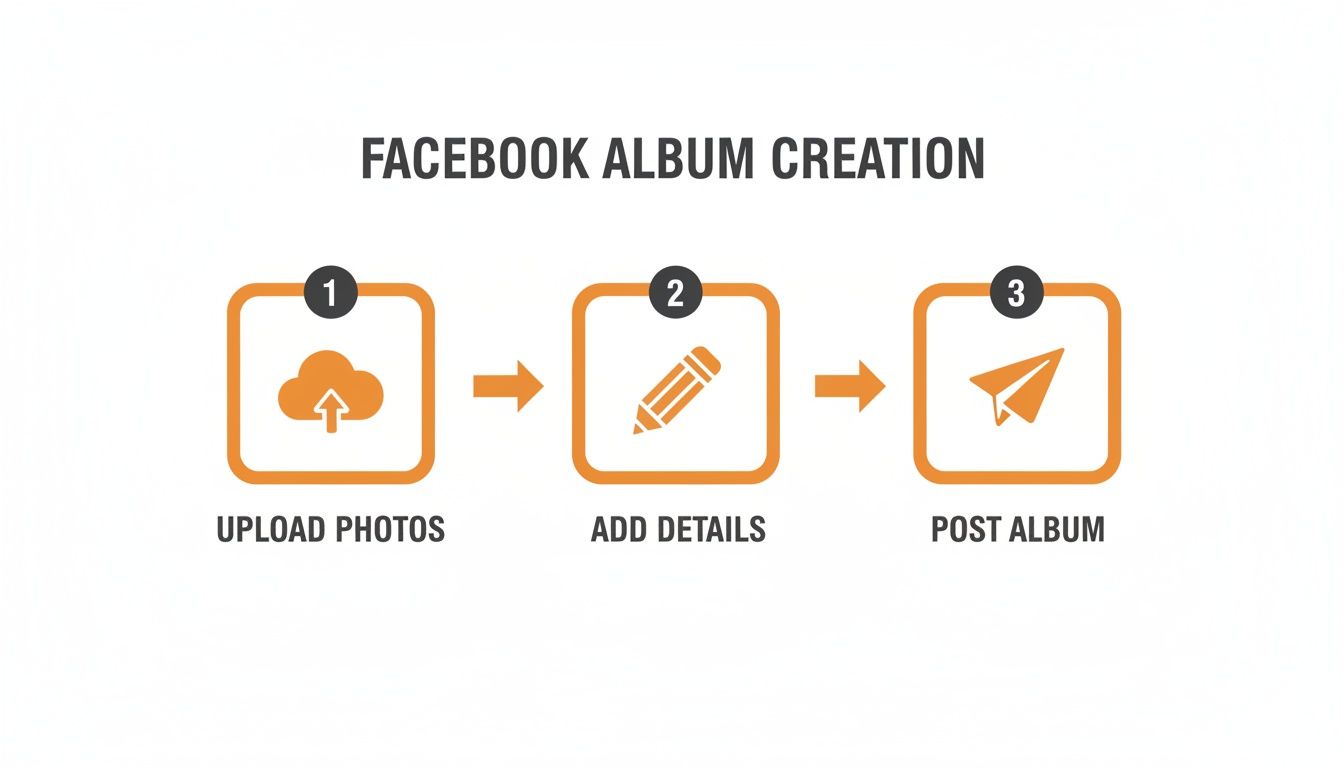 As you can see, it's a pretty straightforward flow: upload your pics, fill in the details, and hit post.
Managing Your Album Like a Pro
Beyond privacy and collaboration, you have total say over how your album looks and feels. You can easily drag and drop photos to tell a chronological story, add witty captions for context, or select that one perfect shot to be the cover photo.
These tools are essential for keeping your album organized and engaging. Think about it: after a wedding, you could arrange the photos to flow from getting ready, to the ceremony, to the reception. It creates a narrative. And if you're exploring other ways to gather memories, especially on your phone, check out our guide on creating a shared album on iPhone.
The key takeaway? A photo album is never really "done." You can always go back to add more pictures, update descriptions, and tweak the settings. This flexibility turns your album into a living document of your most cherished memories.
Why Facebook Albums Fall Short for Modern Weddings
Even if you know how to make a photo album on Facebook, it’s a tool that just wasn’t built for a once-in-a-lifetime day like your wedding. Couples today run into the same old frustrations when they try to rely on it. Guest photos get buried in cluttered feeds, anyone not on Facebook is left out, and there’s no single, live gallery capturing the day as it happens.
The platform’s algorithm is a black box. You can spend hours curating a beautiful album, but there’s zero guarantee your guests will ever even see it. It’s a passive approach that leaves too much to chance.
The Problem with Scattered Memories
The real issue is consolidation. You want every single candid moment, from every possible angle, all in one place. Facebook's collaborative albums sound good in theory, but they require guests to be active users, track down the right album, and then—here’s the kicker—remember to upload their photos later.
Let’s be honest, that rarely happens. Most of those amazing pictures stay locked away on their phones.
This is a huge miss. As photo features on the platform grew, albums started cluttering timelines, privacy settings glitched and sometimes exposed photos to the wrong audience, and with billions of users, just managing it all became a headache. For couples looking for truly unique keepsakes, exploring unique wedding photo ideas for an unforgettable album can spark inspiration that Facebook simply can't match.
Your wedding day is a whirlwind of fleeting moments. The last thing you want is for those precious, candid shots from your guests to disappear into the social media ether, never to be seen again.
Seeking a Seamless, App-Free Solution
The perfect solution for a modern wedding has to be all about ease of use and instant uploads. You need something that works for everyone, from your tech-savvy cousin to your grandma who thinks "the cloud" is just for rain. This is where a dedicated tool that uses QR codes for seamless consolidation of photos makes all the difference.
Imagine a system where guests don't need to download an app or create an account. They just point their phone’s camera, scan a code, and upload. That’s the new standard for collecting event photos, and it ensures no memory gets left behind.
This seamless approach is primarily focused on weddings, but it’s perfect for milestone birthdays, corporate gatherings, family reunions, and more. It offers unmatched versatility for any event where you want to capture genuine moments.
A great practical example: Display your event’s QR code at the venue entrance or on invitations for instant photo uploads. This one simple action creates an instant, private, and consolidated gallery filled with authentic moments from the people who matter most. It’s the most direct and effective way to build the complete story of your day.
Think Beyond Facebook: A Better Way to Collect Event Photos with WedPicsQR
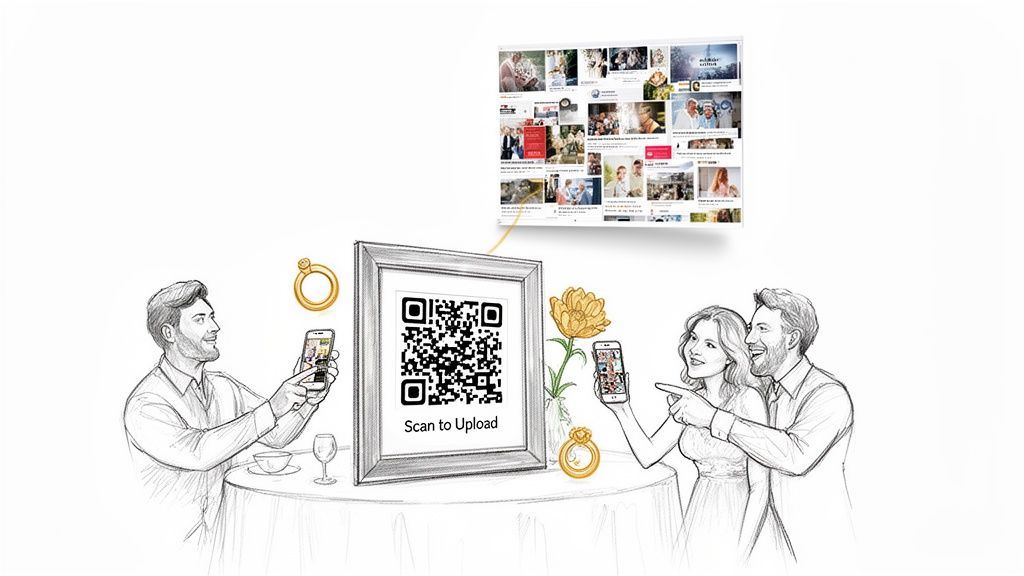
Knowing how to make a photo album on Facebook is fine, but let's be real—modern events, especially weddings, need something way simpler for collecting memories.
Imagine getting every single candid shot from your guests, all gathered in one private spot, without anyone needing to download an app or even log into Facebook. That’s the magic of using a tool like WedPicsQR.
This whole approach is built around a simple QR code, and it solves the biggest headache of sharing event photos. Forget asking guests to find a specific album or remember a hashtag. The entire process is built around ease of use and instant photo uploads through a simple QR code, leading to the seamless consolidation of every memory.
The Magic of App-Free Photo Sharing
The best part about a system like WedPicsQR is that it’s completely frictionless.
Guests just scan your event's QR code with their phone's camera. A direct upload page opens right in their browser. That’s it. No apps to install, no accounts to create, and no passwords to remember. This simple, no-app-required process removes all the barriers, which means even your less tech-savvy relatives will actually contribute.
By making it dead simple for people to share their pictures, you guarantee a bigger, more authentic collection of memories from your day. It just works.
If you want to see exactly how it's done, check out our guide on how WedPicsQR makes wedding photo sharing effortless.
Not Just for Weddings: Versatility for Every Occasion
While the primary focus is making wedding photo collection a breeze, this QR code method is a game-changer for any event where you want to gather photos from a crowd.
- Birthdays and Anniversaries: Capture every laugh and smile from those big milestone parties.
- Corporate Gatherings: Keep photos from team events or holiday parties in one place, away from personal social media feeds.
- Family Reunions: Create a digital album that every branch of the family can add to, preserving memories for years.
Here's a pro tip: Display your event’s QR code right at the entrance or on the invitations. You can also put small cards with the code on each table or even project it onto a screen.
This ensures that from the moment guests walk in, they know exactly how to share their photos. You'll get a steady stream of candid moments all night long, creating an album that truly captures the energy of your event.
Facebook Albums vs WedPicsQR for Event Photos
So, how does a standard Facebook album stack up against a dedicated tool like WedPicsQR for collecting photos from your guests? Let's break it down.
| Feature | Facebook Photo Album | WedPicsQR |
|---|---|---|
| Guest Access | Requires a Facebook account | No account or app needed |
| How to Upload | Guests must find the album and post | Scan a QR code, upload instantly |
| Privacy Control | Limited (Friends, Public, etc.) | Fully private, host-controlled gallery |
| Ease of Use | Can be confusing for non-users | Extremely simple for all ages |
| Photo Quality | Compresses images, reducing quality | Preserves original, high-resolution quality |
| Collection Method | Passive; guests must remember to post | Active; QR codes prompt immediate sharing |
| Best For | Casual sharing among Facebook friends | Any event, especially weddings and parties |
The bottom line? Facebook albums work for casual sharing, but if you're serious about collecting high-quality photos from all your guests with zero hassle, a dedicated QR code system is the way to go.
A Few Common Questions We Get
Even after you've picked the best way to gather up all those great photos, a few questions always seem to come up. Whether you're trying to figure out Facebook or leaning toward a more direct method like a QR code, getting the right answers makes all the difference.
Can I Add More Photos to a Facebook Album After It’s Live?
Yes, absolutely. One of the best things about knowing how to make a photo album on Facebook is how forgiving it is. You can always jump back into an album you’ve created, hit 'Add Photos/Videos,' and upload new pictures right from your computer or phone. It’s perfect for adding your own shots after the fact.
Now, while you can let friends contribute directly to your album, be warned: managing a ton of guest uploads during a live event can get messy fast. You often end up with duplicate photos and a gallery that’s all over the place, which is exactly why tools built for this purpose work so much better.
Do My Guests Need to Download an App for WedPicsQR?
Nope, and that’s the magic of it. We built this tool with ease of use as our number one priority. Guests don't have to download an app, they don't have to create an account, and they certainly don't have to log into anything.
All they do is scan your event’s unique QR code with their phone’s camera. A direct upload page pops up in their browser, and they can add photos instantly. This no-fuss, app-free approach is a game-changer because it actually gets people to share their pictures on the spot.
Is WedPicsQR Just for Weddings?
While it was designed from the ground up to capture every amazing moment of a wedding, WedPicsQR is surprisingly versatile. Its primary focus is making wedding photo collection a total breeze, but that same simplicity makes it a perfect fit for all kinds of other get-togethers.
Honestly, it’s a fantastic tool for pulling together photos from events like:
- Big birthday bashes
- Corporate events and conferences
- Sprawling family reunions
- Graduation parties
The simple QR code system gives you a private, central gallery for any occasion where you want to gather photos from everyone without any of the usual hassle.
What Happens to the Photos My Guests Upload?
Every single photo uploaded through your QR code goes straight into one private online gallery that only you can access. This seamless consolidation means every memory is saved in one organized spot.
From there, you can download them, share the gallery link, or just enjoy them without ever having to chase people down on social media or send those "Hey, can you send me your pictures?" texts after the event. For a practical example, just display your event’s QR code at the venue entrance or on invitations for instant photo uploads from the moment the first guest arrives.
Ready to effortlessly collect every single photo from your special day? With WedPicsQR, guests can upload photos instantly using a simple QR code—no app needed. Create your free gallery today!