
The Ultimate Shared Album on iPhone Guide for Wedding Photos
Creating a shared album on your iPhone seems like a no-brainer for collecting photos with family and friends. It's built right into the Photos app, it's free, and for a small group of fellow iPhone users, it gets the job done for casual sharing.
But when you're talking about a big event like a wedding, those built-in shared albums can quickly turn from a simple solution into a major headache. The primary focus of this guide is weddings, but the principles apply to any event where you want to seamlessly consolidate memories, from birthdays and corporate gatherings to family reunions.
Why a Standard iPhone Shared Album Falls Short for Weddings
While it looks like the perfect, cost-free tool on the surface, relying on a native iPhone shared album for a wedding often creates more problems than it solves.
The biggest issue? It's an Apple-only club. That immediately shuts out a huge chunk of your guests. Just imagine all those friends and family with Android phones capturing priceless moments at your wedding, only to realize they have absolutely no way to add them to the album. Right there, the dream of having one single, complete collection of memories is shattered.
And even for your iPhone-using guests, the process isn't as smooth as you'd think. They have to make sure iCloud Shared Albums are enabled in their settings, find and accept your specific invitation, and then navigate the Photos app to upload their pictures. That's a lot of steps to ask of someone in the middle of a celebration, which usually means low participation and a ton of missed photos.
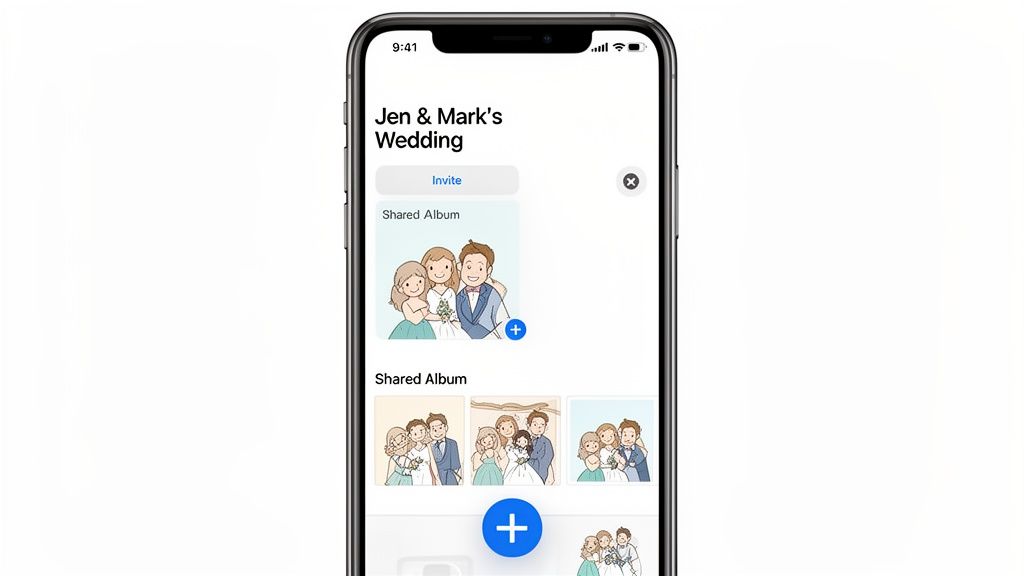
The Modern, Inclusive Alternative
A much better approach scraps the app requirement entirely and uses something everyone’s phone already has: a camera. By using QR codes, you can create a universally accessible album where every single guest can contribute, no matter what kind of phone they have. The ease of use is the biggest advantage.
Here’s why it’s a game-changer for events:
- No App Needed: Guests just point their phone's camera at a QR code. A webpage opens, and they can start uploading instantly. It's incredibly simple, with no downloads required.
- Effortless for Everyone: This gets rid of all the friction. No creating accounts, no fumbling through confusing settings, just instant photo uploads.
- Full-Quality Photos: Unlike the downscaled, compressed images in Apple's native shared albums, QR-based solutions save every photo in its original, high-resolution quality.
Think about it: you can display your event’s QR code at the venue entrance or on invitations for instant photo uploads. This one simple move turns every guest into an instant contributor, seamlessly consolidating photos from your wedding, birthday, or corporate event into one beautiful, complete collection. It’s the easiest way to make sure no moment gets missed.
Keeping Your Wedding Photo Album on Track
Alright, you’ve created your Shared Album. Now comes the fun part: managing it so it becomes a beautiful, chaotic, and complete story of your big day.
Getting people into your album is your first move. You'll invite them directly using their Apple ID, which is usually just the email or phone number they use for iMessage. You can add new people whenever you want, which is great for last-minute RSVPs.
But here’s the big catch: everyone you invite needs an Apple device to add photos. This is a massive headache for weddings. Any guest with an Android phone—and there will be a lot of them—can't upload a single picture. Your photo collection is instantly fractured.
Flip the Switch for Guest Uploads
This is the most important step, and it's easy to miss. Dive into your album's settings and find the toggle for "Subscribers Can Post." You have to turn this on.
If you don't, your guests can only look at the photos you post. They can't add their own. For a wedding, where the whole point is to crowdsource memories from every table and every angle, leaving this off makes the album pretty useless. Do this from the very beginning to get everyone involved.
Juggling guest lists and permissions can feel like another item on an already packed wedding checklist. While you’re thinking about photos, it's a good time to delegate. Make sure you've covered all the maid of honour duties so your right-hand person can help manage little details like this.
Playing Gatekeeper with Your Photos
The good news is, you're in complete control. As the album owner, you have the final say on what makes the cut.
See a blurry photo of someone's shoes? A dozen near-identical shots of the cake cutting? Just tap and delete. It vanishes from the album for everyone. It's your album, so you get to curate the final collection.
This control extends to your guest list, too. If you need to remove someone, just head to the "People" tab in the album's settings and tap their name. Their access is immediately gone—they can no longer see or add photos. For more tips on keeping your digital memories organized, check out our ultimate guide to digital wedding photo management.
Even with the best management, that iPhone-only rule is a dealbreaker for many. Couples often end up hunting down photos from their Android-using friends via text and email for weeks after the wedding. It completely defeats the purpose of having one central album and is a common frustration that sends people looking for a more inclusive solution.
The Hidden Downsides of Using iPhone Shared Albums for Your Event
Using a shared album on an iPhone is great for swapping a few pictures with family. But trusting it to capture every moment of a big event, like a wedding? That's a different story—and it often ends in frustration and missing memories.
Sure, it's free and already on your phone. But that convenience hides some serious limitations that can wreck your photo collection. These aren't just minor annoyances; for a once-in-a-lifetime celebration at beautiful wedding event venues, these flaws can be a deal-breaker.
The biggest problem is a steep, unavoidable drop in photo quality. You'd think the photos your guests upload would be the same crisp, high-res images they took. Nope. Not even close.
That Awful Photo Quality Problem
The number one reason to avoid Shared Albums for a big event is that your photos get automatically downsized. Apple’s own rules say images are capped at 2048 pixels on the long edge. They look fine on a phone screen, but try to print them or put them in a professional photo book, and you'll see the fuzzy, low-quality truth.
Picture this: your cousin snaps the perfect candid with her brand-new iPhone 14 Pro. The second she adds it to the shared album, that gorgeous, detailed image gets compressed to a fraction of its original size. All that quality, gone. You can't get it back.
As you can see, managing a guest photo collection involves a lot of manual steps. During a busy event, these become bottlenecks just when you want things to be seamless.
Those Strict Upload and Storage Caps
Beyond the quality issue, you’ll run into hard technical limits that can stop the photo sharing right in the middle of your party. And these caps are surprisingly easy to hit when you have a room full of people taking pictures.
Here are the limits you need to know about:
- A single person can only upload 1,000 photos per hour.
- That same person is capped at 10,000 photos per day.
- A single shared album can only hold a total of 5,000 photos and videos.
These numbers might seem huge, but think about a wedding with 150 guests. If everyone is snapping away, you could hit that album limit much faster than you’d expect. Even worse, if one helpful guest tries to upload photos from a few different people's phones, they could easily hit the hourly cap, creating a bottleneck that stops everyone else.
The bottom line is this: iPhone Shared Albums were made for casual sharing between a few friends, not for the high-volume chaos of a major event. The system just isn't built for a wedding, corporate party, or big family reunion.
A Better Way: iPhone Shared Albums vs Professional Event Solutions
When you put the default iPhone feature side-by-side with a tool actually designed for events, the difference is night and day. Solutions built for weddings and parties, often using QR codes for instant access, solve all the major problems you'll run into with Shared Albums.
Here's a quick comparison to see what you're really getting.
| Feature | iPhone Shared Album | WedPicsQR (QR-Based Solution) |
|---|---|---|
| Photo Quality | Reduced to 2048px | Original, full-resolution |
| Guest Setup | Requires Apple ID, manual invites | No app, no account needed—just scan a QR code |
| Total Storage | Capped at 5,000 photos/videos | Unlimited (on paid plans) |
| Upload Limits | Strict hourly & daily caps per user | No limits on guest uploads |
| Video Length | Max 15 minutes | Unlimited (on paid plans) |
| Ease of Use | Confusing for non-tech-savvy guests | Incredibly simple for all ages |
The table makes it pretty clear. While an iPhone Shared Album is "free," it comes with significant hidden costs in terms of quality, convenience, and peace of mind. For an important event, investing in a dedicated solution ensures you get all the memories in the quality they deserve, without the technical headaches.
Why an iPhone-Only Approach Excludes Your Guests
Leaning on an iPhone Shared Album for your wedding or big event feels easy and familiar, but it quietly builds a wall around your memories. This Apple-only approach can alienate a huge chunk of your guests, leaving you with a scattered, incomplete gallery of your special day.
The core issue is simple: device dependency. The moment you opt for a shared album on iPhone, you're telling every guest with an Android phone that their photos aren't welcome—at least not without a major headache. They just can't upload their pictures. Period.
Picture your 150-guest reception. Dozens of your loved ones are snapping amazing, candid moments on their Samsung, Google, or other Android devices. Not a single one of those shots will make it into your album. This forces you into a logistical nightmare later, chasing people down through texts and emails, which completely defeats the purpose of having one central album in the first place.
The Real-World Impact of the Digital Divide
This isn't just a small inconvenience; it’s a massive barrier. For many couples, an iPhone-first solution seems natural, but the reality of a mixed-device crowd is totally different. In Europe, for example, iPhones hold about 35.8% of the market share. That means nearly two-thirds of your guests might be on other platforms. Even in the U.S., a big slice of your guest list will be locked out.
And it's not just about Android vs. iPhone. What about your professional photographer, or that one super-enthusiastic cousin who wants to upload a giant batch of photos at once? They'll likely run into Apple's strict upload limits of 1,000 items per hour, which can cause frustrating delays just when you're trying to pull all your memories together.
The biggest mistake couples make is assuming everyone has an iPhone. At a typical wedding, you’ll have a mix of devices, and an iOS-only album guarantees you'll miss out on countless amazing photos from your Android-using friends and family.
Versatility Beyond the Wedding Aisle
While weddings are the primary focus, this problem pops up at any gathering where you want a complete, seamless collection of memories.
- Corporate Gatherings: Good luck telling every employee or client they need an Apple device to contribute to the company event album.
- Family Reunions: That older relative who loves taking pictures but isn't a tech wizard will almost certainly be left out.
- Birthday Parties: Friends from different circles will have different phones, leading to photos scattered across a dozen different text threads.
Relying on an iPhone-only system forces you to become a photo detective, piecing together memories from multiple streams instead of enjoying one complete story. This is exactly why so many people are turning to simpler, more inclusive methods. For a deeper look, check out our guide on how to collect wedding photos without using apps.
The best solutions use simple QR codes. This lets every guest—no matter what device they have—upload photos instantly with no app required, ensuring no memory is left behind. You can just display your event’s QR code at the entrance or on tables for instant photo uploads from everyone.
The Best Alternative: QR Code Photo Sharing
Let's be honest, trying to wrangle photos after a big event using a native shared album on iPhone can be a real headache. Between the device limitations and the dreaded photo compression, it’s just not built for capturing high-quality memories from everyone.
There’s a much better way. For events, the modern, no-stress answer is QR code photo sharing. It's designed to be dead simple and incredibly easy to use for everyone involved.
Platforms like WedPicsQR basically solve every single problem that iPhone Shared Albums create. The idea is brilliant in its simplicity: your guests scan a QR code with any smartphone—iPhone, Android, it doesn’t matter—and can instantly upload their full-resolution photos.
The best part? There is absolutely no app to download and no account to create. This removes all the usual friction that stops people from actually sharing their pictures. It's this ease of use that makes it perfect for weddings, but also for corporate gatherings, birthdays, and reunions.
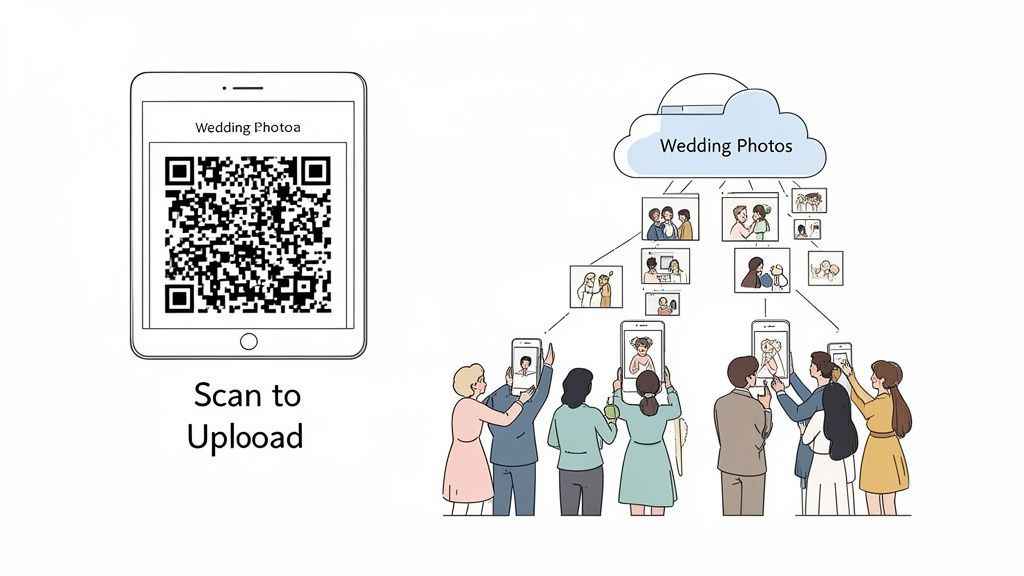
This super-smooth process means every photo ends up in one central place, in its original quality. For a wedding, that’s huge. You get print-worthy images from every angle, preserving your memories exactly as they were captured.
The Power of Instant and Inclusive Sharing
The real magic of a QR-based system is that anyone can use it. Sure, a lot of people have iPhones, but it’s far from everyone. There are over 1.4 billion active iPhone users globally, but that still leaves billions of people using other devices.
In places like Europe, iPhones only make up about 35.8% of the smartphone market. That means an Apple-only solution could easily leave out most of your guests. A QR code, on the other hand, just works for everybody. No one gets left out of the fun. You can dive deeper into these fascinating iPhone user statistics to see how much device usage varies around the world.
This approach makes consolidating photos completely effortless. Picture this:
You display your event’s QR code at the venue entrance or on invitations for instant photo uploads. Guests can start contributing the second they walk in, creating a live, collaborative gallery of your celebration as it happens.
That kind of simplicity is what drives people to actually participate. The easier you make it for guests to share, the more photos you’ll end up with. If you want to see a full breakdown of how this stacks up against traditional apps, check out our comparison of wedding photo sharing apps vs QR codes.
Versatility for Every Occasion
While weddings are a primary focus, the beauty of QR code sharing is how versatile it is. The same principles of ease of use and inclusivity make it the perfect tool for any gathering where you want to capture and consolidate memories.
- Birthdays: Get all the candid moments from a milestone birthday without making your friends download yet another app.
- Corporate Gatherings: Easily collect photos from team-building events, conferences, or holiday parties for the company newsletter or social media.
- Family Reunions: Let every generation, from tech-savvy teens to grandparents, contribute to a single family album without any tech headaches.
By knocking down all the technical barriers, QR code platforms turn everyone into a photographer for the day. It’s a simple but incredibly effective method that ensures your photo collection is as complete and vibrant as the event itself—a far better experience than being stuck in an iPhone-only world.
Your Top Questions About Shared Albums, Answered
When you're planning an event, collecting photos is always a big deal. Whether it's a small birthday get-together or a massive wedding, you want every memory. A shared album on iPhone seems like the obvious, easy choice, right?
Not so fast. Before you commit, let's get into the nitty-gritty. Here are the real answers to the questions every host asks.
Are iPhone Shared Albums Actually Private Enough for a Wedding?
Technically, yes—they're private to the people you invite. But there's a huge catch. If you accidentally flip the "Public Website" switch, anyone with the link can see every single photo. For a personal event like a wedding, that’s a security risk you just don't need to take.
This is where dedicated QR code platforms really shine. Most let you password-protect your gallery, so only your trusted guests can get in. It's that extra layer of control that gives you total peace of mind.
Do Shared Album Photos Eat Up My iCloud Storage?
Nope, and that’s the big selling point. Photos and videos you add to a Shared Album don't count against your personal iCloud storage. Sounds great, but it comes with a massive trade-off you need to know about.
To offer this "free" storage, Apple compresses your images, capping them at 2048 pixels on the long edge. On a phone screen, they look fine. But if you want to make professional prints or design a high-quality wedding album? Forget it. The resolution just isn't there.
The bottom line is this: Apple’s free storage comes at the cost of your photo quality. For casual snaps, it's fine. For once-in-a-lifetime events, it’s a compromise you shouldn’t have to make.
Can My Android Friends Add Photos to an iPhone Shared Album?
This is the big one, and the answer is a hard no. Your friends and family using Android phones cannot upload a single photo to an iPhone shared album on iPhone. They might be able to view the album if you make it public, but they can never contribute.
For any event with a mix of guests, this is the dealbreaker.
It completely cuts out half your crowd. A cross-platform solution, like a simple QR code that opens a web uploader, is the only way to get photos from everyone, regardless of what phone they have. That’s why QR codes are perfect for everything from weddings and corporate events to big family reunions. Just pop the code on a sign and watch the memories roll in from every guest.
Ready for a photo-sharing solution that's simple, inclusive, and high-quality? With WedPicsQR, guests just scan a QR code to instantly upload full-resolution photos—no app, no account, no hassle. Create your free gallery and start collecting every memory at https://www.wedpicsqr.com.
Capture Your Wedding Memories with WedPicsQR
Create a unique photo-sharing page for your wedding and let your guests contribute to your visual story.
Create Your First Photo Page