
How to Share a Photo Album on iPhone for Any Event
Sharing photos from your iPhone should be easy, right? While built-in tools like iCloud are fine for sharing with a few family members, they just don't cut it for bigger events. This guide covers the basics, but more importantly, it shows you a much better way to gather photos after a party or wedding.
The secret? A simple QR code system that lets guests upload photos instantly to a single, private gallery—no app download needed. It’s the definition of ease of use.
Unlock Effortless Photo Sharing for Any Occasion

We’ve all been there. You throw a great party, and you know your friends and family snapped some amazing, candid shots. The problem is, those photos are stuck on their phones, and trying to collect them all feels like an impossible task. Seamless consolidation seems out of reach.
Standard methods like iCloud Shared Albums are great for a handful of people, but they fall apart with larger groups.
A Modern Approach for Events
Imagine a system so simple that your guests can add photos to your album in seconds. That's exactly what you get with a dedicated QR code for photo collection. While this method is a game-changer for weddings—where you want to capture every possible angle—it’s fantastic for all sorts of gatherings. The primary focus for this technology is often weddings, but its versatility is a major strength.
- Weddings: Get all those priceless candid moments, from the ceremony to the dance floor, without making guests download yet another app.
- Corporate Gatherings: Consolidate photos from team-building events, conferences, or holiday parties into one polished album.
- Family Reunions: Make sure memories from every branch of the family tree end up in one central, easy-to-access place.
- Birthdays and Anniversaries: Capture the joy of your milestone celebrations through the eyes of everyone who was there.
Making Guest Contributions Seamless
The magic of this system is its incredible ease of use. Guests don't have to create accounts, remember passwords, or struggle with a clunky app. They just point their phone’s camera at a QR code, and it takes them straight to the upload page. No app requirement means no barriers for your guests.
A great practical example is to display your event’s QR code at the venue entrance or on invitations for instant photo uploads. This small touch encourages people to start sharing right away, ensuring you don’t miss a single memory.
By removing all the usual friction, you get a much more complete and authentic collection of photos. It’s the easiest way to turn a bunch of scattered snapshots into a unified, seamlessly consolidated album that everyone can enjoy.
Navigating Your iPhone's Built-In Sharing Options
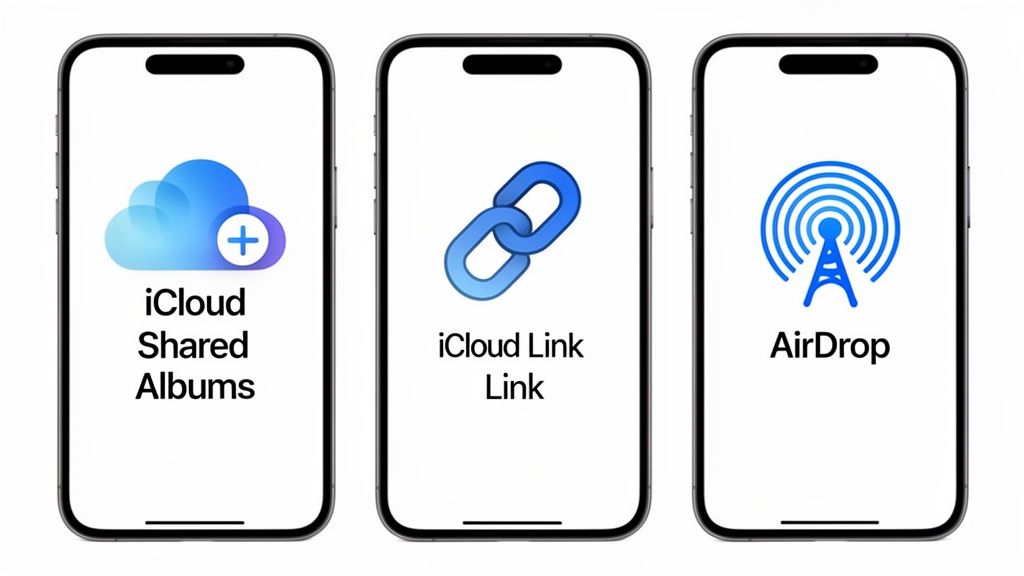
Your iPhone has a few tricks up its sleeve for sharing photos, and knowing the difference between them is key. Think of them as different tools for different jobs. You wouldn't use a hammer to turn a screw, right? Same idea here.
Apple’s built-in options are incredibly convenient, tapping into a massive ecosystem of over 2.1 billion active devices. With iPhones accounting for a whopping 92-94% of all photos snapped on smartphones, there’s a good chance your friends and family are already comfortable with these tools. That built-in familiarity makes them a great starting point for simple, everyday sharing.
iCloud Shared Albums for Collaboration
iCloud Shared Albums are Apple's answer to the classic collaborative photo album. It's essentially a semi-private gallery where you and your inner circle can dump photos.
You can invite up to 100 people, and once they're in, they can view, like, comment, and even upload their own pictures and videos. This makes it perfect for things like a family vacation or a small group project where everyone is contributing.
But here’s the catch: it’s an Apple-only club.
- The 100-person limit is a real problem for larger events.
- Crucially, only people with an Apple ID can add photos.
So, if half your friends are on Android, they’re left out. It’s a fantastic tool for a small, all-Apple group but falls short as a solution for a big, diverse guest list. If you need a refresher on setting one up, check out our guide on creating photo albums on an iPhone.
iCloud Links for Quick Sharing
Need to send a big batch of photos to someone right now? An iCloud Link is your best friend. It bundles your photos into a single, shareable web link that you can text, email, or drop into any messaging app.
The best part? The recipient doesn't need an iPhone. They just click the link, and the photos open up in their web browser. Simple.
The biggest downside to iCloud Links is that they're temporary. The link disappears after 30 days, making it totally unsuitable for creating a permanent event gallery. It’s the digital equivalent of sending a WeTransfer file—great for a quick hand-off, but not for long-term keeping.
AirDrop for Instant In-Person Transfers
When you're standing right next to the person you want to share with, nothing beats AirDrop. It’s ridiculously fast and simple.
Using a mix of Bluetooth and Wi-Fi, AirDrop zaps full-quality photos and videos between nearby Apple devices in seconds. No internet connection needed, no compression, no fuss.
Of course, its greatest strength is also its biggest weakness: you have to be physically close. It’s the perfect tool for sharing a few great shots with a friend at the party, but it’s useless for collecting photos from guests after they’ve all gone home. These built-in tools also make it easy to push your photos out to other platforms, which is helpful when you're learning how to add photos to Instagram Stories.
Comparing iPhone Photo Sharing Methods
Feeling a bit lost? This quick comparison should help you decide which native sharing option is the right fit for your situation.
| Feature | iCloud Shared Albums | iCloud Links | AirDrop |
|---|---|---|---|
| Best For | Collaborative albums with a small, trusted group | Quick, temporary sharing with anyone | Instant, in-person transfers |
| Recipient Device | Apple devices only | Any device with a web browser | Apple devices only |
| Contributor Limit | Up to 100 people (Apple users only) | Just the sender | Just the sender |
| Photo Quality | Scaled down (max 2048px) | Full resolution | Full resolution |
| Longevity | Permanent (until deleted) | Expires after 30 days | N/A (instant transfer) |
| Internet Required? | Yes | Yes (for sender and receiver) | No |
Each method has its place. For a long-term, collaborative family album, Shared Albums is great. For a quick share with your Android-using cousin, an iCloud Link works perfectly. And for that "hey, send me that photo" moment, AirDrop is king.
The Modern Solution for Wedding and Event Photos
Let's be honest, the standard ways to share a photo album on an iPhone just fall apart when it comes to big events, especially weddings. Chasing down photos from a hundred guests through endless text threads, confusing email chains, or a forgotten hashtag is a recipe for a massive headache. The whole process usually ends with a folder full of low-quality, compressed images and the nagging feeling that you missed some amazing moments.
Once the party's over, the last thing you want to do is spend months bugging your friends and family for pictures buried in their camera rolls. This is where a dedicated photo collection tool completely changes the game, blowing past the limits of your iPhone's built-in sharing features.
Seamless Consolidation with QR Codes
Imagine a single, private online gallery where every single photo and video from your wedding day automatically appears. That’s the magic of using a QR code system for seamless consolidation. The idea is brilliant in its simplicity: guests scan a code with their phone's camera, and it takes them straight to a private upload page.
There is no app to download and no account to create. This is the secret sauce. The incredible ease of use ensures you get way more people to participate than any other method. Guests can upload their best shots in seconds, right after they take them.
For example, you can display your event’s QR code at the venue entrance, on each dinner table, or even at the bar. A guest waiting for a drink can scan it and instantly upload that perfect candid they just snapped of the two of you. This turns what could be a chore into a fun, interactive part of the event itself.
The App-Free Advantage for High Participation
This technology is a perfect fit for weddings, and for good reason. Your average wedding has 100+ guests, all capturing unique perspectives throughout the day. While your professional photographer is getting those beautiful, polished shots, your guests are catching the candid, behind-the-scenes magic.
- Effortless Guest Experience: The whole process is dead simple for everyone, from your tech-savvy college friends to your grandparents. If they can take a picture with their phone, they can share it.
- Instant Photo Uploads: Pictures pop into your album in real-time. You can literally watch your wedding unfold from dozens of different angles as it’s happening.
- Full-Quality Memories: Unlike social media or messaging apps that shrink and compress your images, this method preserves the original, high-resolution quality of every single photo and video.
This approach gives you a complete, authentic story of your day. You'll get to see your cousin’s emotional reaction during the vows or the hilarious dance-off that broke out while the photographer was busy elsewhere.
Versatility Beyond the Wedding Day
While a QR code system is a lifesaver for weddings, its versatility makes it just as useful for all sorts of other events. The main benefit is always the same: easily gathering photos from a big group of people without any friction. Think about using it for:
- Corporate Gatherings: Collect all the photos from team retreats, holiday parties, and big conferences without a single follow-up email.
- Family Reunions: Finally create that complete family album with pictures from every generation, all in one place.
- Milestone Birthdays: Capture every angle of a 50th birthday bash or a sweet sixteen.
Understanding the power of event QR codes can completely change how you preserve memories from any important get-together. It's a simple switch that delivers a much richer, more complete photo album, making sure no precious moment ever gets lost again.
Setting Up Your Event Photo Album with a QR Code
Alright, let's get down to business. Moving from idea to reality is way simpler than you might think. Setting up a QR code system for your event takes just a few minutes, but the payoff is a complete, authentic collection of memories you'd otherwise miss. The goal here is to make it ridiculously easy for your guests—from your tech-savvy cousin to your grandma—to chip in their photos.
This method is an absolute game-changer, primarily for weddings, but honestly, it's perfect for birthdays, corporate events, and big family reunions too. You can even personalize the experience with a welcome message or add a password for extra privacy. You're in total control of who gets to see the album.
The whole process for your guests is as simple as it gets.
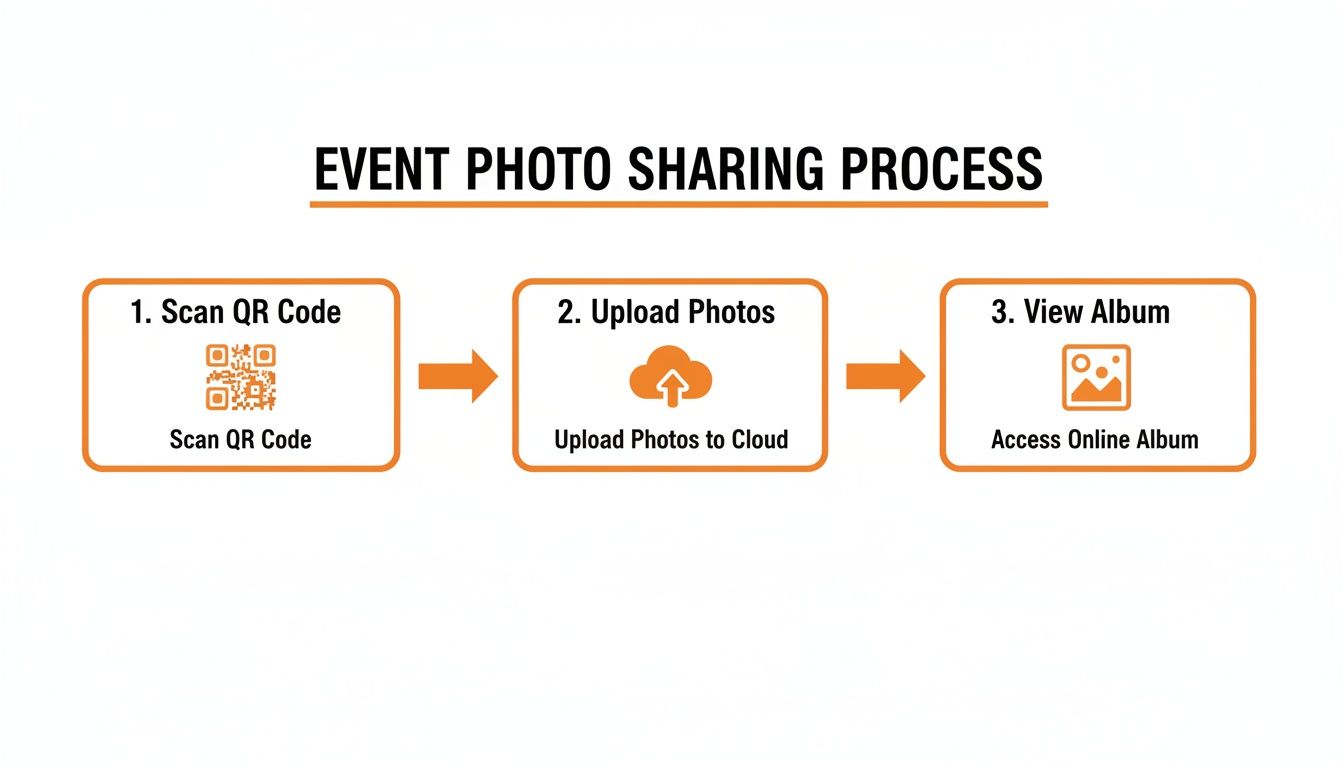
This three-step flow—scan, upload, view—cuts out all the usual hassle. No app downloads, no accounts to create. Just instant participation.
Generating Your Unique QR Code
Once your gallery is ready to go, the next move is creating the QR code itself. This is the magic key that unlocks your shared album. Modern tools make this incredibly easy, letting you generate a unique code that links right to your private upload page. For those who want to get a little fancier with the design, learning the basics of https://www.wedpicsqr.com/blog/how-to-create-qr-codes can open up more advanced options.
The real beauty here is how immediate it is. A guest scans the code, and their phone’s browser pops open right to your album, ready for instant photo uploads. This seamless process means every picture lands exactly where it belongs, all in one organized spot.
Creative Placement for Maximum Engagement
How and where you display that QR code can make a massive difference in how many photos you get. You want it to be visible, convenient, and maybe even a little clever.
Think of it this way: place the code where people naturally gather or have a moment to spare. Display your event’s QR code at the venue entrance or on invitations for instant photo uploads.
Here are a few field-tested ideas that really work:
- On Table Centerpieces: Print small, elegant cards with the QR code and pop one on each table.
- At the Bar: This is a goldmine. Guests often have their phones out while waiting for a drink.
- In the Restroom: A framed sign by the mirror is a surprisingly effective and clever placement.
- On Cocktail Napkins: Custom-printed napkins are a fun, interactive touch that gets people talking and sharing.
If you want to go deeper on how to get the most out of QR codes at different events, check out this guide on How to Use QR Codes for Events and Memberships. By weaving the QR code into your event’s decor and flow, you make sharing photos feel like a natural part of the celebration instead of a chore. That’s how you capture a rich tapestry of moments from every perspective.
Why App-Free Photo Sharing Is a Game-Changer
When you're trying to figure out how to share a photo album from an iPhone for a big event, the biggest roadblock isn't the tech itself—it's friction. Think about it: asking dozens, maybe hundreds, of your guests to download a special app they'll probably only use once is a huge ask. That simple step is enough to make most people give up, leaving you with just a handful of the photos you were hoping for.
App-free, browser-based sharing completely flips the script. By giving guests a simple QR code to scan, they can start uploading their photos instantly without downloading a single thing. This one change makes a massive difference, turning a chore into a seamless, fun experience that respects your guests' time and their phone's precious storage space.
The Power of Instant, Easy Uploads
Let's be real, for most people, this is about weddings, where every candid moment is pure gold. An app-free system means guests can scan a QR code on a table card and immediately upload their photos to one private, centralized gallery. No accounts to create, no passwords to remember. The ease of use is everything.
But this approach is incredibly versatile and works just as well for all sorts of other get-togethers:
- Birthdays and Anniversaries: Capture every smile and surprise from all the different angles in the room.
- Corporate Gatherings: Finally get all the team photos from the conference or holiday party consolidated in one spot without a million emails.
- Family Reunions: Make sure memories from every generation, from your tech-savvy cousins to your great-aunt, are saved in one central place.
Here's a fantastic, practical tip: Display your event’s QR code right at the venue entrance or even on the invitations for instant photo uploads. This simple prompt gets guests sharing from the moment they walk in, capturing the entire story of your event from start to finish.
Built for the Modern Event
Modern events generate a truly staggering number of photos. Globally, people are snapping around 5–6 billion photos per day, and a single wedding can easily rack up thousands of guest photos in just a few hours. If just 40% of 150 guests each upload 20–30 photos, you're looking at 1,200–1,800 images flooding in. You can check out more wild photo stats over on Photutorial. That kind of volume demands a system built for it.
Unlike old-school methods that often compress images and ruin the quality, most QR code services are designed to preserve the original photo. Every picture lands in your private album in high resolution, totally ready for printing or sharing. Best of all, this automatic consolidation saves you from the post-event headache of chasing people down for their pictures, ensuring every precious memory is captured and kept safe. It's a no-brainer for any gathering where you want to effortlessly preserve memories without the hassle.
Your Top Photo Sharing Questions, Answered
When you're trying to figure out how to share a photo album from an iPhone, a bunch of questions always pop up, especially when there's a big event on the line. Let's tackle the most common ones so you can pick the right tool for the job.
Can My Friends with Androids Add Photos to an iCloud Shared Album?
This is a huge one, and the answer is, unfortunately, no. Only people with an Apple ID can be invited to an iCloud Shared Album to view, comment, and—most importantly—upload their own photos.
You can create a public website link for anyone to view the album, but they can't contribute. For any event with a mix of iPhone and Android users (so, basically every event), this is a major dealbreaker. This is where a platform-agnostic QR code solution really shines, making it ridiculously easy for everyone to share, no matter what phone they have.
How Long Do iCloud Links Last?
Not long enough for anything important. An iCloud Link is for quick, casual sharing, and it automatically expires after 30 days. This makes it completely wrong for collecting memories from a wedding or any other milestone event.
If you want a gallery you can look back on for years, you need a dedicated event photo service that offers permanent storage. Simple as that.
The real game-changer for events is getting every single guest's photo into one permanent, private gallery without you having to lift a finger. A QR code system does exactly that, instantly building the complete story of your day through seamless consolidation.
Is QR Code Photo Sharing Secure?
Absolutely. Any reputable service is built with privacy as its number one job. You can almost always password-protect your gallery, which means only your invited guests can get in to see or upload photos.
Think about it: a public hashtag splashes your private moments all over social media for anyone to see. A QR code system creates a closed-off, private space. You own and control all the memories, keeping them safe and sound. It's all about creating a private, shared experience.
What Makes a QR Code Better Than a Wedding Hashtag?
It really comes down to two things: consolidation and quality. A hashtag is a messy solution. It leaves your photos scattered across different public social media platforms, brings up a ton of privacy issues, and social media apps crush the quality of your images, making them useless for printing.
A QR code, on the other hand, sends everyone to one single, private gallery. This guarantees all the original, high-resolution photos are gathered in one spot for you to easily browse and download. It’s a direct, clean way to get more photos, faster, without the post-event headache of trying to hunt everything down. The instant photo uploads with no app requirement is what seals the deal.
Ready to create a complete, candid album from your next event? With WedPicsQR, you can set up a private gallery with a unique QR code in minutes. Your guests get an incredibly easy, app-free way to share their memories, and you get a beautiful, consolidated collection of every moment. Get started with WedPicsQR today.
Capture Your Wedding Memories with WedPicsQR
Create a unique photo-sharing page for your wedding and let your guests contribute to your visual story.
Create Your First Photo Page