
The 10 Best Way to Share Wedding Photos With Guests in 2026
Your wedding day is a whirlwind of unforgettable moments, from the heartfelt vows to the dance floor celebrations. While your professional photographer captures the main events with artistry, your guests are snapping hundreds of candid, personal memories on their phones. The real challenge isn't just taking photos; it's effortlessly collecting and sharing every single one. Finding the best way to share wedding photos with guests means choosing a method that is simple, instant, and requires no app downloads for anyone from your tech-savvy cousin to your grandmother.
This guide is designed to cut through the noise and provide clear, actionable strategies. We'll dive into modern, seamless solutions that consolidate every precious memory without adding stress to your post-wedding bliss. The focus is on ease of use, instant uploads that require no app downloads, and the efficiency of QR codes that turn every guest into a valued contributor. This seamless consolidation ensures you capture every angle and moment. To streamline the collection process, consider platforms that allow guests to easily explore instant photo upload features directly from their devices, turning every moment into a shared memory.
While our primary focus is on weddings, these methods are incredibly versatile and perfect for any celebration where memories are made—be it milestone birthdays, corporate gatherings, or family reunions. Ensuring every photo is saved and shared should be the easiest part of your event planning, and we’ll show you exactly how to make that happen.
1. QR Code-Based Photo Collection Platforms
QR code-based platforms represent the most modern and frictionless method to collect and share wedding photos with guests. This approach eliminates the need for guests to download a specific app or remember a hashtag. Instead, you create a unique QR code linked to a private, centralized photo gallery. Guests simply scan the code with their smartphone camera, which opens a webpage allowing them to instantly upload photos from their device. This is the gold standard for ease of use and seamless consolidation.
This method ensures you capture every candid moment in real-time, all consolidated in one place. The immediate accessibility and no-app-required process make it a superior option for all guests, regardless of their technical skill. While ideal for weddings, the versatility of this system makes it perfect for corporate gatherings, birthday parties, and reunions where instant photo sharing is key.
Practical Tips for Implementation
- Display Prominently: Place your event’s QR code on signs at the venue entrance, on cocktail napkins, or on invitations for instant photo uploads.
- Provide Clear Instructions: Include a short, simple instruction like "Scan to share your photos instantly! No app needed." alongside the QR code to guide guests.
- Test Beforehand: Scan the QR code with different types of smartphones (iPhone and Android) before the event to ensure the upload process is seamless.
- Communicate Early: Mention the QR code on your wedding website so guests know how easy it will be to contribute their photos.
2. Dedicated Wedding Photo Galleries with URL Sharing
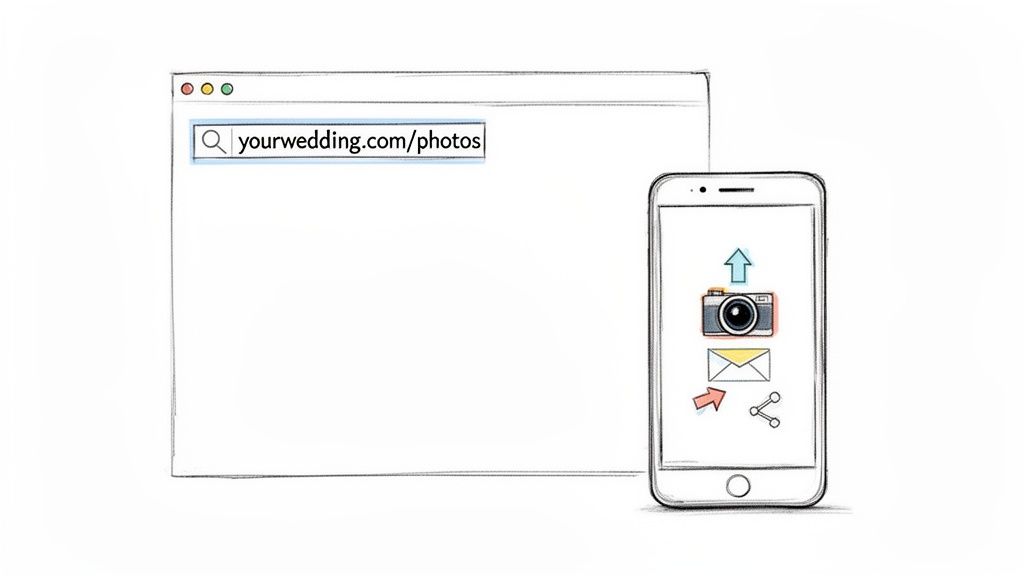
Dedicated wedding photo galleries provide a private and centralized space for your photos, accessible via a unique URL. This method allows you to share a simple link with guests through email, text, or on your wedding website, giving them direct access to upload their pictures. It strikes a perfect balance between the ease of a web link and the organization of a private gallery, making it an excellent way to share wedding photos with guests without requiring an app.

This approach offers customization over privacy settings and photo permissions, ensuring you have full control over your memories. Couples can manage, download, and share the entire collection seamlessly. The versatility of this method makes it ideal not just for weddings but also for corporate events where a branded gallery is needed or for family reunions where simplicity is key. For more options, you can explore some of the best wedding photo sharing sites available.
Practical Tips for Implementation
- Share Widely: Include the gallery URL in your invitations, on wedding programs, and within thank-you cards to ensure all guests have access.
- Create a Custom URL: Use a memorable and easy-to-type URL, such as "TheSmiths.com/photos," or use a link shortener for easier sharing.
- Send Timely Reminders: Email or text the link to guests a few days before the wedding and again afterward to encourage uploads.
- Provide Clear Instructions: If the gallery is password-protected, make sure to share the password along with the link and clear instructions for uploading.
3. Wedding Hashtag Strategy with Social Media Integration
A wedding hashtag leverages the power of social media to crowdsource and organize guest photos. By creating a unique, branded hashtag (e.g., #SmithJonesWedding2024), you give guests a simple way to tag their photos on platforms like Instagram and Facebook. This approach capitalizes on existing social media habits, turning every guest's post into a contribution to your wedding album. Modern photo platforms can then automatically aggregate any publicly tagged media, centralizing the content for you.
This method excels at generating social buzz and is a fantastic way to share wedding photos with guests who are active online. While it’s perfect for capturing the public celebration, it relies on guests having public social media profiles for photos to be aggregated. For this reason, many couples combine it with a more seamless collection method, like a QR code gallery, to ensure private moments are also captured easily. You can explore how to create the perfect wedding hashtag on WedPicsQR's blog.
Practical Tips for Implementation
- Create a Unique Hashtag: Combine your names, wedding date, or a clever phrase to make it memorable and distinct. Test it first to ensure it’s not already in use.
- Promote It Everywhere: Include the hashtag on your wedding website, invitations, save-the-dates, and on signs displayed prominently throughout the venue.
- Encourage Participation: Have your DJ or emcee announce the hashtag a few times during the reception to remind guests to tag their photos and videos.
- Combine with a Private Gallery: Use a hashtag for public fun but provide a QR code for a private gallery to capture photos from all guests, ensuring effortless consolidation regardless of their social media privacy settings.
4. Cloud Storage Services with Shared Folders
Leveraging cloud storage services like Google Drive, Dropbox, or OneDrive is a familiar and effective way to share wedding photos with guests. This method involves creating a dedicated, shareable folder and distributing an access link to your guests. Upon clicking the link, they can upload their photos and videos directly from their phones or computers into this centralized location, making it a straightforward process for those accustomed to these platforms.
This approach is highly practical for collecting high-resolution files without compression and offers substantial storage capacity, depending on your subscription plan. It gives you direct control over permissions, allowing you to decide who can view, upload, or edit the contents. For those prioritizing long-term storage and familiar interfaces, cloud folders are a reliable option, though they may require more technical guidance for less savvy guests compared to the superior ease of use found in QR code systems. For more insights on digital photo preservation, you can read about the best ways to store photos online.
Practical Tips for Implementation
- Create a Clear Folder Structure: Name the main folder something obvious, like "Sarah & John's Wedding Photos - June 2024," and consider creating subfolders for "Ceremony," "Reception," and "Getting Ready" to keep uploads organized.
- Share a Simple Link: Use a link shortener like Bitly to create a memorable URL for your shared folder and include it on your wedding website or in a post-wedding email.
- Provide Detailed Instructions: Send a brief guide with screenshots explaining how to upload photos. Explicitly state that guests might need to sign in to a Google or Dropbox account to contribute.
- Manage Permissions Carefully: Set permissions to "uploader" or "contributor" to prevent guests from accidentally deleting others' photos. You can change this to "viewer" only after the collection period ends.
5. Professional Photography Platform Integration
Integrating guest photos directly into your professional photographer's gallery is a powerful way to create a comprehensive visual narrative of your day. Many professional platforms, like Pixieset, ShootProof, or SmugMug, offer features that allow photographers to enable guest uploads. This approach bridges the gap between polished, professional shots and candid, in-the-moment guest perspectives, consolidating everything into one beautifully curated and high-quality album.
This method centralizes your photo collection, placing guest contributions alongside the official coverage from your photographer. Instead of managing separate albums or hashtags, you get a single, cohesive gallery that tells the complete story of your wedding from multiple viewpoints. It's an excellent way to organize memories and provides an easy system for guests to see both their own photos and the stunning professional images in one place, making it one of the best ways to share wedding photos with guests.
Practical Tips for Implementation
- Discuss with Your Photographer: Before the wedding, confirm if your photographer’s platform (like Pixieset or ShootProof) supports guest uploads and if they are willing to enable this feature.
- Create Clear Guidelines: Ask your photographer to provide simple instructions for guests. This often involves a unique link or password to a specific folder within the main gallery.
- Designate a Point Person: Assign a wedding party member to help guests who might have questions about uploading their photos during the event.
- Plan a Review Process: Work with your photographer to review and curate guest submissions before making the combined gallery public, ensuring only the best moments are highlighted.
6. Email-Based Photo Collection and Guest Galleries
Email-based collection is a traditional yet highly effective method for couples who want to proactively invite guests to share their photos. This approach involves sending guests a direct email with a unique link to a centralized photo gallery. Guests simply click the link and can upload their photos directly from any device without needing to remember a specific website or hashtag. It provides a clear, personalized call-to-action that is especially effective for reaching guests who might miss a QR code or are less active on social media.
This direct-invitation method is a great way to ensure all your guests, from grandparents to colleagues, know exactly how to contribute. It’s also a common feature in comprehensive photo-sharing platforms like WedPicsQR, which allows you to send automated email invitations to your entire guest list. This creates a more controlled and direct line of communication, making it a reliable way to gather photos before, during, and after the event. The direct link simplifies the process, offering a clear path to share memories.
Practical Tips for Implementation
- Schedule Your Emails: Send an initial invitation a week or two before the wedding, and follow up with a reminder a few days after so guests can upload their pictures.
- Use Clear Instructions: Your email should have a clear subject line and a prominent button or link that says "Upload Your Wedding Photos Here!"
- Personalize Your Message: A personalized email is more likely to be opened. Use a template that allows you to address guests by name to increase engagement.
- Test the Upload Link: Before sending the email blast, click the link on both a computer and a smartphone to ensure the upload process is smooth and intuitive for everyone.
7. Instagram and Facebook Photo Tagging & Albums
Leveraging platforms like Instagram and Facebook taps into existing social media habits, making it an intuitive way for guests to share photos. This method involves guests uploading photos to their personal profiles and tagging the couple, an event page, or a specific shared album. The couple can then gather these images by monitoring the tags or creating a centralized album where guests can contribute directly.
This approach integrates seamlessly into guests' natural sharing routines, as many will post about the event anyway. Facebook's shared album feature is particularly useful, allowing designated contributors to add photos to one central location without needing a new app or service. While familiar, this method lacks the privacy and seamless consolidation of dedicated platforms, making it better as a supplementary, rather than primary, photo collection strategy.
Practical Tips for Implementation
- Create Clear Guidelines: Before the event, share your specific handles to tag and the preferred privacy settings for a Facebook shared album to ensure you can see all contributions.
- Designate a Monitor: Ask a trusted friend or family member to monitor tags during the event, saving photos and engaging with posts to encourage more sharing.
- Curate a Highlight Reel: Use Instagram's "Highlights" or Facebook's album features to create a curated collection of the best guest photos for everyone to enjoy.
- Download High-Resolution Versions: Remind guests to send you the original files, as social media platforms heavily compress images, reducing their print quality.
8. WhatsApp and Messenger Group Chats
Using private group chats on platforms like WhatsApp or Facebook Messenger offers an informal, real-time method to share wedding photos with guests. This approach leverages apps that the vast majority of attendees already use daily, creating an immediate and highly interactive photo-sharing environment. Guests can drop photos and videos directly into the conversation for everyone in the group to see and react to instantly.
This method transforms photo sharing into a communal experience, perfect for smaller, more intimate weddings or for keeping a core group like the wedding party connected. The chronological flow of the chat captures the day's events as they happen, creating a lively, collaborative digital scrapbook. It’s an excellent, low-friction option for capturing candid moments from close friends and family, making it one of the simplest ways to share wedding photos.
Practical Tips for Implementation
- Keep Groups Small: Limit membership to 20-30 people, such as immediate family and the wedding party, to prevent the chat from becoming overwhelming.
- Set Expectations Early: Create the group before the event and post a welcome message explaining its purpose is for photo sharing, setting clear guidelines for participation.
- Designate a Moderator: Assign a trusted friend or family member to help manage the conversation and encourage guests to upload their best shots.
- Archive and Save: After the wedding, promptly download and save all shared photos to a more permanent storage solution, as group chats are not ideal for long-term archiving.
9. USB Drive and Physical Media Distribution
For events with limited internet connectivity or guests who prefer a more traditional, tangible approach, distributing USB drives offers a reliable offline solution. This method involves providing guests with branded USB sticks or setting up a dedicated station where they can directly transfer photos from their phones or cameras to a central hard drive. It bypasses the need for Wi-Fi, apps, or cloud uploads entirely, making it a robust choice for remote destination weddings or for involving older, less tech-savvy family members.
This physical media approach ensures that every photo is collected securely without relying on an internet connection, offering a great alternative when digital methods are impractical. While it requires more hands-on management during the event, it provides a unique and functional keepsake for guests and guarantees you won't miss out on their captured memories due to technical difficulties. It stands as a prime example of a non-digital, best way to share wedding photos with guests when technology is a barrier.
Practical Tips for Implementation
- Provide Labeled Drives: Offer guests clearly labeled USB drives with your names and wedding date, turning the photo-sharing tool into a memorable party favor.
- Set Up a Transfer Station: Designate a specific table with a laptop, USB hub, and various cables (Lightning, USB-C) to help guests transfer files easily.
- Create Simple Instructions: Display a small, easy-to-follow visual guide showing guests how to connect their device and copy their photos.
- Backup Immediately: Have a plan to copy the contents of each USB drive to a separate hard drive during or immediately after the event to prevent data loss.
10. Bluetooth and Direct Device Transfers
For small, intimate ceremonies, direct device transfers via Bluetooth, AirDrop (for Apple users), or Nearby Share (for Android users) offer a highly private and immediate way to share photos. This method involves guests sending their photos directly to a designated device, such as the couple's phone or a tablet, requiring them to be in close physical proximity. It works exceptionally well for elopements or micro-weddings where managing a large-scale collection system is unnecessary.
This approach ensures photos are received in their original quality and remain completely private, as they are not uploaded to a cloud or social platform. While it lacks the scalability for larger events, its simplicity and security make it a unique option for sharing moments with a tight-knit group of guests. It bypasses the need for internet connectivity, making it a reliable choice for remote or off-grid wedding locations.
Practical Tips for Implementation
- Establish a "Photo Drop" Station: Set up a specific, clearly marked area where guests can approach to transfer their photos. This organizes the process and prevents interruptions.
- Designate a Device and Manager: Dedicate a phone or tablet solely for receiving photos and assign a tech-savvy friend or family member to manage the transfers.
- Enable and Test Settings: Ensure the receiving device has Bluetooth, AirDrop, or Nearby Share enabled and is set to be discoverable by "Everyone" or "Contacts" before the event starts.
- Keep a Charger Handy: Direct transfers can drain a device's battery quickly, so keep a portable power bank or charger at the station to ensure it stays operational.
Top 10 Wedding Photo-Sharing Methods: Comparison
| Method | Implementation complexity | Resource requirements | Expected outcomes | Ideal use cases | Key advantages |
|---|---|---|---|---|---|
| QR Code-Based Photo Collection Platforms | Low — generate QR and gallery, minimal setup | Guests need smartphones, venue Wi‑Fi/cellular, hosting | High participation, real‑time consolidated gallery | Weddings, birthdays, corporate gatherings, reunions | App‑free, ease of use, instant uploads, seamless consolidation |
| Dedicated Wedding Photo Galleries with URL Sharing | Low to moderate — customize gallery and privacy | Internet access, hosting/platform subscription, sharing channels | Organized, branded gallery with bulk download capability | Distributed guest lists, pre/post‑event sharing | Browser access, branding, password control, permanent archive |
| Wedding Hashtag Strategy with Social Media Integration | Low — create and promote hashtag, monitor feeds | Active social media users, hashtag monitoring/aggregation tools | Large volume of UGC, wide social reach, mixed quality | Socially active guests, brand amplification, destination weddings | Leverages guest habits, broad organic reach, scalable engagement |
| Cloud Storage Services with Shared Folders | Low — create shared folder and permissions | Cloud account (Google/Dropbox/etc.), storage plan, guest familiarity | Centralized raw files, high capacity, less curated presentation | Tech‑savvy attendees, budget‑conscious couples, small–medium events | Large file support, familiar UI, automatic sync and backup |
| Professional Photography Platform Integration | Moderate to high — coordinate with photographer and platform | Photographer account, platform fees, proofing and fulfillment tools | High‑quality curated gallery combining pro + guest photos | Couples hiring pro photographers, high‑end weddings, presentation‑focused events | Professional presentation, proofing, print/product integration |
| Email-Based Photo Collection and Guest Galleries | Low to moderate — prepare lists and email templates | Accurate email list, email service provider, upload links | Targeted participation, good for less tech‑savvy guests, delayed uploads | Dispersed guests, formal events, older audiences | Direct CTA, trackable opens, personalized reminders |
| Instagram and Facebook Photo Tagging & Albums | Low — set hashtag/tagging guidance and monitor | Guest social accounts, public tagging, platform monitoring | Organic social spread, scattered collection, privacy tradeoffs | Young, social audiences, events seeking viral reach | Free, familiar, high engagement and discoverability |
| WhatsApp and Messenger Group Chats | Low — create group and set guidelines | Messaging apps installed on guests' phones, manageable group size | Immediate real‑time sharing, poor long‑term organization | Small to medium gatherings, close friends/family, informal events | Instant participation, low friction, real‑time reactions |
| USB Drive and Physical Media Distribution | Moderate — set up stations and manage hardware | USB drives/SD cards, computers, adapters, attendant staff | Reliable offline transfers, physical backups, limited scalability | Remote venues, tech‑averse guests, older attendees | Works offline, large uncompressed transfers, tangible keepsakes |
| Bluetooth and Direct Device Transfers | Low — designate devices and enable transfers | Compatible devices (AirDrop/NearbyShare), proximity, charged devices | Private, instant transfers for small groups, manual consolidation | Intimate weddings, elopements, high‑privacy situations | Fast, offline, secure device‑to‑device transfer |
The Perfect Picture: Choosing Your Ultimate Photo-Sharing Strategy
Choosing the best way to share wedding photos with guests shouldn't add stress to your planning. After exploring everything from traditional USB drives and social media hashtags to modern cloud-based solutions, a clear picture emerges. The most effective strategies prioritize simplicity for both you and your guests, ensuring that every precious moment is captured with unparalleled ease of use.
The ultimate goal is to create a seamless experience where sharing is as joyful as the event itself. While each method we've discussed offers unique benefits, the standout solutions are those that remove friction. This means no mandatory app downloads, no complicated login processes, and no fragmented albums scattered across multiple platforms. Seamless consolidation is key.
Synthesizing Your Photo-Sharing Workflow
Your ideal strategy combines ease of use with comprehensive collection. The most successful approach often involves a hybrid model that caters to different guest preferences while funneling all images into a single, organized location.
-
Primary Collection Method: A QR code-based system, like the one offered by WedPicsQR, should be the foundation of your plan. This approach is powerful because it allows for instant, on-site uploads directly from a guest's phone camera, making it incredibly intuitive for everyone, regardless of their tech-savviness. You can display your event’s QR code at the venue entrance or on invitations for instant photo uploads.
-
Secondary Sharing Options: Supplement the QR code with a memorable URL for guests who want to upload photos after the event. A creative and fun social media hashtag can also encourage sharing on platforms like Instagram, but remember that this method often results in lower-quality images and a less private collection.
-
Post-Event Engagement: Once all the photos are gathered, your job isn't over. Consider creative ways to share the consolidated gallery. Beyond a simple link, you could learn how to create a photo slideshow that wows, turning your collection into a cinematic experience to share with family and friends who couldn't attend. This transforms a static gallery into a dynamic, emotional narrative of your special day.
The Lasting Value of Effortless Collection
Ultimately, the best way to share wedding photos with guests is the one that gets used. By eliminating barriers with instant, app-free uploads via a simple QR code, you empower everyone to contribute to your visual story. This isn't just for weddings; this streamlined approach is perfect for corporate events, family reunions, milestone birthdays, and any gathering where memories are being made. You end up with a rich, authentic, and multi-perspective album that a single photographer could never capture alone. Your memories are priceless; make sure collecting them is effortless.
Ready to create a beautiful, consolidated photo album from your event without the hassle? WedPicsQR provides the simplest solution for guests to upload photos instantly using a unique QR code, no app required. Start your effortless photo collection journey today with WedPicsQR!