
Master Your QR Code Image Download for Any Event
Getting your hands on a qr code image download is the single fastest way to collect every photo from your event. It creates one central, private gallery that lets your guests add their pictures instantly right from their phones—no app required. This seamless consolidation of photos means you get every memory without the hassle.
Unlock Instant Photo Sharing with QR Codes
Think about it. You've just hosted the perfect wedding, but now you have to spend the next few weeks chasing down photos from dozens of different phones. Old-school methods like shared cloud albums or clunky hashtag searches just don’t cut it and often lead to missed memories. A dedicated QR code for photo sharing fixes all of that.
When you create and download a single QR code image, you’re giving everyone at your event a direct pipeline to your gallery.
The real magic here is how simple it is. Guests don't have to install a thing or type out some long, complicated URL. They just point their phone's camera, scan the code, and start uploading. This frictionless process encourages everyone to participate, ensuring you capture hundreds of candid moments that a single photographer could never get. It's an incredibly easy way to consolidate every photo in one place.
Perfect for Weddings and Beyond
While this is an absolute game-changer for weddings, its versatility makes it brilliant for all kinds of get-togethers. The goal is always the same: easily consolidate authentic moments from the people who were actually there, with no app downloads required.
- Weddings: Get every angle of your special day, from the "I do's" to the chaos on the reception dance floor, all neatly organized in one spot.
- Corporate Gatherings: Effortlessly collect photos from team-building events, holiday parties, or conferences to use in company newsletters or social media.
- Birthdays and Anniversaries: Build a living scrapbook of your milestone celebration with instant photo uploads from all your friends and family.
- Family Reunions: Finally consolidate photos from different branches of the family into a single, shared album everyone can actually see and enjoy.
For instance, you can display your event’s QR code at the venue entrance or on invitations for instant photo uploads. This simple move turns every guest into a contributor, building a rich, multi-perspective gallery of your celebration. This isn’t just about making things easy; it’s about creating a more complete and collaborative memory of your event. If you want to dive deeper, you can learn more about how to use event QR codes effectively in our detailed guide.
The core benefit is removing all barriers to photo sharing. When it's as easy as scanning a code for an instant photo upload, guests are far more likely to share their best shots, giving you a fuller, more authentic collection of memories.
Creating and Downloading Your Event QR Code
Alright, let's get that QR code made and ready for your guests. This is the fun part where you create the little digital doorway for everyone to start uploading their photos. The whole process is super quick and you absolutely don't need to be a tech wizard to do it.
What’s great is that you can really make it your own. For a wedding, you could match the QR code to your invitation colors or even pop a small monogram in the middle. If it’s for a corporate event, adding your company logo makes it look professional and instantly recognizable. This isn't just about looking good; a custom, on-brand QR code actually encourages more people to scan it. If you want to create these personalized visuals on the fly, a dynamic image generator can be a huge help.
Choosing Your Download Format
Once your QR code looks perfect, you need to decide how to download it. The choice here comes down to one simple question: where are you going to put it? Picking the right file format for your qr code image download is the key to making sure it scans perfectly every time, whether it's on a screen or on a giant banner.
Choosing the Right QR Code Image Format
When it comes to downloading your QR code, you'll usually see a few different file types. Each one has a specific job, and picking the right one prevents annoying scanning issues later on. Here’s a quick guide to help you choose the best format for your event materials.
| File Format | Best For | Key Benefit |
|---|---|---|
| PNG | Websites, emails, social media | Supports transparent backgrounds, looks sharp on screens |
| SVG | All print materials, large signs | Can be scaled to any size without losing quality |
| JPG | Digital use where transparency isn't needed | Small file size, good for web pages |
Essentially, if it's going to be printed, SVG is your best friend. For anything on a screen, PNG is usually the safest bet. Getting this right from the start means your guests will have zero trouble scanning and sharing.
A Tale of Two Formats: Print vs. Digital
Let’s break down the two most important options you'll encounter:
-
PNG (Portable Network Graphics): Think of PNGs as your go-to for anything digital. If you're putting the QR code on your wedding website, sending it in an email, or posting it on social media, PNG is the format for you. It keeps the image quality high without making the file size enormous, and its ability to have a transparent background means you can overlay it on any design without an ugly white box around it.
-
SVG (Scalable Vector Graphics): This is the undisputed champion for anything you plan to print. Unlike PNGs or JPGs which are made of pixels, SVGs are made of mathematical formulas. That means you can stretch an SVG from the size of a postage stamp to the size of a billboard, and it will stay perfectly crisp and clear. No pixelation, ever.
For a deeper look into the creation process itself, check out our guide on how to create QR codes.
Your goal is to eliminate any friction for your guests. A blurry, pixelated QR code is a dead end. But a razor-sharp SVG on a welcome sign or a clean PNG in an email makes sharing photos instant and effortless for everyone.
This decision tree shows just how simple the choice has become. The old ways of chasing down photos are complicated and clunky compared to the streamlined QR code approach.
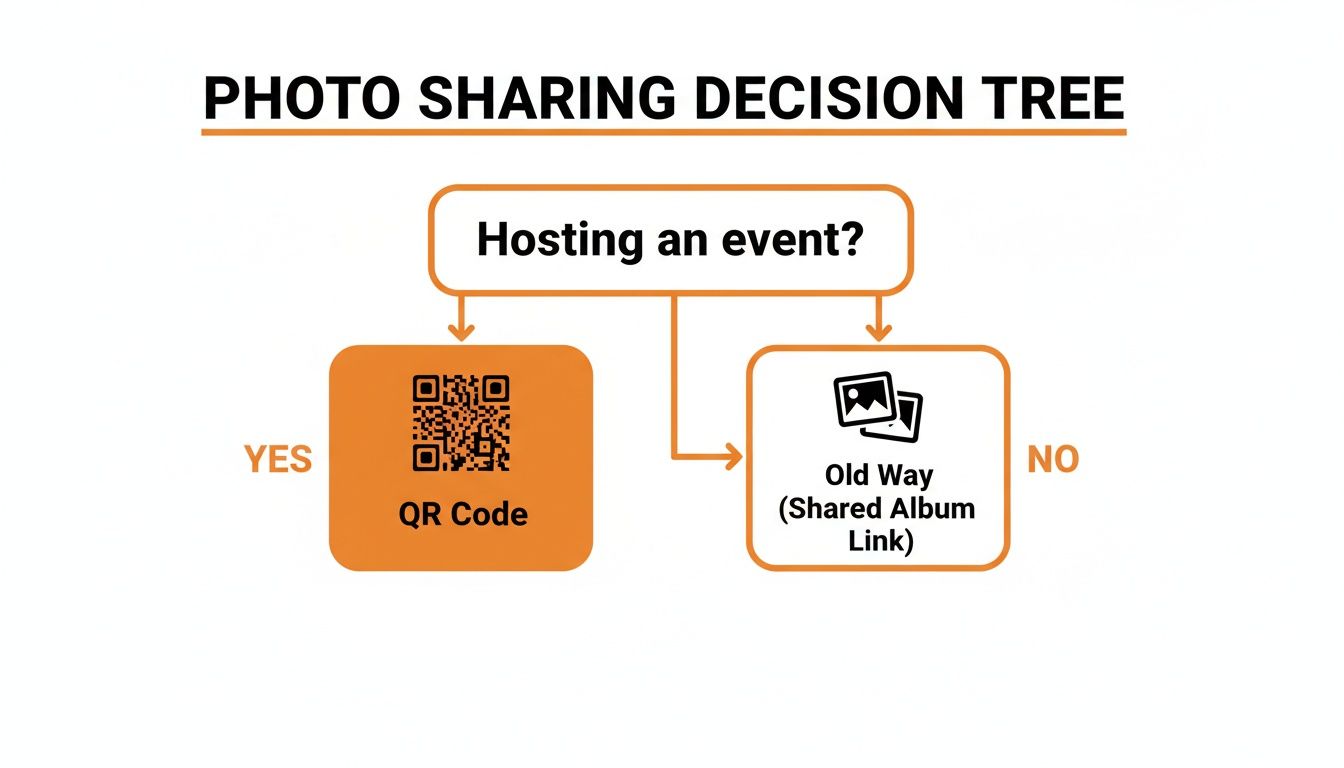
As the flowchart shows, for any event organizer, the QR code is simply the smarter, easier path to getting all those fantastic guest photos in one place.
At the end of the day, your choice here makes it possible for guests to easily contribute to your event's collective memory. For example, a great strategy is to display your event’s QR code on table tents and at the entrance for instant photo uploads. This puts the opportunity to share right where your guests are, which always leads to a richer, more diverse album filled with moments captured by the people who loved being there.
Getting Your QR Code Ready for Print and Digital Displays
Once you've completed your qr code image download, the real work begins: making sure it actually works everywhere. Nothing kills the vibe faster than a blurry or un-scannable code. It's a dead-end for guests trying to upload photos, and it completely defeats the purpose of having a simple, app-free system in the first place.
Prepping your QR code for both print and digital use isn't just a suggestion—it's essential for getting those priceless guest photos.
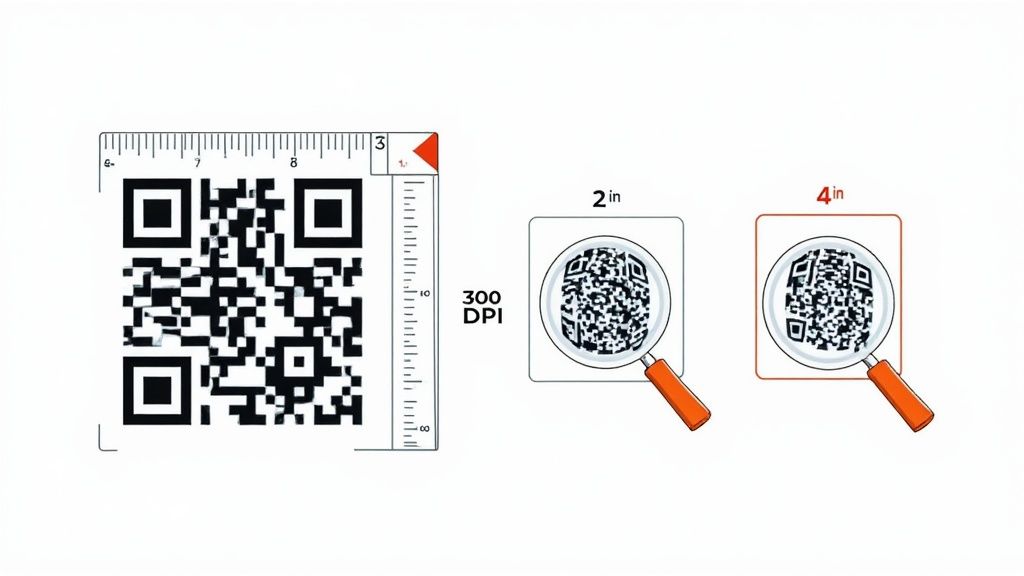
When you're printing anything—from fancy wedding invitations to a big welcome poster—resolution and size are everything. A low-res image will look pixelated and fuzzy, making it nearly impossible for a phone camera to read. To dodge this bullet, always, always use an image that's 300 DPI (dots per inch). That's the gold standard for high-quality printing.
Must-Follow Rules for Print Success
Getting a printed QR code right is about more than just a high-resolution file. One of the most common mistakes I see is printing the code way too small. Even a crystal-clear code won't scan if guests can't get their phone to focus on it.
Here’s what you absolutely need to get right for any printed materials:
- Minimum Size: For things like table tents, flyers, or programs, your QR code needs to be at least 1 inch by 1 inch (or 2.5 cm x 2.5 cm). If you're putting it on a larger sign that people will see from a distance, you’ll need to scale it up significantly.
- The Quiet Zone: That little blank border around the QR code? It's not optional. It’s called the quiet zone, and you have to leave it there. Scanners need that empty margin to tell the code apart from everything else on the page. Cut it off, and you'll get scan failures.
- High Contrast: There's a reason the classic black-on-white QR code is so reliable—it works. While it’s tempting to use your wedding or brand colors, you must maintain a strong contrast between the dark squares and the light background. Steer clear of light pastels or clashing neon colors.
A fantastic real-world example is putting your QR code on table tents. This placement is perfect because your guests are already seated and can easily scan it from a close, stable distance. It's a great way to encourage instant photo uploads all night long.
Making It Work on Digital Screens
When you’re putting your QR code on a digital display—like an event website, an email, or a slideshow projected at the venue—your priorities change a bit. Image clarity is still key, but now you have to think about file size and how fast it loads.
Nobody wants a massive image file slowing down your website or getting your email sent to the spam folder. For digital use, a PNG file is almost always your best bet. It hits that sweet spot of sharp quality and a reasonable file size, and it even supports transparent backgrounds, which is great for design.
When you embed the code, make sure it’s big enough for someone to easily scan on a phone without having to pinch and zoom. A minimum size of 300x300 pixels is a safe bet for most digital spots. This small detail ensures a smooth, app-free experience for everyone, helping you collect all those amazing photos from your wedding or family reunion without any tech headaches.
Getting Your QR Code in Front of Guests
Once you've got your QR code image download ready to go, the real mission begins: making sure your guests actually see and use it. A slick, well-designed QR code doesn't do much good if it's hiding in a corner no one ever looks at. The secret to consolidating a boatload of photos is all about smart, strategic placement.
The whole point of a system like this is its simplicity—guests can upload photos instantly with no app requirement. Your display strategy should be just as straightforward. You want to pop that QR code in high-traffic, high-visibility spots where people naturally hang out or take a pause. Just think about the flow of your event and pinpoint those key moments.
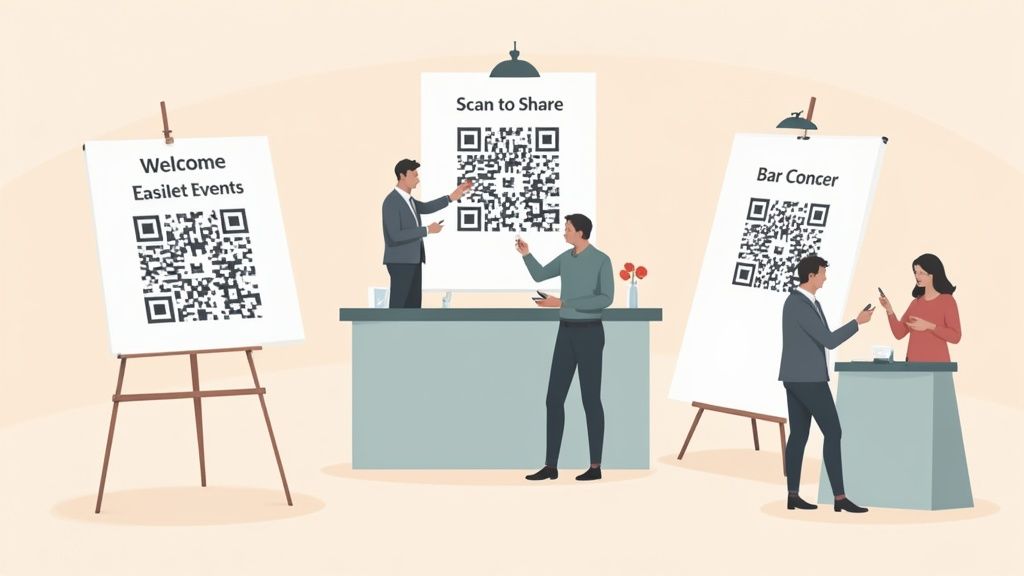
This approach gives every guest multiple chances to scan and share, making it feel like a seamless part of the celebration.
High-Impact Placement Ideas
While these ideas are perfect for weddings, they work just as well for birthday parties, corporate events, or big family get-togethers. The goal is always the same: make scanning the code a totally natural and easy thing for guests to do.
Here are a few tried-and-true spots that get great results:
- Right at the Entrance: A big, beautiful sign at the venue's entrance is the first thing guests will see. It immediately sets the expectation that photo sharing is part of the fun.
- On Every Single Table: Small, tasteful cards on each table put the QR code right at your guests' fingertips. This is killer for downtime during dinner or cocktail hour.
- At the Bar: Let's be honest, the bar is a social hotspot. Almost every guest will make a trip there, so a sign is guaranteed to get eyeballs.
- Inside the Program: For weddings or conferences with a printed schedule, slipping the QR code into the program is a genius move.
A simple but super effective strategy is to display your event’s QR code at the venue entrance or on invitations for instant photo uploads. This gets the action started early, encouraging guests to begin sharing moments from the very beginning.
The Power of a Clear Call-to-Action
Just putting the QR code out there is only half the job. You’ve got to tell people what you want them to do with it. Never assume your guests will instinctively know what it's for. A little bit of direction makes a huge difference.
A friendly, clear call-to-action (CTA) gets rid of any confusion and gives your engagement a massive boost. Keep your CTA short, sweet, and to the point.
Key Takeaway: Don't just show the code—explain its purpose. A simple phrase like "Scan to Share Your Wedding Photos!" or "Help Us Capture the Memories!" makes all the difference in turning a passive glance into an active, instant photo upload.
Feel free to steal or adapt these CTA examples:
- For a Wedding: "Scan Here & Share the Love! Upload Your Photos to Our Album."
- For a Birthday: "Capture the Fun! Add Your Pictures to the Party Gallery."
- For a Corporate Event: "Be Our Photographer! Scan to Share Your Event Moments."
When you pair smart placement with clear instructions, you create a frictionless experience that invites everyone to contribute. Before you know it, you'll have a complete and authentic photo gallery built by the people who matter most.
Expanding Beyond Events with QR Codes
While weddings are the perfect example of seamless, app-free photo sharing, the power of a qr code image download goes way beyond personal celebrations. This simple tech is an incredibly versatile tool that professionals are now using to connect with their audiences in practical, effective ways. The core principles of instant access and ease-of-use are the same, just with different goals in mind.
Think of it this way: instead of gathering photos from a birthday or corporate event, a business can gather customer engagement. A marketer might add a QR code to product packaging that links directly to a setup guide or a video tutorial. Just like that, they've solved a common customer headache without forcing anyone to download an app.
Driving Business Growth with QR Codes
The business applications are incredibly broad and are quickly becoming a standard part of customer interaction. From small local shops to large corporations, people are finding creative ways to use QR codes to streamline their work and get people engaged.
- Business Cards: A QR code on a business card can instantly zap your contact details into someone's phone, getting rid of manual entry and making sure you actually make a connection.
- Customer Feedback: Restaurants and stores can pop QR codes on receipts or tables, inviting customers to leave a review or fill out a quick survey while the experience is still fresh.
- Event Registration: For corporate workshops or conferences, a QR code can link right to a registration page, making the sign-up process painless for attendees.
This massive adoption is no accident. QR code usage has absolutely exploded, with over 2.9 billion people expected to use them by 2025. In fact, in 2023 alone, 59% of users reported scanning a QR code daily, making it a routine part of modern life.
The core idea is the same as it is for weddings: remove friction. Whether it's uploading a photo or accessing a menu, the easier you make it for someone to act, the more likely they are to do it.
A Tool for Modern Marketing
Beyond pure utility, QR codes are a serious marketing asset. They bridge the gap between physical and digital marketing, creating a direct path from something in the real world to a destination online. A real estate agent, for instance, could put a QR code on a "For Sale" sign that links to a virtual tour of the property. You can explore a variety of what QR codes are used for in our detailed article.
This technology allows businesses to track engagement, measure how well their print campaigns are working, and connect with customers in a way that feels modern and convenient. If you're looking to explore how QR codes can drive growth, check out these 10 actionable QR code marketing ideas. As audiences become more and more comfortable with scanning, using this technology is no longer just an option—it’s a fundamental part of connecting with them.
Got Questions About Your QR Code? We've Got Answers.
Jumping into the world of QR codes for your event can feel a little technical at first. Let's walk through some of the most common questions we get, so you can feel totally confident using your qr code image download for a wedding, corporate party, or any get-together. The whole point is to make photo sharing easy and secure for everyone.
Is My QR Code Safe for Guests to Use?
This is probably the biggest question on everyone's mind, and for good reason. How do you know the QR code you're handing out is safe? The secret is sticking with a service designed specifically for events, like WedPicsQR. That way, you know your code links only to your photo gallery and not somewhere sketchy.
Unfortunately, "quishing"—which is just phishing but with a QR code—is becoming more common. Cybercriminals can make a QR code that looks legit but sends people to a bogus website to steal their info. While the QR code itself is just data, where it leads is what matters.
The numbers are pretty telling: phishing attacks using QR codes shot up from just 0.8% of incidents in 2021 to a whopping 12.4% in 2023. You can read more about the rise of quishing and how to stay safe on keepnetlabs.com. By using a dedicated event platform, you pretty much eliminate this risk entirely.
What Size Should I Print My QR Code?
This is a great practical question. You've got your QR code, now how big does it need to be on a welcome sign versus a little table tent? It all comes down to scannability. If a code is too small for its viewing distance, phone cameras can't lock onto it, and it's basically useless.
Pro Tip: A fantastic rule of thumb is the 10:1 ratio. Think of it this way: the distance your guests will scan from should be about ten times the width of the QR code. So, if you want people to scan it from 10 feet away as they walk in, your code needs to be at least one foot wide.
For smaller items, like the cocktail napkins or table signs, a minimum size of 1 inch by 1 inch is your safest bet. This makes sure that even from a close distance, the scan is quick and painless, keeping the whole no-app photo upload process running smoothly.
Can I See How Many People Used the QR Code?
Absolutely! But it all depends on what kind of QR code you're using. This is where things get interesting.
- Static QR Codes: These are the simple, no-frills version. They link directly to one URL, and that's it. Once you make one, it can't be changed or tracked.
- Dynamic QR Codes: This is the smart way to go for any event. Instead of pointing directly to your gallery, they use a short redirect link. This little bit of tech magic allows you to track all sorts of useful data.
With a dynamic code, you can see how many scans you got, when people scanned it, and even what kind of phone they were using. This is perfect for seeing how engaged your wedding guests are, or for measuring how well a display is working at a trade show. It gives you real-time feedback on just how awesome your photo-sharing setup is.
Ready to make photo sharing at your next event simple, secure, and fun? With WedPicsQR, you can create a unique QR code in just a few minutes, letting guests upload photos right from their phones—no app needed. Start building your collaborative event album today at https://www.wedpicsqr.com.