
Choosing Nonprofit Event Management Software
Running a killer fundraising event on a shoestring budget is the classic nonprofit balancing act. You need to make an impact, but you can't break the bank doing it. This is where nonprofit event management software comes in—it's less of a tool and more of a strategic partner.
It automates the tedious stuff like registration, ticketing, and donor emails so you can actually focus on what matters: connecting with your supporters and pushing your mission forward. Think of it as ditching hand tools for power tools. Both get the job done, but the right software brings the efficiency, precision, and scale you need to really build something great.
Why Your Nonprofit Needs Event Management Software
Ever tried to pull off a fundraising gala, a charity 5K, or a community outreach day using a patchwork of spreadsheets, separate payment gateways, and a million email threads? It’s a recipe for chaos. Details slip through the cracks, your staff wastes precious hours on manual data entry, and the whole experience for your attendees feels a bit clunky.
This is exactly the problem nonprofit event management software is built to solve. It’s not just another program; it’s a central command center for your most important engagement opportunities. It takes all those scattered processes and pulls them into one clean, unified system. The logistical mess is replaced by smooth, automated workflows, freeing up your team and volunteers to focus on the mission, not the minutiae.
By putting the busywork on autopilot, you slash the risk of human error and ensure a polished, professional experience for everyone involved, from the first invitation to the final thank-you note.
Boost Fundraising and Deepen Supporter Connections
At the end of the day, an event is a massive opportunity to build relationships and inspire people to give. The right software doesn't just manage the event; it amplifies its fundraising potential by making it incredibly easy for supporters to register, donate, and get involved.
When the process is simple and frictionless, donors are far more likely to finish what they started—and maybe even toss in an extra contribution while they're at it.
Here’s how it directly helps your bottom line:
- Integrated Donation Processing: Let attendees add a donation right when they buy their tickets. It’s one simple, powerful step.
- Enhanced Attendee Experience: A seamless registration and check-in process makes a fantastic first impression and sets a positive tone for the entire event.
- Data-Driven Insights: Get a real-time look at ticket sales, donation totals, and attendee engagement. This helps you make smarter decisions on the fly and accurately measure your event's return on investment.
Save Time and Empower Your Team
Time is the one resource no nonprofit has enough of. Manually planning an event eats up countless hours that could be spent cultivating major donors, locking down sponsorships, or perfecting your program. This software gives you that time back.
For a closer look at how this tech specifically helps faith-based groups, check out this guide on elevating your ministry with church event management software.
The true value of event management software isn't just in the tasks it performs, but in the human potential it unlocks. When your team is no longer bogged down by logistics, they can channel their energy into creating a truly memorable and impactful experience for your community.
For instance, instead of spending an afternoon manually checking registration lists against payment records, the software handles it in seconds. Rather than sending out hundreds of individual confirmation emails, an automated workflow takes care of all attendee communication.
This kind of efficiency is a total game-changer, especially for small teams or volunteer-run organizations where every single minute counts. It empowers your staff to work smarter, not harder, setting up every event to be more successful than the last.
Essential Features Of Top Nonprofit Event Platforms
Choosing the right nonprofit event management software feels a bit like packing a toolkit before a big job. You don't just grab random gadgets; you need specific, reliable tools that work together seamlessly to help you build something amazing. Let's move past the simple checklists and dig into the non-negotiable features every platform needs, focusing on the "why" behind each one.
Think of these platforms as the central nervous system for your events. For nonprofits, this is a huge deal. Event management tools are often a key part of broader nonprofit CRM software—a market that's projected to grow from USD 846.59 million in 2025 to USD 1,171.06 million by 2034. These tools let organizations plan, promote, and run events while handling guest lists, ticketing, and donations all in one place.
The image below shows how the right software boosts your fundraising, improves the attendee experience, and gives you the data you need to grow.
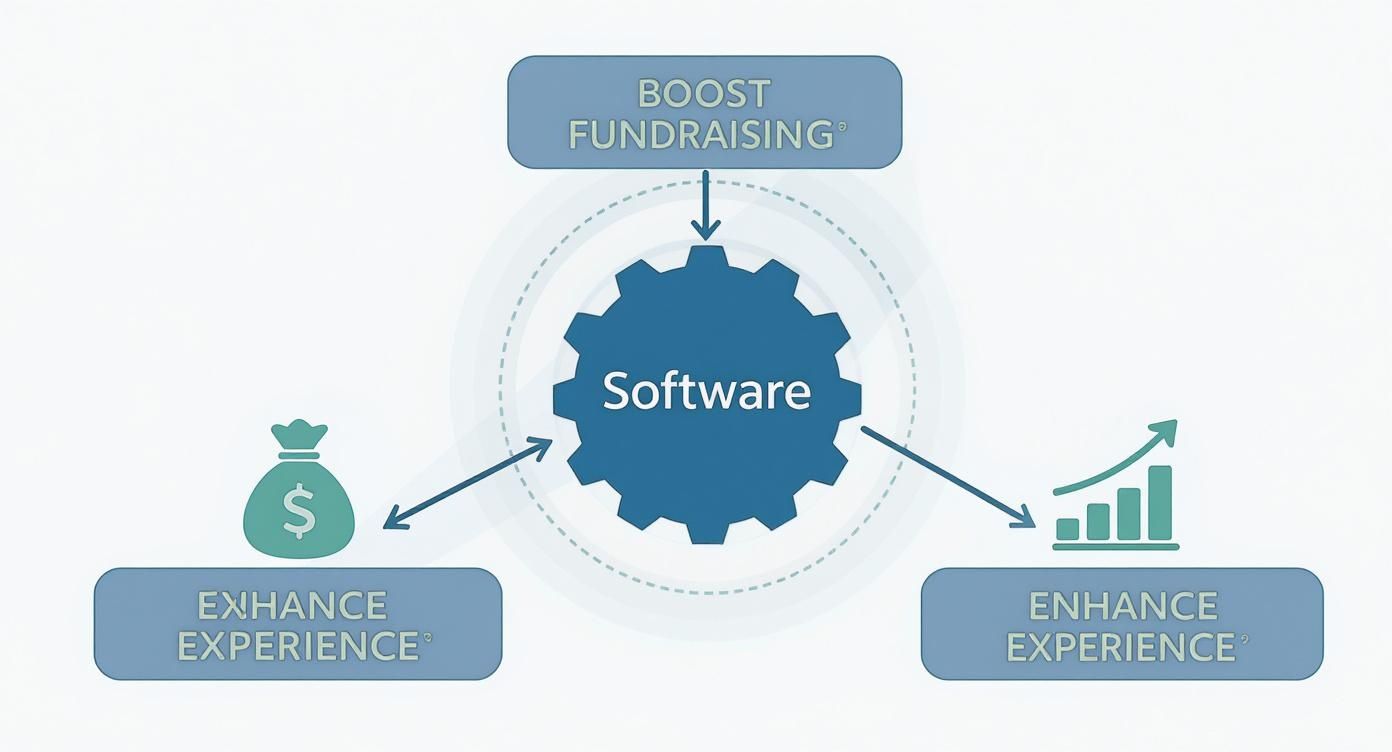
As you can see, a solid software solution acts as the engine driving real, measurable improvements across every critical area of your event's success.
To make this easier to digest, here’s a quick breakdown of the essential features and what they actually do for your nonprofit.
Essential Features of Nonprofit Event Management Software
| Feature | Primary Function | Key Benefit for Nonprofits |
|---|---|---|
| Custom Registration | Creates branded online sign-up forms and ticketing pages. | Reinforces your brand from the first touchpoint and simplifies the attendee experience. |
| Integrated Donations | Allows supporters to add a donation during the ticket purchase process. | Increases fundraising potential by capturing generosity at the moment of highest engagement. |
| Volunteer Management | Provides a central hub for volunteer sign-ups, scheduling, and communication. | Saves administrative time and empowers volunteers by letting them manage their own shifts. |
| Automated Communication | Sends automatic confirmation emails, event reminders, and thank-you notes. | Keeps your community informed and engaged without manual effort from your team. |
| Payment Processing | Securely handles all financial transactions, including tickets and donations. | Ensures fast, secure fund collection and simplifies financial reconciliation after the event. |
These core features are the foundation of a great event platform. They work together to save you time, raise more money, and create a professional experience for everyone involved.
Customizable Online Registration and Ticketing
The very first interaction a supporter has with your event is the registration process. If it's clunky, confusing, or generic, you risk losing them before they even click "buy." The best software lets you build branded, intuitive registration pages that reflect your nonprofit’s identity and mission.
This isn't just about looking good; it's about smart functionality. You need the ability to offer different ticket tiers—like early-bird pricing, VIP packages, or member-exclusive discounts—to maximize revenue. Even better, simplifying the process with tools like QR codes for event registration can dramatically improve the attendee experience from the get-go.
Integrated Donation and Payment Processing
A seamless transaction is a successful one. Top-tier nonprofit event platforms have donation processing built right into the ticketing workflow. This allows a supporter to buy a gala ticket, add a donation, and even opt to cover the processing fees in a single, frictionless step.
The goal is to make giving an easy and natural part of the event experience, not a separate, cumbersome step. By removing barriers, you empower generosity at the moment of highest engagement.
This integration also means you get funds faster and can automatically generate tax receipts, saving your team from administrative headaches. Look for platforms that support recurring gift options to help turn a one-time attendee into a long-term donor. When you're comparing options, it's also helpful to look at the best virtual conference platforms to get a sense of the full range of features available today.
Volunteer Management and Communication Tools
Your volunteers are the lifeblood of your event, so managing them effectively is everything. A dedicated volunteer management portal is an absolute must-have. This is where you can:
- Create specific volunteer roles and shift times, ensuring every task is covered without any confusion.
- Let volunteers sign up for shifts online, empowering them to pick roles that fit their skills and availability.
- Communicate with volunteers in segmented groups to send targeted reminders, instructions, and thank-yous.
Beyond just coordinating your volunteers, automated communication tools are critical for keeping attendees in the loop. Sending automatic confirmation emails, event reminders, and post-event thank-yous creates a polished, organized impression and helps build a stronger connection with your community. This automation frees up your team to focus on the human-centric work that truly drives your mission forward.
Finding the Right Software for Your Budget and Scale
Choosing the right event management software when you’re watching every dollar can feel like a trip through a maze. With a million options screaming for your attention, it's easy to get overwhelmed. The trick is to turn that chaos into a simple, step-by-step process that leads to a smart, sustainable investment for your nonprofit.
The journey doesn't start with looking at software features—it starts by looking at your own organization. A rock-solid understanding of what you actually need is your compass. Rushing this part is a classic mistake that ends with you paying for flashy tools you'll never touch or, even worse, picking a platform that can’t even handle the basics.
First, Figure Out What You Actually Need
Before you even think about looking at a pricing page, you need to map out your event landscape. This internal audit is the single most important part of the whole process. It makes sure you're shopping for something that solves your real-world problems, not just a tool that looks good in a sales demo.
Start by asking a few fundamental questions:
- Event Frequency: How many events are you running each year? A nonprofit that hosts one big gala has wildly different needs than one juggling monthly workshops and a huge charity 5K.
- Event Scale: What’s your typical headcount? A platform designed for intimate gatherings of 50 people will crumble under the weight of a 1,000-person conference.
- Team Skills: Who is going to be using this software day-to-day? Your team is probably a mix of staff and volunteers with all sorts of comfort levels with tech. User-friendliness isn't a "nice-to-have"; it's a must-have for getting everyone on board and making things run smoothly.
Answering these questions honestly gives you a clear profile of your perfect software, making it way easier to weed out the ones that just won't work.
Set a Budget That Makes Sense
Once you know what you're looking for, it’s time to talk money. Nonprofit budgets don't have a lot of wiggle room, so you have to look past the sticker price. Lots of platforms have hidden costs, especially transaction fees for tickets and donations, that can sneak up and take a big bite out of your event revenue.
When you start comparing prices, you'll run into a few common models:
- Subscription Plans: You pay a flat monthly or annual fee. This is great for predictable budgeting and is usually tiered based on how many contacts you have, events you run, or features you need.
- Per-Event Fees: This model charges you for each event you set up. It’s a great fit for organizations that only host one or two major events a year.
- Per-Attendee Fees: Some platforms charge a small fee for every person who registers. This can be super affordable for small events but might get pricey if you're hosting a big crowd.
The best budget isn't just about finding the cheapest option; it's about finding the best value. A slightly more expensive platform that saves your team dozens of hours in manual work delivers a far greater return on investment.
Vet Your Options and Kick the Tires
With your needs list and budget in hand, you can start checking out vendors. The good news is that market trends are on your side. Small and medium-sized organizations have become the biggest users of event management software, making up 64.24% of the entire market in 2024. This boom is driven by platforms that offer simple interfaces and flexible pricing, putting powerful tools within reach for nonprofits like yours. You can explore more about these market dynamics to see how vendors are shifting to serve organizations with limited resources.
The last, non-negotiable step before you sign anything is to take the software for a spin. Never, ever skip the free trial or a live demo. This is your chance to see if the platform is really as easy to use as they claim. Can your least tech-savvy volunteer figure out how to register a guest? Can you pull a quick report on ticket sales without pulling your hair out? This hands-on experience is gold and will give you the confidence you need to pick a solution that will actually help your nonprofit run amazing, stress-free events.
Enhancing Engagement with Instant Photo Sharing
Logistics are one thing, but a truly great event is about capturing the energy in the room. While your core nonprofit event management software is busy handling registrations and donations, another tool can turn that event magic into a lasting asset: instant, collaborative photo sharing.
Modern solutions are worlds away from clunky apps or confusing social media hashtags. The new standard is all about ease of use. A simple QR code lets guests enjoy instant photo uploads to one central, shared gallery. And critically, there is no app requirement, which knocks down the single biggest barrier to getting people involved.
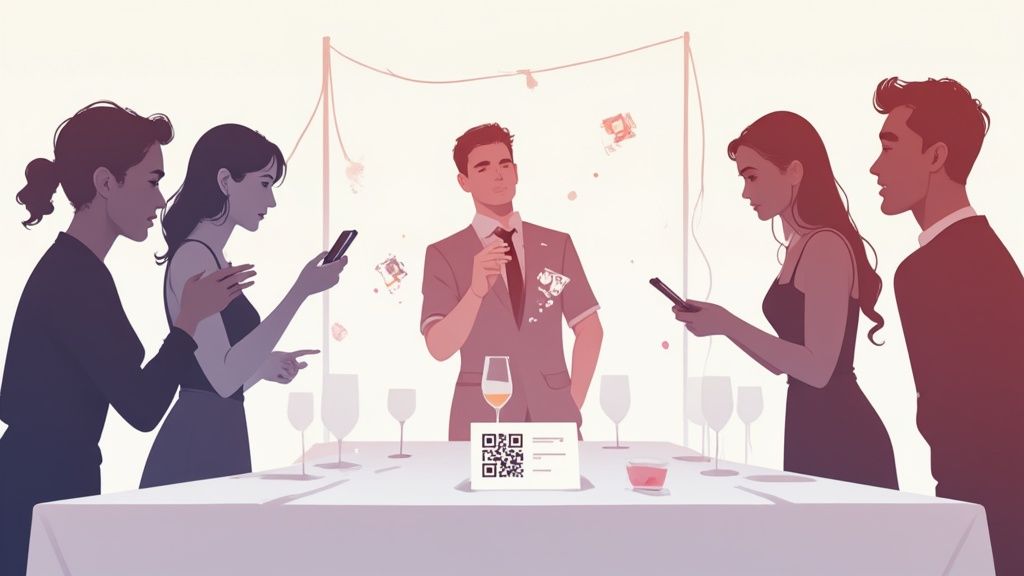
This approach ensures the seamless consolidation of photos into one place. What you get is a vibrant, authentic story of your event, told from dozens—or even hundreds—of different perspectives.
The Power of App-Free Simplicity
The secret to getting everyone to participate? Remove the friction. Asking attendees to download an app is a huge hurdle; most people just won't do it. A QR code, on the other hand, is something everyone with a smartphone already knows how to use. Point, click, and upload.
This app-free model makes photo sharing accessible to everyone, from the young professionals at a networking event to the older donors at a formal gala. The result is a much richer and more diverse collection of images that genuinely reflects the community and spirit of your event.
For example, you can display your event’s QR code at the venue entrance or on invitations for instant photo uploads. This simple prompt encourages participation from the moment guests arrive, setting a collaborative tone for the whole affair.
Versatility for Every Nonprofit Event
While this technology is a huge hit at weddings, its versatility makes it a perfect fit for just about any gathering your nonprofit hosts. The core function—effortless, crowd-sourced photo collection—is universally valuable. While the primary focus is often on weddings, its ease of use makes it ideal for a wide range of occasions.
Think about how it could work for your different events:
- Fundraising Galas: Pop QR codes on every dinner table to capture candid moments, speaker presentations, and guest interactions.
- Corporate Gatherings: Document team-building activities, award ceremonies, and networking from the employees' point of view.
- Birthdays: Create a living scrapbook of a milestone celebration, with heartfelt snaps from every friend and family member.
- Reunions: Bridge the years by collecting photos from every generation in one simple, accessible album.
This adaptability means a single, easy-to-use tool can handle everything from your annual community fundraiser to your volunteer appreciation brunch.
By empowering every guest to be a photographer, you transform your event into a collaborative storytelling experience. The resulting gallery is not just a collection of pictures; it's a shared memory bank, filled with authentic moments that a single official photographer could never capture alone.
Turning Moments into Mission Assets
The value of all this guest-generated content goes far beyond the event itself. That authentic, real-time gallery you just built becomes an incredible asset for your nonprofit's marketing and donor engagement. Instead of relying only on polished, professional shots, you now have a goldmine of images showing genuine joy and connection to your cause. You can learn more about the strategic uses of event QR codes and see how they fit into a broader event strategy.
After the event, you can repurpose this content for:
- Post-Event Thank-Yous: Drop a link to the photo gallery in your follow-up emails to attendees, donors, and sponsors.
- Social Media Campaigns: Share the best guest photos on your social channels to show off the event's success and thank your community.
- Future Promotions: Use authentic images of supporters having a great time to promote next year's event. It’s powerful social proof.
- Annual Reports and Newsletters: Illustrate the impact of your work with real photos from the people you serve and those who support you.
By adding a simple photo-sharing solution, you don't just make the live experience better—you create a sustainable source of compelling visual content that helps tell your nonprofit's story long after the last guest has gone home.
Getting Your New Software Hooked Up for Maximum Impact
Okay, you've picked your new nonprofit event management software. That's a huge step, but the real fun starts now. Your new platform shouldn't be a lonely island; its true power comes alive when it becomes the central command for how you connect with your supporters. That means you need to think about seamless integration from day one.
This is way more than just installing a program. You’re building a connected system where information zips between all your most important tools. Imagine this: a supporter buys a gala ticket and makes a donation during the event. That data automatically flows into their profile in your CRM. Boom. You've just changed how you'll personalize your next fundraising appeal and build a real, lasting relationship.
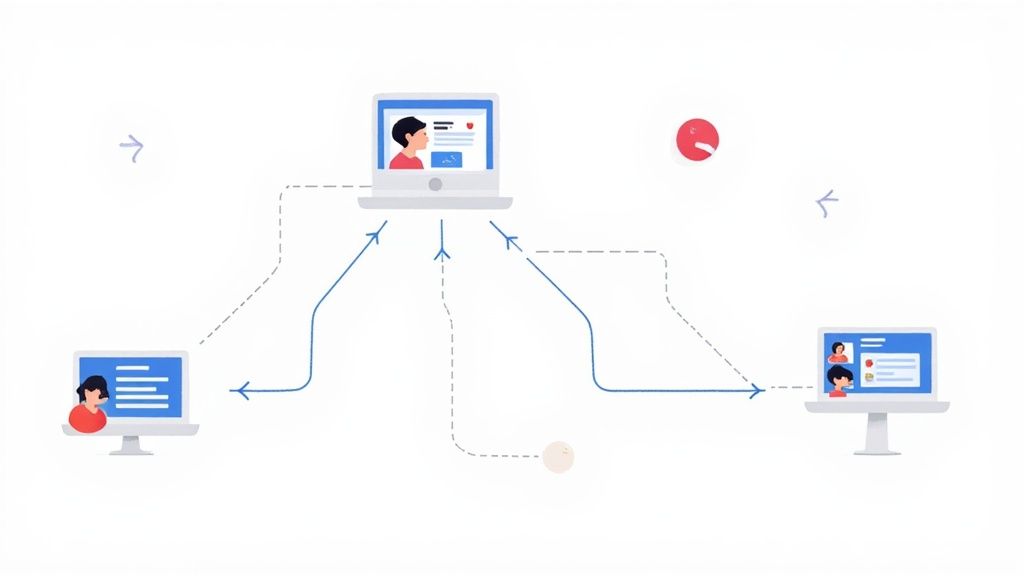
When everything is talking to each other, you get a complete picture of every supporter. Isolated event interactions turn into an ongoing conversation.
Creating a Unified Supporter Ecosystem
First things first: you need to connect your shiny new event platform to the other software your nonprofit already depends on. Think of it like building bridges between separate islands of data. The goal is simple: kill manual data entry, slash the risk of human error, and make sure everyone on your team is working with the same, up-to-the-minute information.
Here are the key connections you'll want to make right away:
- Customer Relationship Management (CRM): This is the big one. Hooking your event software to your CRM means every event-related touchpoint—registrations, check-ins, donations—gets logged automatically in a supporter’s record.
- Email Marketing Services: Syncing your attendee lists with your email tool lets you send super-targeted messages. You could send a post-event survey only to people who actually showed up or create a special email campaign for your top event donors.
- Accounting Software: Pushing financial data from ticket sales and donations straight into your accounting software makes bookkeeping a breeze and gives you a crystal-clear view of how your event performed financially.
This kind of tech setup is becoming essential for nonprofits. Organizations are getting serious about data security, need tools that let them work together, and are facing more compliance rules than ever. The market shows it, too—North America holds over 45% of the market share for event management software in 2024. You can dig into more stats about this growing market on Technavio's website.
Data Migration and Team Training
Once your systems are connected, it's time to move over your existing data, like donor lists and past attendee info. I know, this part can feel like a monster task, but breaking it down makes it manageable. Start by cleaning up your current data—get rid of duplicates and fix any mistakes before you import anything. Most software companies have support teams or detailed guides to walk you through it.
At the same time, you've got to train your staff and volunteers. Even the most user-friendly software has a learning curve. A smooth rollout totally depends on your team feeling confident and capable with the new tools.
An investment in software is only as good as the team's ability to use it. Comprehensive training doesn't just teach clicks and features; it empowers your staff to fully adopt the new workflows that will drive efficiency and impact.
Try a training plan with a few different angles:
- Formal Training Sessions: Kick things off with a structured overview from the software provider or an in-house expert.
- Role-Specific Workshops: Hold smaller, hands-on sessions for specific roles, like your volunteer coordinator or finance manager.
- Create a Resource Hub: Build a simple library of "how-to" guides and short video tutorials for common tasks.
- Appoint "Super Users": Pick a few tech-savvy team members to be the go-to experts for peer support.
Properly managing all the data from your events is critical, and the right tools make all the difference. For more tips on handling your digital assets, check out our guide on the best photo organization software. By giving your team the know-how they need, you turn a simple software purchase into an integrated powerhouse that boosts your entire supporter engagement strategy.
Common Questions About Nonprofit Event Software
Choosing the right event software for your nonprofit feels like a big deal, and it's totally normal to have questions. Getting straight answers helps make sure you’re investing in a platform that actually fuels your mission, not just adding another layer of complexity to your plate.
Let's dive into some of the most common things nonprofits ask when they're trying to figure this all out. Once you've got these sorted, you can move forward with confidence, knowing you’re picking a tool that’s going to empower your team and make your events shine.
What Is the Biggest Mistake Nonprofits Make?
The single biggest mistake? Chasing flashy, complicated features instead of focusing on what actually works. It's so easy to get wowed by a platform promising a million different functions, from intricate marketing sequences to advanced analytics dashboards you’d need a data scientist to understand.
But here’s the thing: complexity is often the enemy of getting things done, especially when you rely on volunteers.
When a platform is too confusing, it becomes a roadblock. Your volunteers who only help out a few times a year aren't going to spend hours mastering a difficult system. That leads to frustration, data entry mistakes, and a powerful tool that ultimately gathers dust. The focus should always, always be on ease of use.
The best software is the one your team—both staff and volunteers—will actually use. If you prioritize a clean, intuitive interface that people can pick up quickly, you'll unlock the platform's real value and see a genuine return on your investment.
Instead of getting distracted by features you might never touch, nail down the fundamentals. Can a first-time user register an attendee without a headache? Can your event coordinator pull a quick report on ticket sales without digging through a manual? When your volunteers can confidently check people in and process payments, your whole event runs smoother, freeing up your team to do what they do best: connect with your supporters.
Can a Small Nonprofit With One Annual Event Still Benefit?
Yes, absolutely. It's a common myth that event software is only for organizations juggling a jam-packed calendar. The reality is, the return on investment from a single, well-run event can be huge, especially when you factor in the one thing you can't get back: your team's time.
Just think about all the manual work that goes into your one big annual fundraiser. You're tracking RSVPs in a spreadsheet, manually keying in credit card numbers, sending out confirmation emails one by one, and then spending days trying to reconcile all the financial data. That's dozens, if not hundreds, of hours down the drain.
A dedicated platform automates all of that for your one big event, and the ROI shows up in a few key ways:
- Time Savings: When registration, payments, and communications are on autopilot, your team is free to focus on high-impact tasks like landing sponsorships or building relationships with major donors.
- A Better Attendee Experience: A polished, professional registration process makes a fantastic first impression. It encourages more people to sign up and makes them more likely to donate on the spot.
- Stronger Donor Relationships: The software captures crucial data, which lets you send personalized follow-ups that make supporters feel valued. That's how you strengthen their connection to your cause.
Even for just one event, the efficiency you gain and the professional image you project can make a massive difference in your fundraising results and set the stage for better engagement all year long.
How Does This Software Help With Post-Event Follow-Up?
An event isn't over when the last guest walks out the door. In many ways, that’s when the most important work begins. Great post-event follow-up is what turns a one-time attendee into a lifelong supporter, and this is where event management software really proves its worth.
It takes your messy, scattered follow-up process and turns it into a streamlined, data-driven strategy. Instead of trying to piece together who showed up, who donated, and who seemed interested from a jumble of different lists, the software gives you a central hub of organized, actionable information. This lets you move way beyond a generic "thanks for coming!" email and start creating truly personal outreach.
Here’s how it helps in the real world:
- Automated Thank-You Emails: Instantly send out customized thank-you notes to different groups—attendees, donors, volunteers, and sponsors—so no one gets missed.
- Integrated Feedback Surveys: Easily send out surveys to get valuable feedback on what people loved (and what they didn't), helping you make your next event even better.
- One-Click Reporting: Quickly spot key supporters, like first-time donors or major givers, so your development team can give them a personal call or a handwritten note.
By using these features, you can capture all the positive energy from your event and turn it into lasting relationships. That kind of strategic follow-up is how you build a strong, committed community around your mission.
Ready to capture every moment at your next nonprofit event? With WedPicsQR, guests can instantly upload photos using a simple QR code—no app download required. While our primary focus is on weddings, our platform is perfectly versatile for fundraisers, corporate gatherings, reunions, and more, offering seamless consolidation of memories from every perspective.