
Event Management Software Comparison for Any Occasion
When you're comparing event management software, it usually boils down to a classic trade-off: do you want a powerhouse for logistics or a smooth, seamless experience for your guests? The truth is, the best solution is rarely just one piece of software. It’s about finding a smart combination that nails the complex planning side without making things a headache for attendees—especially when it comes to capturing memories with incredible ease of use.
Choosing Your Event Management Software
Diving into the world of event management software can feel overwhelming, but the goal is simple. Find a platform that automates the tedious stuff so you can focus on creating an experience people won't forget. These tools are built to handle just about everything, from registration and ticketing to guest communication and post-event reports.
The market for these tools is exploding for a reason. Valued at USD 10.73 billion in 2024, it's expected to hit USD 42.57 billion by 2034. That massive growth tells you just how critical these platforms have become for planners.
But here’s the thing: many of the big, all-in-one platforms drop the ball on photo collection. They often force guests to download an app, create an account, or fumble through a clunky gallery. The result? Low participation and a ton of missed moments. This is exactly where a specialized tool makes all the difference by emphasizing ease of use.
The Power of Specialized Tools
While your main platform is busy managing logistics, a dedicated photo-sharing tool like WedPicsQR steps in to perfect the guest experience. While its primary focus is on weddings, its versatility shines at events like birthdays, corporate gatherings, reunions, and more because it’s built around one thing: simplicity. The whole system runs on a single QR code that achieves the seamless consolidation of all your guest photos into one place.
- Instant, App-Free Uploads: Guests just scan a QR code with their phone's camera for instant photo uploads. No app requirement, no sign-ups, zero friction.
- Seamless Consolidation: Every photo submitted is automatically organized into a private, central gallery just for you.
- Simple Guest Workflow: Display your event’s QR code at the venue entrance or on invitations for instant photo uploads. Guests can start sharing photos the second they walk in.
This is where you see the split between professional-grade tools and guest-facing ones. Platforms like Cvent are incredibly powerful for logistics, but that muscle often comes at the expense of a simple, intuitive experience for features like photo sharing. For more on this, check out some of the best restaurant scheduling software picks—it’s a similar story of balancing complex needs with user-friendliness.
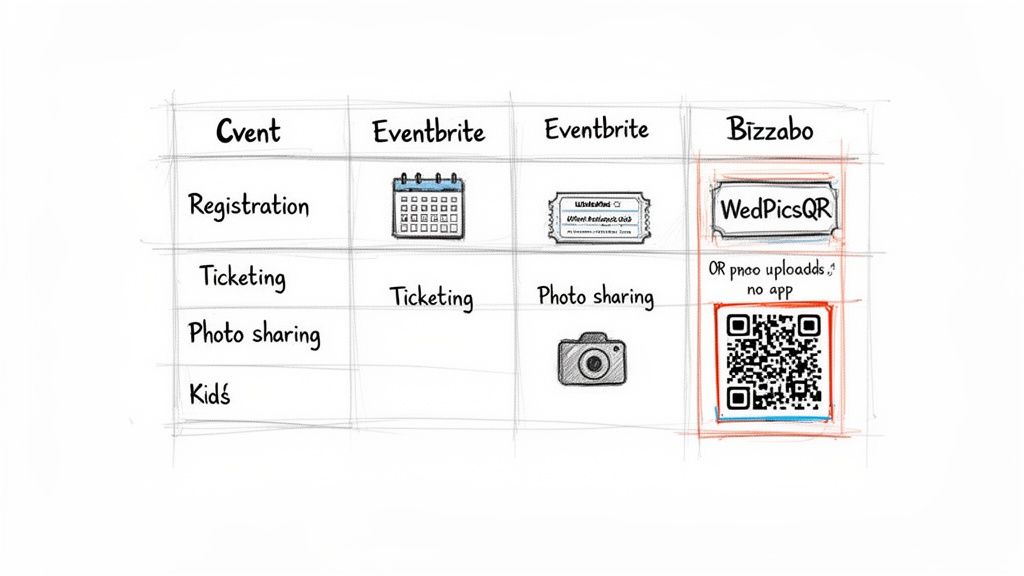
This is a totally different ballgame from what you’d want a guest to see. Can you imagine asking Aunt Carol to navigate that dashboard just to upload a picture of the cake? Not a chance. If you’re planning a fundraiser, you’ll find similar challenges, which we cover in our guide to https://www.wedpicsqr.com/blog/nonprofit-event-management-software.
The real pro move is to build a tech stack that works for everyone. Get a robust platform for your backend planning, but pair it with an effortlessly simple tool for guest interaction. That's how you make sure every moment gets captured.
To give you a clearer picture, I've put together a quick comparison of the heavy hitters in event management. This should help you see where each one shines and where they might fall short for your specific needs.
Top Event Management Platforms at a Glance
| Software | Best For | Standout Feature | Photo Sharing Method |
|---|---|---|---|
| Cvent | Large-scale corporate events, conferences, and trade shows. | Advanced analytics and venue sourcing. | Integrated, but often requires app download. |
| Eventbrite | Public ticketed events like concerts, workshops, and festivals. | Simple ticketing and event discovery marketplace. | No native photo sharing; relies on hashtags. |
| Bizzabo | Hybrid and virtual events with a focus on attendee engagement. | Robust virtual event platform and networking tools. | Integrated, but can be complex for guests. |
| WedPicsQR | Weddings, birthdays, reunions, and corporate parties. | Instant, app-free photo uploads via QR code. | QR code opens native camera roll for uploads. |
As you can see, the big platforms are built for big jobs—managing thousands of attendees, sourcing venues, and crunching data. But when it comes to something as personal and simple as sharing a photo, their solutions can feel like overkill. That's why pairing a tool like Cvent with a specialized QR code solution like WedPicsQR gives you the best of both worlds: enterprise-level control on the back end and a dead-simple experience for your guests.
A Deep Dive Into Core Features
When you're comparing event management software, it's easy to get lost in feature lists. But the real test isn't what a platform can do—it's how well it handles the absolute essentials that shape your workflow and your guests' experience. Let's get into how the big names—Cvent, Eventbrite, and Bizzabo—tackle the fundamentals.
Cvent is the heavyweight champion of complexity. If you're running a massive, multi-day international conference, it's your best friend. Its itinerary management is incredibly detailed, letting you map out everything from breakout sessions to speaker tracks and networking events. For attendees, it turns a dizzying schedule into a clear, personalized agenda. That level of granular control is its superpower.
Eventbrite, on the other hand, is all about simplicity and getting the word out. Planning a one-day fundraiser or a local concert? Its ticketing system is tough to beat. The platform doubles as a public marketplace, so new people can discover your event, and you can get a ticket page live in just a few minutes. The whole point is to get people signed up and in the door with zero friction.
Registration And Ticketing Workflows
The registration process is the first real interaction anyone has with your event. A clunky, confusing workflow can be a deal-breaker. This isn't just a backend tool; it's a critical part of the guest experience.
- Cvent's Approach: This is for planners who need data. The registration forms are intensely customizable, with complex conditional logic, different ticket tiers for VIPs, and detailed attendee profiles. It's perfect for corporate events where you need to know things like dietary restrictions or session preferences upfront.
- Eventbrite's Approach: Speed is the name of the game here. The flow is clean, mobile-first, and built to turn a visitor into a ticket holder as fast as humanly possible. It's less about deep customization and more about making the transaction seamless.
- Bizzabo's Approach: Bizzabo finds a nice middle ground, offering solid customization that really shines for hybrid events. It does a fantastic job of creating one registration experience that works for both in-person and virtual attendees—a huge plus these days.
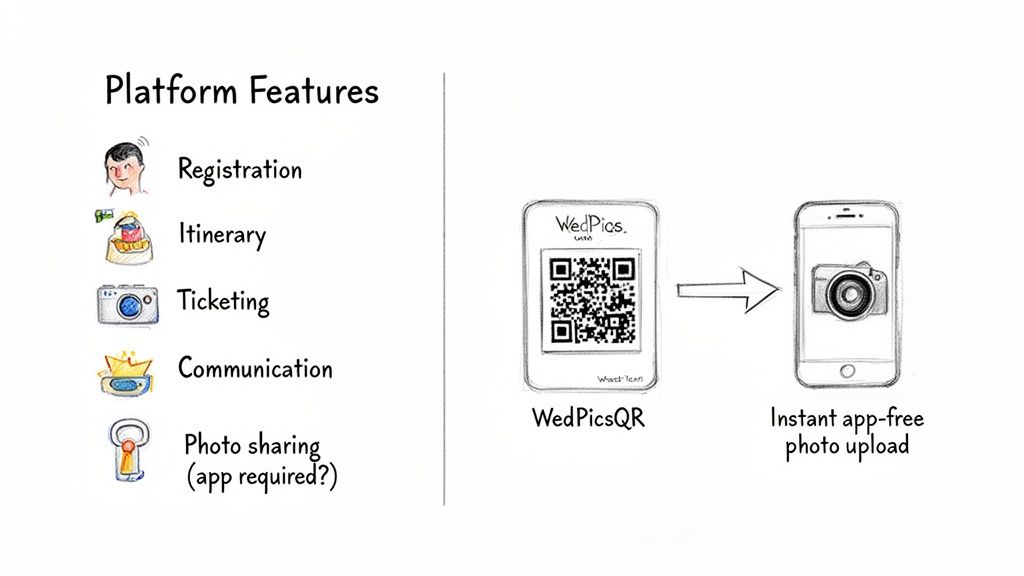
The Overlooked Feature: Photo Sharing
While you're buried in logistics, don't forget the emotional core of any event: the memories people create. This is where most all-in-one platforms drop the ball, big time. Their photo-sharing features almost always force guests to download a proprietary app, create an account, and figure out a clunky gallery. That friction kills participation, leaving you with a handful of photos from your most tech-savvy guests.
The best technology feels invisible. When a guest has to stop, download an app, and create a login just to share a photo, the moment is lost. The goal should be to remove every possible barrier between the guest and the memory.
This is the exact problem a specialized tool like WedPicsQR was built to solve. The entire system is designed around one simple idea: effortless, app-free photo uploads using QR codes. While its primary focus is on weddings, it works just as well for birthdays, corporate retreats, and family reunions. The reason is universal: people want to share photos right now, without any hassle.
Picture a wedding reception. Instead of begging guests to download yet another app they’ll use once and delete, you just display your event’s QR code at the venue entrance or on each table. A guest pulls out their phone, points their camera, and taps the link. Their photo gallery opens, they pick their favorite shots, and hit upload. Done. The seamless consolidation of photos happens instantly, with no app requirement and incredible ease of use.
Feature Comparison All-in-One Platforms vs WedPicsQR
This is a game-changer. While the big platforms handle logistics, they make capturing memories feel like an afterthought. A specialized tool fills that gap perfectly.
| Feature | Cvent | Eventbrite | Bizzabo | WedPicsQR (Specialized) |
|---|---|---|---|---|
| Guest Registration | Highly Customizable | Simple & Fast | Hybrid-Focused | N/A |
| Ticketing System | Complex Tiers | Marketplace Model | Flexible Tiers | N/A |
| Photo Upload Method | Requires Event App | No Native Solution | Often In-App | Instant QR Code |
| App Download Needed? | Yes | N/A | Yes | No |
| Ease of Use (Photo) | Low | N/A | Moderate | Extremely High |
The takeaway here is pretty clear. You pick an all-in-one platform for its logistical muscle, but you pair it with a specialized tool for guest-facing features that need to be dead simple. By doing this, you create a much better, more complete experience for everyone. If you're thinking about how to organize all those memories, check out our guide on finding the perfect digital photo album software.
Understanding Pricing Models and Total Cost
Figuring out the pricing for event management software can feel like you’re trying to hit a moving target. The sticker price rarely tells the whole story, so let’s pull back the curtain on what you’ll actually pay. A big part of keeping costs in check is using a solid event budget planning template, which many of the best platforms include to help you stay on track.
Most platforms use one of a few common pricing structures. Getting a handle on these is the first step to making a smart comparison.
Common Pricing Structures Explained
You'll usually run into three main models. Each has its pros and cons, and the best one for you really depends on how big your events are and how often you host them.
- Per-Attendee Fees: This one is as straightforward as it gets. You pay a small fee for every guest who registers. It's a great fit for smaller, one-off events because you only pay for what you use. The catch? Those small fees can add up fast for a big crowd.
- Subscription Tiers (Monthly/Annual): If you're a planner juggling multiple events throughout the year, a subscription is often your best friend. These plans bundle a set of features for a flat recurring fee, which is usually way more economical than paying per event. Just keep an eye on attendee caps and feature limits on the cheaper tiers.
- Percentage-Based Ticketing: Platforms like Eventbrite made this model famous. They take a small percentage of every ticket you sell. It’s perfect for free events, but it can definitely take a bite out of your revenue for paid ones. Always double-check if that fee gets passed on to the attendee or comes straight out of your pocket.
Beyond these main models, you have to watch out for the hidden costs. Things like payment processing, premium customer support, or that one "advanced" feature you absolutely need can sneak up on you and inflate your total bill.
The most cost-effective solution isn't just the one with the lowest price tag. It's the one that gives you the most value for what you actually need, without making you pay for features you'll never touch.
The Cost-Effective Alternative for Photo Sharing
This is where unbundling certain features becomes a seriously smart cost-saving move. Most of the big, all-in-one platforms throw in a photo-sharing module, but let's be honest—it's often a bloated, clunky feature that drives up your subscription cost while giving your guests a headache. By handling this crucial task separately, you can get a far better result for a fraction of the price.
This is exactly where WedPicsQR shines. It offers a transparently priced, super-effective solution that does one thing perfectly: guest photo collection. The pricing is simple, with flexible plans that work for any size event, including a pretty generous free tier for smaller get-togethers.
This approach lets you pick a primary event management platform for its core strengths—like registration and ticketing—while using a specialized tool for photo sharing. More often than not, this strategy results in a lower overall cost and a much, much better experience. Why pay a premium for an all-in-one system’s mediocre photo feature when a dedicated tool does it better and for less money?
Practical Cost Scenarios
Let's see how this actually plays out in the real world.
For a 150-guest wedding, paying a massive subscription fee for an enterprise-level platform is just throwing money away. A much smarter choice would be a simple registration tool paired with WedPicsQR for photo collection. The focus here is on the guest experience, not complicated corporate logistics. Guests can instantly upload their photos with a quick QR code scan—no app download required. This seamless way of gathering memories adds huge value without a huge price tag. You can dive deeper into this topic by checking out our guide on the best wedding photo sharing sites.
On the flip side, someone running a recurring corporate seminar series might find an annual subscription to a management platform makes perfect sense. But even then, supplementing it with WedPicsQR for breakout sessions or networking happy hours is a savvy move. You can display your event’s QR code at the venue entrance or on invitations for instant photo uploads, capturing all those candid moments without messing with your primary software setup. This versatility makes it a perfect add-on for birthdays, reunions, and corporate gatherings alike.
Evaluating Ease of Use and Guest Experience
Look, you can compare features and pricing tables until you're blue in the face, but an event's success really boils down to one thing: the guest experience. A platform can promise the world, but if it’s a pain for your attendees to use, it's failed at its most basic job. This is where we need to stop thinking like planners and start thinking like guests, from the moment they RSVP to how they share their memories.
The first interaction, usually registration, sets the entire tone. A clunky, multi-page form feels like homework. A clean, mobile-friendly one feels like a welcome mat. But the biggest point of friction I see time and again is photo sharing. So many all-in-one platforms treat it as an afterthought, forcing guests to download a specific app, create an account, and learn a new interface just to share a great photo. It’s a total participation killer.
The App-Free Advantage in Photo Sharing
The best tech is invisible, especially during a party. Asking your aunt or your college roommate to stop mid-celebration, hunt for an app, and type in their email just to upload a picture is a huge ask. It adds a layer of work that just doesn't belong at an event. This is exactly the problem WedPicsQR was built to fix. It flips the script by putting the guest experience first with a dead-simple, app-free process.
The whole system is built around seamlessly collecting photos using QR codes. Guests just use their phone's camera—something they already do a dozen times a day. This simple move knocks down all the technical barriers and sends participation through the roof. You end up with candid shots from everyone, not just your most tech-savvy friends. This instant, no-fuss approach is the secret to building a complete and authentic event album.
The real measure of a great guest experience isn't how many features a platform has, but how few steps it takes for an attendee to engage. When sharing a memory is as easy as scanning a code, you get more memories.
Here’s a look at the simple, three-step process that makes photo collection a non-issue for your guests.
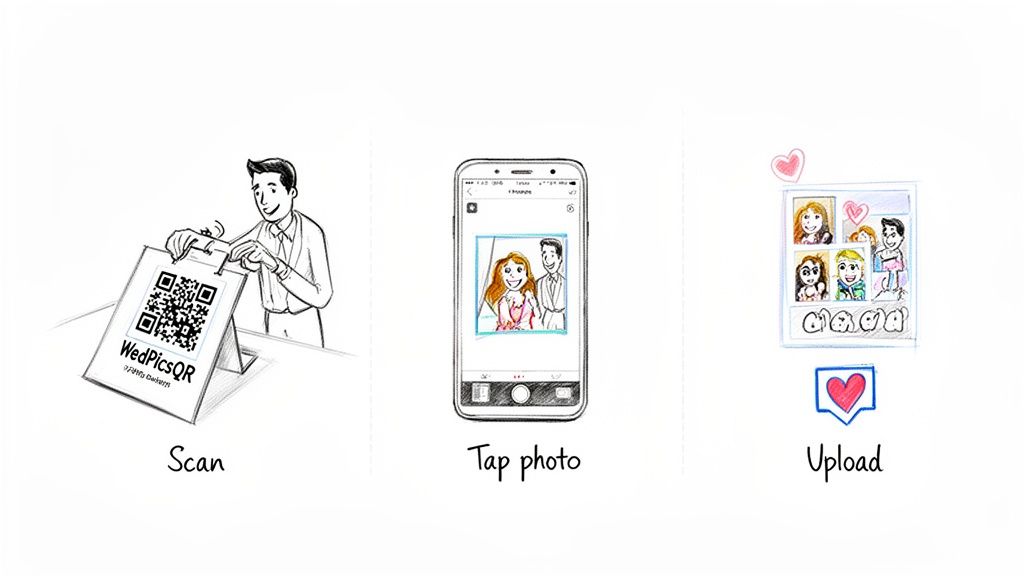
This workflow is so intuitive there's no learning curve, making photo sharing an activity everyone can actually participate in.
Practical Implementation for Any Event
While WedPicsQR has its primary focus on weddings, its power lies in its versatility. It's a perfect fit for any gathering where people are making memories—birthdays, corporate gatherings, reunions, you name it. The setup is designed for maximum impact with minimal effort from you, the host.
For instance, you can simply display your event’s QR code at the venue entrance or on invitations for instant photo uploads. This one simple instruction empowers guests to start contributing the second they walk in. This approach taps into the larger shift toward flexible, cloud-based tools that are taking over the event industry. In fact, projections show cloud-based systems are set for the fastest growth rate at 17.8% CAGR from 2025 to 2035, outpacing old on-premise solutions because they're just more scalable and accessible. WedPicsQR is a perfect example of this, offering instant, browser-based uploads without any software to install.
Here are a few ways to bake this simple system into your event:
- Weddings: Place elegant cards with the QR code on each reception table.
- Corporate Events: Print the QR code on name badges or flash it on presentation screens during breaks.
- Birthdays and Reunions: Add the code to digital invites and pop a framed sign next to the gift table.
By making photo collection this easy, you’re not just gathering pictures; you’re making the event itself more interactive and collective. For a deeper dive into this technology, check out our guide on how to create an event QR code.
Finding the Right Software for Your Event Type
There's no magic bullet when it comes to event management software. The best platform for a massive corporate conference is going to be a terrible fit for an intimate backyard birthday party. One needs hardcore analytics and networking features, while the other just needs a simple way to track RSVPs.
The secret is matching the software’s core strengths to what you’re actually trying to accomplish. Trying to wrangle a casual get-together with an enterprise-level platform is like using a sledgehammer to crack a nut—it's expensive, clunky, and a headache for both you and your guests.
Weddings: The Ultimate Hybrid Event
Weddings are the perfect example of this. They're a unique beast, demanding a mix of serious logistical muscle and deeply personal guest experiences. This is why a single, all-in-one software solution often falls short. A smart planner knows to pair a platform like Zola, which is fantastic for registries and guest lists, with a specialized tool built for one thing: capturing memories.
This is exactly where a tool like WedPicsQR comes in. While Zola handles the heavy lifting of planning, WedPicsQR hones in on the emotional core—collecting photos. It gives guests an incredibly simple, app-free way to upload photos using a QR code, making sure every candid moment gets saved.
The most effective event tech stacks are built intentionally. They pair a primary logistics platform with specialized tools that nail the guest experience. What a planner needs behind the scenes is totally different from what an attendee wants on the day.
You just display the event’s QR code on signs, tables, or even invitations, and guests can start uploading instantly. This simple process gets everyone involved, no matter how tech-savvy they are, and builds a much richer photo gallery than any jack-of-all-trades platform ever could.
Versatility Beyond The Wedding Aisle
While its primary focus is on weddings, the elegant simplicity of WedPicsQR makes it a perfect fit for almost any gathering. The core function—effortless, instant photo uploads with no app requirement—is a universal need for birthdays, corporate gatherings, reunions, and just about anything else. The same QR code that captures wedding memories works just as well for other moments.
Think about these real-world uses:
- Corporate Retreats: Scatter QR codes on agendas or display one on a screen during lunch to collect candid team-building shots. You'll end up with a collective digital album that boosts morale long after everyone's back in the office.
- Family Reunions: Make sure every generation can add to the family album. A quick scan lets grandparents and grandkids share photos in seconds, creating a priceless collection.
- Birthday Parties: From a milestone 40th to a kid's first birthday, a QR code makes it dead simple for guests to share their snaps. This means the host doesn't miss a thing while they're busy playing entertainer.
The event management software market is a battlefield, with giants like Cvent, Eventbrite, and Bizzabo in a constant arms race to add more features. But this chaos creates an opening for focused tools that do one thing perfectly, like real-time photo collection. To get a better sense of this crowded space, you can dig into the full event management software market report.
This focused strategy lets you pick the best platform for your logistics without compromising on the quality of your photo collection. It’s a smarter approach that recognizes a seamless guest experience is just as crucial as back-end efficiency. By unbundling this one key feature, you ensure every memory gets captured, no matter the event.
Making Your Final Decision
So, you've weighed the features, crunched the numbers on pricing, and thought about the guest experience. Now comes the final step: building a tech stack that actually serves your event’s main goal. The smartest approach isn’t about finding one single platform that does it all. It’s about pairing the right tools to create a flawless event from start to finish.
Think of it this way: you need a primary system that’s a workhorse for logistics like registrations and guest communication. But for capturing memories, you should always bring in a specialized tool that’s dead simple for guests to use.
This is exactly where WedPicsQR shines as the go-to for photo collection. It was built with a primary focus on weddings, which means they've perfected a brilliantly simple and effective system. But it’s versatile enough to handle birthdays, corporate gatherings, and family reunions just as well. Its real power comes from one core feature: instant photo uploads with no app requirement.
Building Your Perfect Event Tech Stack
Let’s be honest: guests shouldn't have to work to share their memories. If there’s any friction—like downloading an app or creating an account—you’ll lose participation and end up with a sparse photo gallery. The secret is the seamless consolidation of all those photos through a simple QR code.
For example, you can display your event’s QR code at the venue entrance or on invitations for instant photo uploads. A guest scans it, their phone’s camera roll pops up, and they can upload pictures in seconds.
The best event tech strategy keeps backend logistics separate from the guest-facing experience. Pick a platform that makes your planning life easier, but add a tool like WedPicsQR that actually delights your attendees and makes sharing effortless.
This two-platform strategy lets you manage all the complex behind-the-scenes work while ensuring the memory-making part of your event is fun and easy for everyone involved.
This decision tree helps visualize how to pick the right software based on the type of event you're planning.
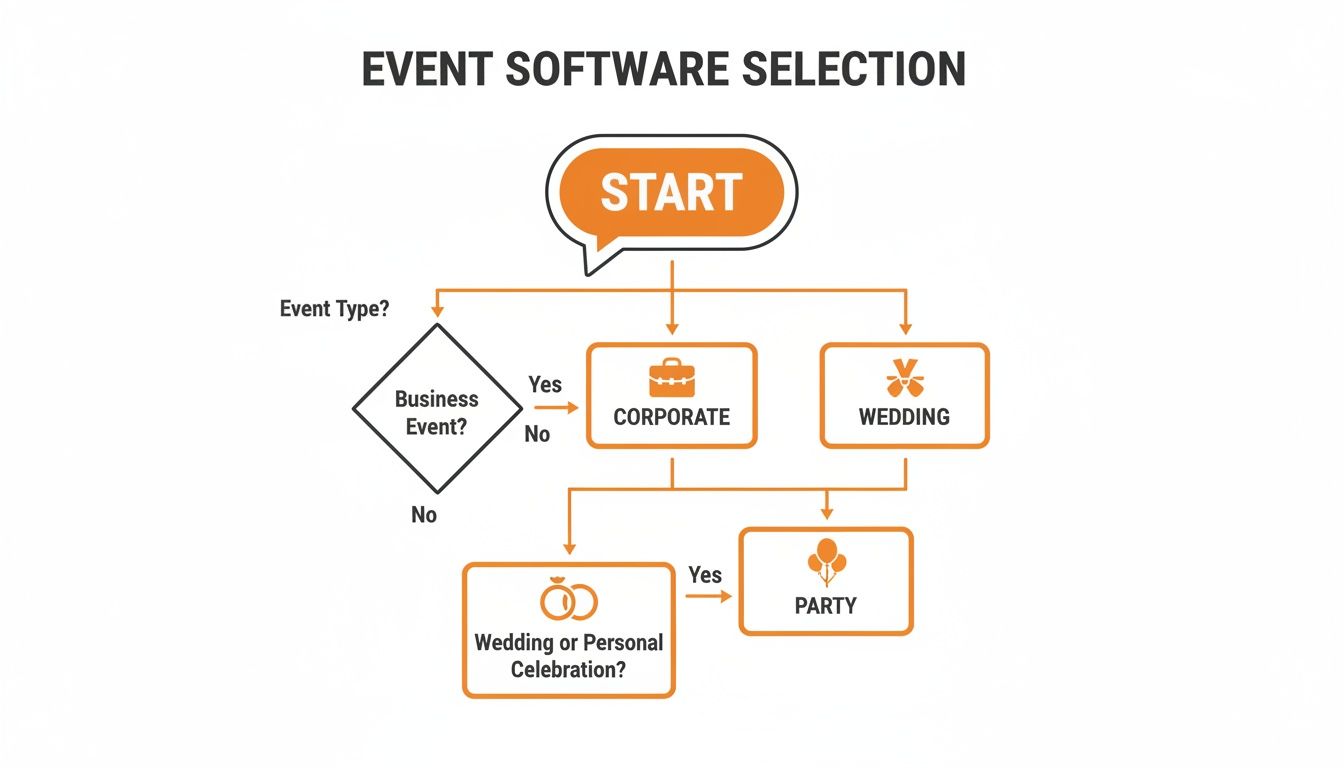
As the flowchart shows, while the logistics for different events vary, the need for a simple, dedicated photo-sharing tool is a constant. It's the key to creating a complete and successful event experience every single time.
Got Questions? We've Got Answers
When you're comparing event management software, it’s easy to get lost in the big logistical features. But don't forget about how your platform handles guest interactions, like collecting photos. Getting this right is a huge part of a successful event.
What's The Absolute Easiest Way To Collect Guest Photos?
The simplest method is always the one that makes your guests do the least amount of work. That means no app downloads, no account sign-ups, and no new passwords to remember. The incredible ease of use of QR code solutions nails this.
Guests just point their phone's camera, scan the code, and their photo gallery pops right up, ready for them to upload their favorite shots. All the usual friction is just… gone.
How Can I Get All The Photos In One Place Without An App?
A dedicated platform can pull all those images into a single, private gallery for you, and it happens automatically. You just display your event’s QR code at the venue entrance or on your invitations for instant photo uploads.
Every single picture, no matter what device it comes from, gets funneled directly into your event’s album in real-time. This kind of seamless consolidation of photos means no memories get left behind on someone's phone.
The real secret to getting tons of guest photos is removing every single barrier. If a guest can share a picture in less than ten seconds without ever leaving their camera, you've found a winner.
Do QR Codes For Photo Sharing Work For Any Event?
Absolutely. While this approach has its primary focus on weddings because of its simplicity, it's just as perfect for birthdays, corporate gatherings, and family reunions.
The sheer ease of use is what makes it work for everyone, from your tech-savvy cousin to your grandma. That's how you get a complete collection of memories, no matter what you're celebrating.
Ready to make photo collection the easiest part of your event planning? See how WedPicsQR can help you capture every candid moment, without any of the hassle. Get started in minutes.
Capture Your Wedding Memories with WedPicsQR
Create a unique photo-sharing page for your wedding and let your guests contribute to your visual story.
Create Your First Photo Page