
Your Guide to a QR Code Generator for Events
A QR code generator for events is hands-down the simplest way to get every photo your guests take into one central, private place. It works by creating a scannable code that lets guests instantly upload pictures from their phones to an online gallery. Best of all? There's no app to download. This is how you end the post-event chase for photos and seamlessly consolidate every precious memory.
From Scattered Selfies to a Seamless Event Gallery
So the last song has played and the final toast has been made. What happens to all those amazing, candid photos your guests have been snapping all night? If you’re like most hosts, they end up scattered across a dozen different phones, buried in a group chat, or lost in the void of a generic hashtag. It's a mess, leaving you with the frustrating job of trying to piece together the story of your event from a hundred different sources.
A dedicated QR code generator completely changes the game. It turns every guest with a smartphone into a collaborator, helping you build a complete, real-time visual diary of your celebration with incredible ease of use.
The Problem with Old-School Photo Sharing
For years, the go-to methods for collecting guest photos have been clunky and just plain inefficient. We’ve all been there, dealing with the usual frustrations:
- Hashtag Headaches: It's a nice idea, but photos get missed if the hashtag is misspelled. Plus, many guests have private social media accounts, which makes their pictures completely invisible to you.
- App Fatigue is Real: Asking guests to download yet another app is a huge barrier. Let's be honest, most people won't bother, which means you miss out on all their great shots.
- The Post-Event Chase: Hounding friends and family for photos via text and email after the party is over is a drag. It’s time-consuming and often gets you a bunch of low-quality, compressed images.
The real magic of a QR code system is its simplicity. It removes every single barrier, making photo sharing an effortless, in-the-moment activity instead of a post-event chore. No app is required, just instant uploads.
This infographic breaks down the old way of collecting photos versus the new, streamlined QR code method.
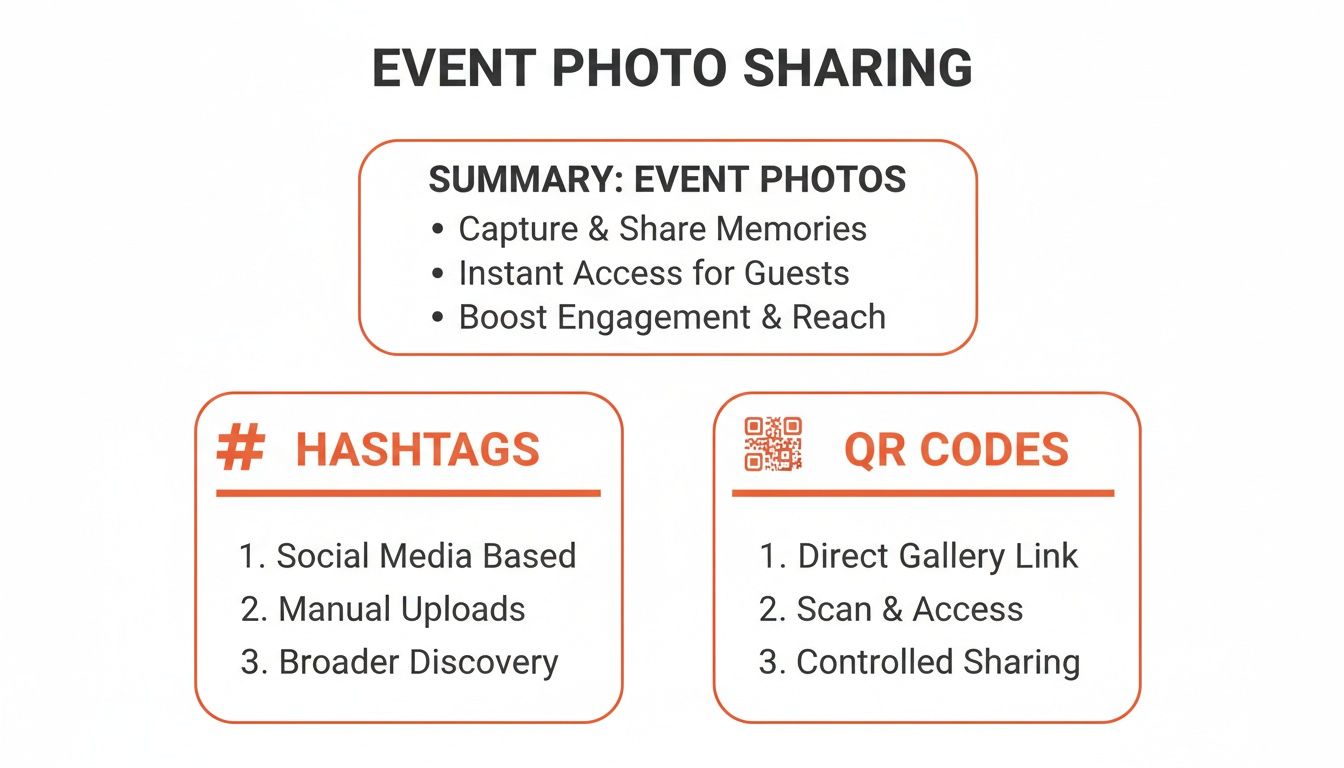
As you can see, QR codes deliver a private, high-quality, and instant solution that just runs circles around public and often unreliable hashtags.
Photo Collection Methods Compared
See how using a QR code system stacks up against traditional methods for collecting event photos.
| Feature | Traditional Methods (Hashtags, Texts) | QR Code Generator for Events |
|---|---|---|
| Guest Effort | High (Remembering hashtags, downloading apps, post-event sending) | Minimal (Scan and upload in seconds, no app needed) |
| Privacy | Low (Public on social media or scattered in chats) | High (Private, password-protected gallery) |
| Photo Quality | Often low (Social media compression) | High (Original, full-resolution photos) |
| Collection Speed | Slow (Manual collection after the event) | Instant (Photos appear in real-time) |
| Participation | Typically low due to friction | High due to extreme ease of use |
The takeaway is clear: if you want more photos, higher quality, and less work, a QR code system is the way to go.
Why Weddings are the Perfect Fit
While this tech is a lifesaver for birthdays, corporate gatherings, and family reunions, weddings are where it really shines. The desire to capture every single moment is huge. In fact, the global wedding photography market is projected to hit USD 51.1 billion by 2035, which shows just how much couples value these memories.
Just as smooth logistics are vital for a great event, effortlessly collecting cherished memories is key to making a wedding day truly seamless. A QR code provides the simplest path to a complete photo collection. A practical example would be to display your event’s QR code at the venue entrance or on invitations for instant photo uploads. It's the best way to make sure no precious moment gets left behind.
Set Up Your Photo Hub in Under 10 Minutes
Honestly, creating a central spot for all your event photos shouldn't be a huge, complicated task. With the right tools, you can get the entire thing set up in less time than it takes to brew your morning coffee. Seriously—from signing up to having a QR code ready for your guests, we're talking 10 minutes, tops.
This whole process is designed to be ridiculously simple, so even if you're not a "tech person," you'll feel completely in control. Let's say you're planning a wedding. In one quick session, you can create a custom gallery, splash your theme colors all over it, and lock down your privacy settings. No confusing software, just a straight shot to collecting every memory.
Your Quickstart Guide to Creating a Gallery
First things first, you'll want to sign up for a service like WedPicsQR and create a new event gallery. Think of this as the digital home where every photo your guests upload will land, all neatly organized for you. The platform walks you right through it.
From there, you just plug in the basics:
- Event Name: Something simple like "The Smith Wedding" or "Jenna's 30th Birthday Bash."
- Event Date: This keeps everything organized by date, which is a lifesaver later.
- Welcome Message: A quick, personal note that greets guests when they scan the code is a great touch.
The whole point is to remove any friction. The setup is fast for you, and the photo upload is even faster for your guests. That simplicity is what gets people to actually participate and share their photos.
Once your details are in, the system instantly generates your unique QR code. This little code is the magic key to all that seamless photo sharing. If you want a super detailed breakdown of this part, check out our full guide on how to create QR codes for any kind of event.
Customization and Privacy Controls
Okay, your gallery is live. Now for the fun part: making it yours. Upload a cover photo that matches your invitations or your company's branding. Tweak the color scheme to match your decor. These little details make the whole experience feel cohesive and special for your guests.
Most importantly, you have total control over privacy. Worried about your photos floating around on the internet? Just add a password to your gallery. Done. Now only your trusted guests can see and upload photos.
You can share this password right alongside the QR code. For example, you could have a sign at the entrance with the QR code and a small note underneath with the password. It’s the perfect blend of easy access and tight security, making it ideal for private events like weddings, corporate gatherings, and family reunions.
Design and Display QR Codes for Maximum Engagement
Getting the QR code itself is the easy part. The real magic happens when you make sure every guest not only sees it but is genuinely excited to use it. A generic, black-and-white square tucked away in a corner just won’t get the job done.
Your event’s QR code should feel like a natural, intentional part of the decor—not a last-minute add-on.
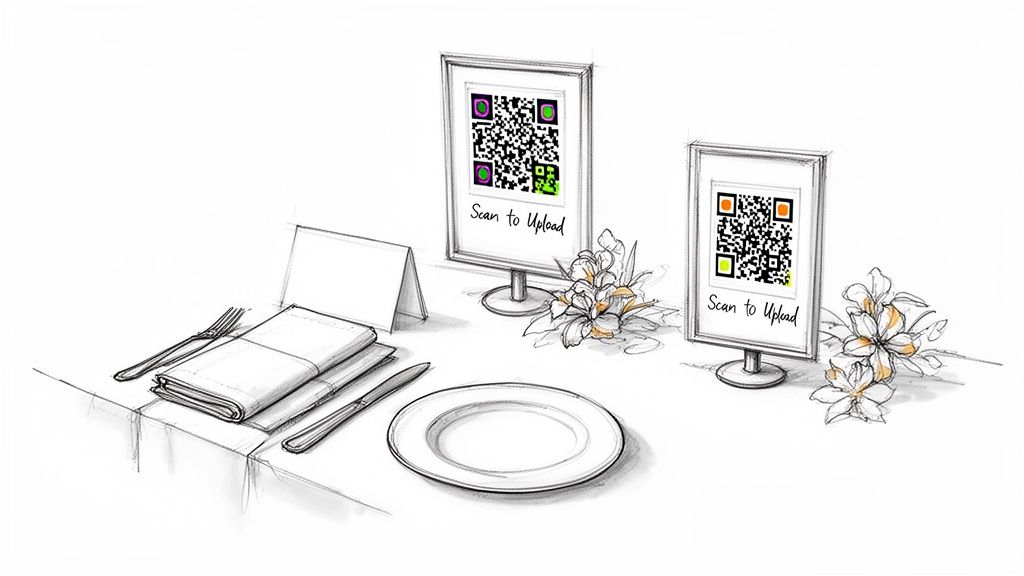
The best way to pull this off is with thoughtful customization. A quality qr code generator for events lets you bake your branding right into the design. For a wedding, this could mean matching the code to your color palette or even embedding your initials in the center. At a corporate event, you can drop in the company logo for a polished, professional look that reinforces your brand. It’s a small touch that turns a functional tool into a beautiful design element.
Strategic Placement for High Participation
Visibility is everything. Your goal is to sprinkle QR codes in high-traffic areas where guests naturally pause and have their phones out. Don't just stick a single sign on the gift table; think about creating multiple touchpoints throughout the venue. The easier you make it for people to find the code, the more photos you'll get. It's all about creating simple, app-free moments for guests to contribute.
I've seen these placements work wonders for all kinds of events, from weddings to conferences:
- At the Entrance & Registration: A big, framed QR code right at the entrance or registration desk makes a great first impression. Guests see it the moment they walk in.
- On the Tables: Place smaller, elegant cards with the QR code at each table setting or build them into the centerpieces.
- Near the Bar & on Cocktail Napkins: Let's be honest, everyone ends up at the bar. A sign there or printing the code on cocktail napkins is a brilliant move.
- In Event Programs & Invitations: Give guests a heads-up by including the QR code directly on printed materials. They'll know about the photo sharing before they even arrive.
Creative Display Ideas to Get People Scanning
To really crank up the engagement, you have to get a little creative with your displays. The more fun and unexpected the placement, the more likely guests are to scan the code and upload their best shots.
The key is repetition without being repetitive. Place the code in different formats and locations so it feels like a helpful reminder, not an annoying ad. This seamless consolidation of photos is what makes the experience so valuable.
For example, I’ve seen hosts project the QR code onto a large screen during dinner or a presentation, which is always a hit. At a birthday party, you could even print it on the back of photo booth strips.
The possibilities are endless. For a deeper dive, check out our guide on 10 creative QR code display ideas for events that are guaranteed to get your guests snapping and sharing.
The Guest Experience: A Simple Scan and Upload
From your guest's perspective, the whole photo-sharing process should feel invisible. Almost magical. When you use a solid QR code generator for events, you’re not just making a functional tool—you're designing a smooth, effortless experience. The goal is to make sharing photos so easy it’s a natural part of the fun, not a chore.
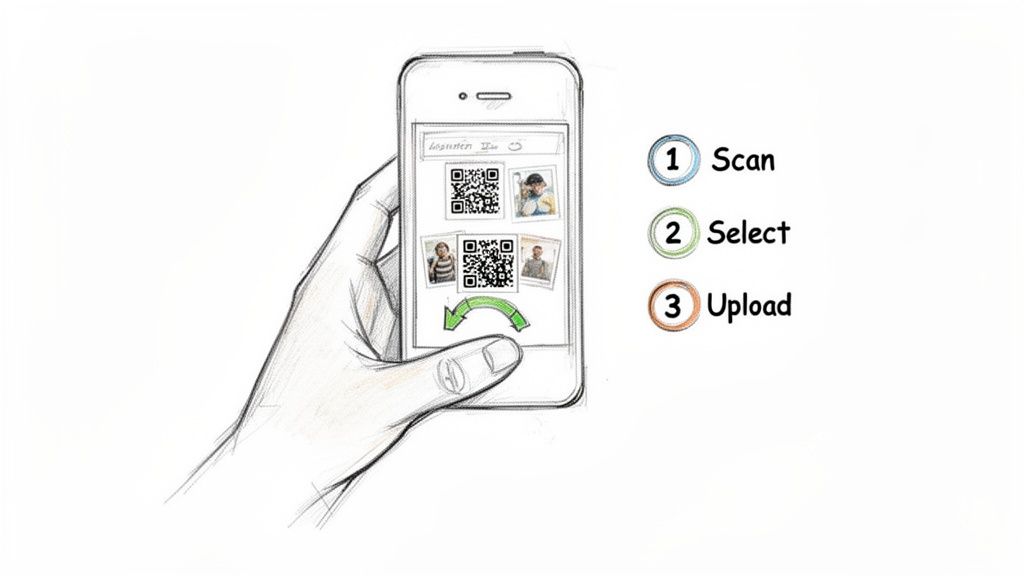
It all boils down to three quick actions for your guests: they scan the QR code, pick photos from their phone’s camera roll, and hit upload. That’s it. No friction, no confusing instructions, and—this is the big one—no app download required.
Why "No App" Is a Game Changer
That "no app" detail is hands-down the most important part of this whole setup. It completely removes the biggest barrier that stops people from sharing photos.
Think about it from their shoes: a guest at a birthday party just caught a hilarious video of the dance-off. They can share that candid moment in seconds without having to stop, search for an app, download it, and create an account. The fun isn't interrupted.
This seamless workflow is what gets everyone to contribute. Your tech-savvy cousin can upload a dozen shots in under a minute, and your grandmother can share her favorite snapshot with just a couple of taps. It’s an inclusive approach that guarantees you get a rich, diverse collection of memories from every possible viewpoint. If you want a closer look, you can see exactly how the guest upload process works.
Practical Scenarios: From Weddings to Corporate Events
While this technology is a perfect match for weddings, its true power lies in its versatility. The core benefit—effortlessly and seamlessly consolidating photos in one place—applies to just about any gathering you can think of, from birthdays and corporate gatherings to reunions and more.
Here’s a quick guide on where you can place your QR codes to maximize participation at different types of events.
| QR Code Placement Ideas for Any Event |
|---|
| A quick reference for creative and effective places to display your photo-sharing QR code. |
| Event Type |
| Weddings |
| Corporate Gatherings |
| Birthdays & Reunions |
| Community Events |
Ultimately, the right placement depends on your event's flow, but the key is visibility and repetition. Give your guests multiple opportunities to see and scan the code.
The real power of an app-free QR code is that it meets guests where they are—on their phones, in their browsers. By making photo sharing as easy as sending a text, you unlock a treasure trove of authentic moments that would otherwise be lost.
Manage and Share Your Complete Event Album
The party's over, but the memories are just getting started. This is the fun part—reliving every moment through your guests' eyes. But chasing down photos from texts, social media, and a dozen different group chats? No thank you.
This is where a qr code generator for events really shines. Instead of chaos, you get a single, consolidated gallery. Every photo your guests uploaded is right there, waiting for you in one organized, private space. It’s the ultimate post-event sigh of relief.
From Every Angle in One Place
Think about it: you get a complete, crowd-sourced collection that tells the full story of your day. Your professional photographer is a master at capturing the big moments, but your guests catch the candid, behind-the-scenes magic. A dedicated platform brings both of those worlds together.
With a service like WedPicsQR, you can:
- View Every Photo Instantly: As guests upload images during the event, your album grows in real-time.
- Download High-Resolution Images: Forget blurry, compressed pictures from social media. You get the original, high-quality files perfect for printing.
- Share with Ease: Want to show your grandma who couldn't make it? Just send a single link to the entire gallery.
This approach lines up perfectly with where professional photography is heading. By 2026, the trend is shifting toward smaller, more intentional galleries. Guest photos are the perfect way to add that authentic, raw layer to the professional shots.
Smart Features That Simplify Your Life
The best platforms don't just collect photos—they help you manage them. A classic problem with hundreds of guest photos is duplicates. You know the one: the same group shot taken from five different phones. Smart features like automatic duplicate photo removal keep your album clean without you lifting a finger.
The real joy comes from having a complete, beautiful album without the stress. It’s the relief of knowing every memory is safe, sound, and ready to be shared.
Managing your album should feel as effortless as the upload process was for your guests. As you start curating your collection, browsing professional event gallery examples can spark some amazing ideas for how to present everything. This post-event phase is where you truly appreciate the power of a dedicated event photo sharing platform. It’s not just about collecting pictures; it's about preserving the feeling of your special day, all in one place.
Your Top Questions About Event Photo Sharing
Jumping into new tech for a big event always brings up a few questions. When it comes to using a QR code generator for events, I get asked a lot about privacy, how it works for guests, and what kinds of parties it’s good for. Let's clear up the common worries so you can feel confident you’ve picked the easiest, most effective way to collect every last memory.
The whole point of this system is to be ridiculously simple. It’s designed to feel like a natural part of the party, so everyone from your tech-savvy cousin to your great-aunt can jump in without a second thought. Here are the questions I hear most often from hosts.
Do My Guests Need to Download an App?
Nope! And honestly, this is the best part.
Guests just point their phone's camera at the QR code. It instantly opens a private upload page in their web browser—no trips to the App Store, no downloads, no creating new accounts.
This app-free approach is a game-changer because it knocks down the biggest hurdle to getting people to share their photos. They can pick photos right from their camera roll and upload them in seconds. It’s what makes getting all those pictures in one place actually work.
Is This Only for Weddings?
While it's an absolute dream for weddings, a QR code photo collector works for any gathering where people are taking pictures. The focus is primarily on weddings, but its versatility is a key benefit. Think about it: any time you have a group of people with phones, a central hub to collect everything is a lifesaver.
We've seen it used for all kinds of celebrations:
- Birthday Parties: Finally capture every candid moment from a milestone 30th or a sweet 16.
- Corporate Gatherings: Effortlessly collect photos from team-building events, holiday parties, or conferences.
- Family Reunions: Get all those priceless family photos in one spot without chasing everyone down in a group text for weeks.
- Graduation Parties: Build a complete album of the grad's big day with pictures from all their friends and family.
The idea is always the same: give people an easy way to share what they saw, and you’ll end up with a much richer, more complete album of the day.
How Private and Secure Are the Photos?
Privacy is everything. Unlike a public hashtag that splashes your event photos all over social media, the images uploaded through your unique QR code go straight into a private online gallery that only you can access.
Your memories are yours alone. The system is designed like a secure vault, making sure your event photos are only seen by the people you choose.
For extra peace of mind, platforms like WedPicsQR let you add password protection. You can just put the password right on the sign with the QR code. This way, only invited guests who are actually at the event can view and upload photos.
And don't worry about quality. Guests upload the high-resolution files straight from their phones. That means you can download them for printing later without the blurry compression you get from social media. It’s the best of both worlds: convenience and quality, all tucked away in a secure spot.
Ready to create a beautiful, complete album of your next event with zero hassle? With WedPicsQR, you can set up your private gallery and generate a unique QR code in just minutes. Give your guests the gift of easy, instant photo uploads and never miss a moment again.
Capture Your Wedding Memories with WedPicsQR
Create a unique photo-sharing page for your wedding and let your guests contribute to your visual story.
Create Your First Photo Page