
A Guide to Using a QR Code for Wedding Pictures
Imagine getting every single candid photo your guests take, all in one place, without having to chase anyone down or doom-scroll through a dozen social media feeds. That's the magic of using a QR code for wedding pictures. It’s a super simple, seamless way for guests to scan a code with their phone and instantly upload photos to your private gallery. No apps, no hashtags, no headaches.
Why a Wedding QR Code Is Your Secret Weapon for Photos
You hired a professional photographer to get those stunning, frame-worthy shots, and that's essential. But what about the belly laughs during cocktail hour? The surprise dance-off between your cousins? The sweet, quiet moments your friends catch from their tables? Those are the photos that tell the full story of your day.
A QR code is the cleanest, easiest way to gather all of them. It acts as a direct bridge from your guests' phones straight to your wedding album. Forget relying on a clunky hashtag that gets buried on Instagram or bugging your friends to text you photos for weeks after the wedding. A QR code provides a seamless way to consolidate photos. Guests just point their camera, tap the link, and upload. Done. It's so effortless and instant it actually encourages people to share, and best of all, there's no app requirement.
The Modern Way to Capture Every Angle
Everyone wants to document every last second of a wedding these days. It’s a huge reason why the global wedding photography market is on track to hit a staggering $43.60 billion by 2032. This isn't just about pro photographers; it's about blending their art with modern solutions like QR codes for guest uploads. With smartphone use in North America at 82%, the appeal of quick, easy digital sharing has never been clearer. You can dive deeper into this trend in this detailed report on wedding photography.
The real genius of a QR code system is its simplicity and ease of use. It gets rid of every single obstacle for your guests. The only thing they have to think about is snapping a great photo, not how to get it to you.
We've come a long way from disposable cameras on every table. The way we gather memories has completely changed, and frankly, it's for the better.
Old vs New How Photo Sharing Has Evolved
See how a dedicated QR code system stacks up against traditional methods for gathering guest photos at your wedding.
| Feature | Traditional Methods (Hashtags, Texts) | QR Code System |
|---|---|---|
| Guest Effort | High - requires social media accounts, searching, or manual sending. | Minimal - just scan and upload. No app needed. |
| Photo Privacy | Low - public hashtags or scattered across personal devices. | High - photos go directly to your private, controlled gallery. |
| Photo Quality | Often compressed by social media or texting apps. | Preserves the original, high-resolution quality. |
| Organization | A complete mess. Photos are all over the place. | Perfectly organized in one central album from the start. |
| Accessibility | Can be tricky for less tech-savvy guests. | Incredibly simple for all ages; everyone knows how to use a camera. |
| Reliability | Hit or miss. Many guests forget or don't bother. | High participation rates because it's so easy and instant. |
The takeaway is clear: modern tools are designed to make your life easier and ensure no memory gets left behind.
More Than Just Weddings
While a qr code for wedding pictures is an absolute game-changer for tying the knot, its versatility doesn't stop there. This same easy, seamless photo consolidation trick is perfect for any event where people are making memories.
Think about it for:
- Birthday Parties: Finally get all the snapshots from that milestone 30th or 50th bash.
- Corporate Gatherings: A simple way to collect photos from team-building days or the annual holiday party.
- Family Reunions: Create one big, collaborative album that tells the story of your get-together from every perspective.
- Graduation Parties: Let proud friends and family instantly share their favorite moments of the grad.
The idea is exactly the same no matter the occasion. Just display your event’s QR code at the venue entrance or on invitations for instant photo uploads. It guarantees that no moment is missed. To see even more creative ways to use them, check out our guide on event QR codes for any celebration.
Creating Your Digital Photo Gallery in Minutes
Getting your photo collection hub ready is surprisingly simple and honestly, it takes just a few clicks. The best systems for a qr code for wedding pictures are built for ease of use. You don't need any special skills to set up a secure, private, and totally personalized online gallery for your big day. Think of it less like building a website and more like setting up a dedicated space ready to catch every memory.
The whole point is to make this seamless for your guests. Zero friction—they just scan, tap, and upload. That's it. No app download is ever required, which is the secret sauce for getting tons of photos. Guests use the camera app already on their phone, making photo sharing instant and effortless for everyone, from your tech-savvy friends to your grandparents. This seamless consolidation gets all your photos in one place, right as they happen.
Personalize Your Photo Space
Now for the fun part. Setting up your gallery starts with adding your names, the wedding date, and maybe a quick welcome message for your guests. A lot of platforms, like ours, let you pick a custom, easy-to-remember URL, like wedpicsqr.com/TheSmiths2025. It’s a small detail that adds a really nice personal touch.
You also get complete control over privacy, which you can set up in seconds. Here are the key features you'll want to look for:
- Password Protection: Pop a simple password on your gallery so only invited guests can view and upload photos.
- Content Moderation: Want to approve photos before they go live? You can enable moderation to review everything first, giving you total peace of mind.
- Download Permissions: You get to decide who can download the high-resolution images from your album.
This is pretty much how simple the flow is from your guest's perspective.
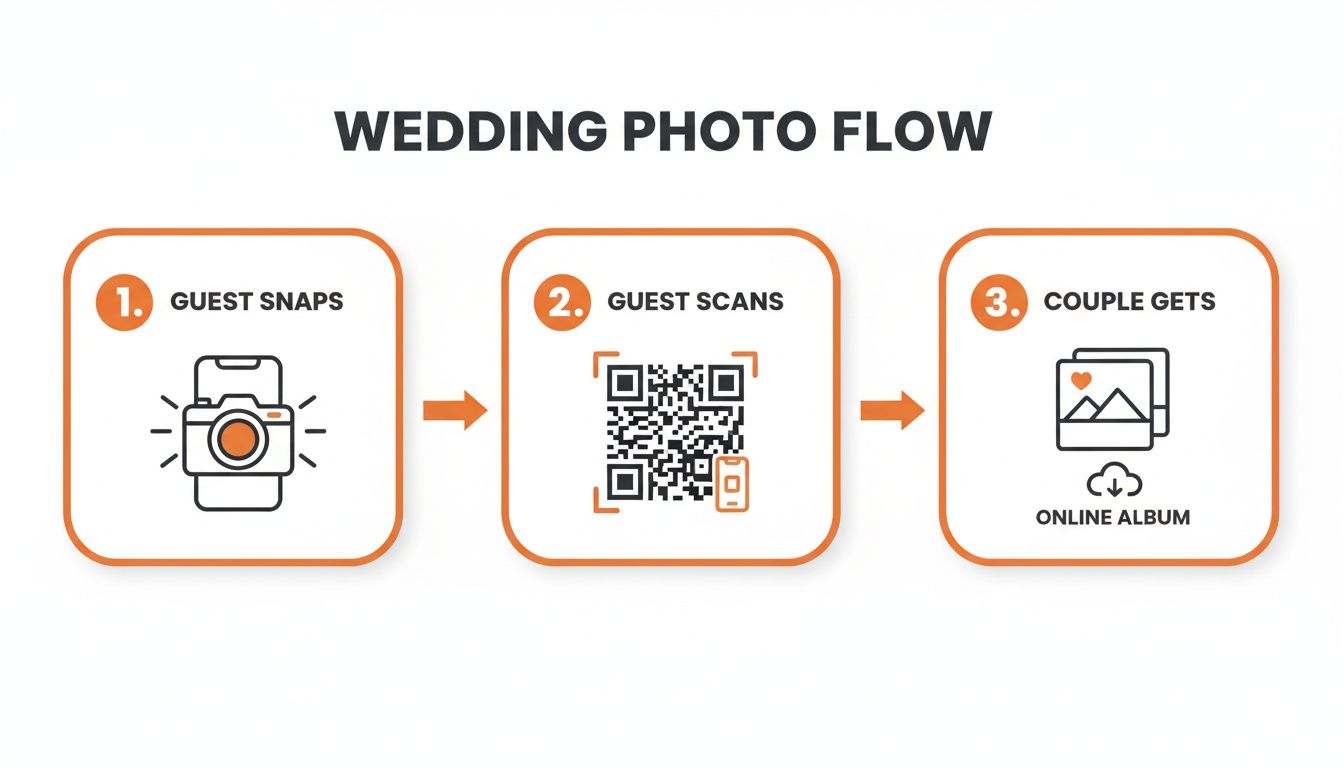
As you can see, it's a straight shot from a guest taking a photo to it landing securely in your album, all kicked off by a quick scan. If you're looking for more ideas on setting up your space, you might like our guide on how to set up a wedding photos gallery.
Versatility Beyond the Wedding Day
While this is obviously perfect for weddings, the simplicity makes it a fantastic tool for pretty much any event where you want to gather photos. The core benefits—ease of use, instant uploads, and having all your pictures in one spot—apply to any celebration.
I've seen people use this for everything from big corporate gatherings to family reunions and milestone birthdays. You just display your event’s QR code at the venue entrance or on invitations for instant photo uploads. The setup is exactly the same, giving you a reliable way to collect memories from any important get-together.
Designing a QR Code That Fits Your Wedding Vibe
Once your private gallery is live, it's time to create the actual QR code for wedding pictures. This little black-and-white square is the gateway to a flood of memories from your guests, so let's make it count.
Generating the code is the easy part. Most platforms give you a high-resolution version you can download instantly. The goal is to make sure it prints clearly and, most importantly, scans without a hitch.
But let's be real, a generic QR code can feel a bit cold and out of place next to your beautiful centerpieces and carefully chosen decor. The real magic happens when you transform this functional tool into an integrated part of your wedding's aesthetic—something guests are actually drawn to and excited to use. This is how you make photo sharing feel like a fun, natural part of the celebration.
Customizing Your Code with Personal Touches
You don't need to be a graphic designer to make your QR code feel like yours. It’s all about adding a few personal touches that align with your wedding theme. A great starting point is to think about it like you would when creating other custom items, drawing inspiration from the design principles for personalised notebooks for brand impact can actually spark some great ideas.
Here are a few simple but effective ways to dress up your code:
- Add a Frame: A simple border in your wedding colors can make a huge difference.
- Include Your Initials: Pop your initials or wedding monogram right above or below the code for a classic, elegant touch.
- Use a Catchy Phrase: Pair the code with a warm, inviting call to action. Think "Capture the Love," "Share Your Snaps," or my personal favorite, "Help Us See Our Day Through Your Eyes."
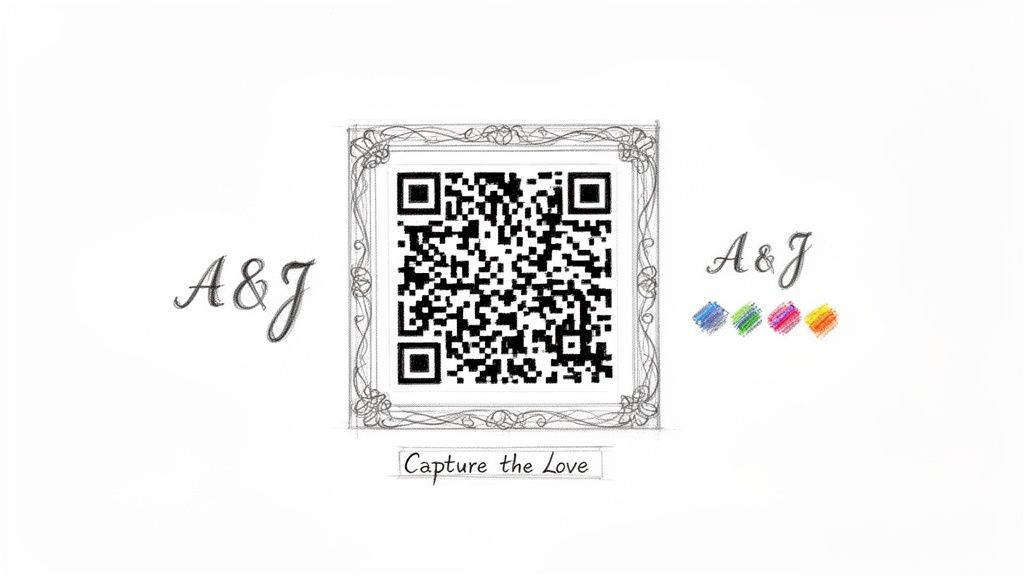
These small details do more than just look pretty—they make the code more inviting, encouraging more of your guests to scan it and share their photos.
The most successful QR codes are the ones that don't look like a technical afterthought. When the design feels intentional and cohesive with the rest of your wedding stationery and signage, guests are far more likely to engage with it.
Ultimately, you're aiming for a seamless experience. A guest sees a beautiful sign, scans the code, and instantly uploads their photos without fumbling with an app. It's an effortless process that works wonders not just for weddings but for any gathering, from big corporate events to milestone birthdays and family reunions.
By putting a little thought into the design, you boost participation and make sure every precious, candid moment gets collected. For more inspiration, check out our 10 creative QR code display ideas for events.
Smart QR Code Placement for Maximum Photo Uploads
You’ve designed a beautiful QR code that matches your wedding vibe—now, where do you actually put it so people use it? An unseen QR code is an unused one, so smart placement is everything if you want to get a flood of guest photos. The goal is to make scanning feel totally natural and convenient, not like another task on your guests' to-do list.
By putting your qr code for wedding pictures in high-traffic, high-visibility spots, you’re giving guests multiple, easy chances to share their favorite moments. It’s an effortless way to pull all those memories into one place, and it works so well because there is no app download required. Guests just point their phone's camera, scan, and upload in seconds for instant photo consolidation.
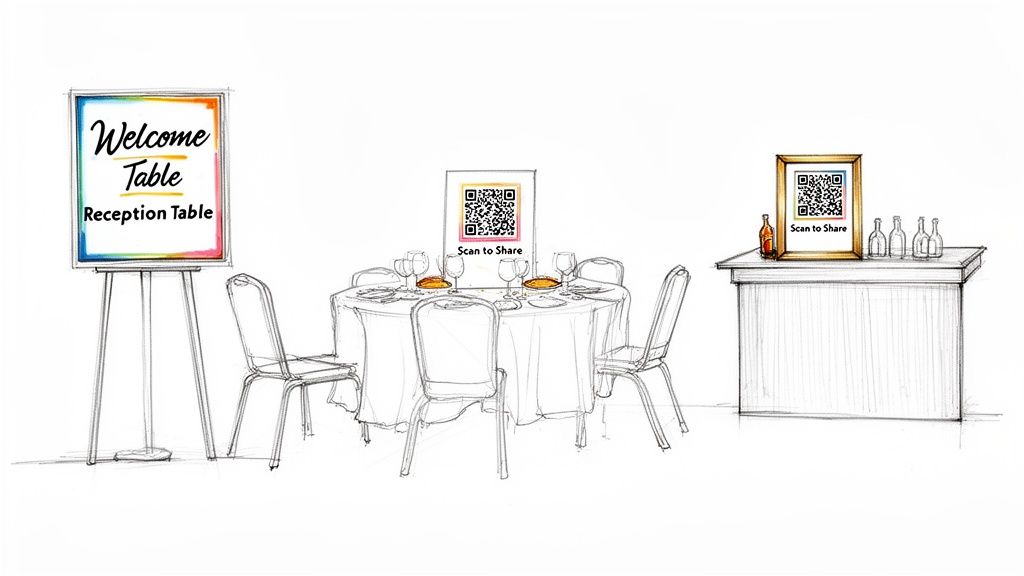
High-Traffic Hotspots at Your Venue
Think about the natural flow of your wedding day. Where will your guests spend the most time? Where will they stand around and chat? These are your prime locations for QR code signs.
With wedding guest lists averaging 116-145 people, that’s hundreds of smartphones just waiting to capture memories. Since over 50% of U.S. weddings have more than 100 guests, a few well-placed codes are essential for collecting photos from every single device.
Here are the absolute must-have spots for your QR code signs:
- The Welcome Table: This is the very first thing guests see. Place a stylish, framed sign right next to the guest book or card box. You can't miss it.
- The Bar: Let's be real, people linger at the bar. A sign here is guaranteed to get noticed while guests are waiting for their drinks. It’s a perfect captive audience.
- On Every Reception Table: This is, by far, the most effective placement. A small, elegant card tucked into the centerpiece or placed by the menus ensures everyone has constant, easy access right at their fingertips.
Pro Tip: Don't just slap a code on a sign. Add a simple, friendly call to action. Something like, "Capture the Love! Scan here to share your photos from our special day." This tiny addition makes a huge difference and dramatically boosts how many people participate.
Thinking Beyond the Reception Hall
Your photo collection strategy shouldn't just be limited to the wedding day itself. You can start planting the seed even before the first guest arrives, which gets everyone primed and excited to share their photos.
For instance, consider adding the QR code to your wedding invitations or on your wedding website's photo gallery page.
This approach works just as well for other events, too, from corporate gatherings and birthday parties to big family reunions. Display your event’s QR code at the venue entrance or on invitations for instant photo uploads. To really maximize engagement, you can even borrow ideas from powerful QR code marketing strategies to make your signs more effective and eye-catching for every guest, no matter the occasion.
Getting Everyone on Board: Your Guests and Photographer
You can have the perfect QR code system and gorgeous signs, but none of it matters if your guests don't know what to do. Getting those amazing candid shots hinges on one thing: clear and friendly communication. Frame it as a fun, group effort to help build your complete wedding album, and everyone will be excited to pitch in.
The best part? It's incredibly easy to explain. Because there's no app to download and no complicated login, a simple announcement is usually all it takes. Guests just use their phone’s camera, making it a seamless way for them to contribute their favorite moments.
Guiding Your Guests with Simple Cues
One of the most powerful tools you have is your DJ or MC. A quick, upbeat announcement from them can make all the difference. The perfect time is usually during dinner or just before the big reception events kick off.
Here are a couple of scripts they can easily adapt:
- "Help the happy couple build their album! Just scan the QR code on your table to instantly share your favorite photos from tonight. No apps needed!"
- "The bride and groom would love to see the wedding through your eyes. Please use the QR code at your table to upload any photos you take. Let's fill their gallery with memories!"
These short, direct announcements get straight to the point and highlight how simple the process is. When guests realize it’s just a quick scan away, they’re far more likely to share photos throughout the night.
The goal is to make photo sharing feel like a natural part of the celebration, not a chore. A well-timed, positive announcement from a central figure like the DJ makes guests feel included and excited to contribute to your memory collection.
Partnering with Your Professional Photographer
It's also a smart move to bring your professional photographer into the loop. Some couples worry that encouraging guest photos might get in the way of the pros, but when you frame it correctly, it's actually the opposite. Think of it as capturing a different, more personal layer of the day.
Explain to your photographer that the qr code for wedding pictures is there to catch all the candid, in-the-moment shots from angles they can't possibly cover alone. Guest photos aren't competition; they're a complement to the photographer's polished, artistic work, adding a raw and authentic narrative to the day.
Most photographers really appreciate this approach. They understand that while they're focusing on the pivotal moments and stunning portraits, your guests are capturing the little interactions and behind-the-scenes fun that make the story complete. For more ideas on this, you can learn how to encourage guests to share wedding photos in our detailed guide.
Beyond the Wedding: QR Codes for Every Celebration
The magic of using a QR code for wedding pictures doesn't have to end once you've said "I do." The core concept—letting guests instantly upload photos to one central gallery, no app required—is a game-changer for any event where you want to capture memories. Its versatility and ease of use work anywhere.
Think about a corporate team-building retreat. Instead of the usual headache of trying to track down photos from dozens of different phones, you can just display the event’s QR code at the entrance or on the agenda handouts. Every candid moment, from the brainstorming sessions to the after-party, lands in one shared hub right away for seamless consolidation. And since there's no app to download, you get way more participation.
A Universal Tool for Any Gathering
This isn't just for corporate events. The same elegant solution works beautifully for personal milestones and big community gatherings. The benefits are the same across the board, making it the perfect tool for preserving memories from any important get-together.
Just picture it:
- Milestone Birthdays: At a 50th birthday bash, a QR code on cocktail napkins or table tents lets everyone share decades of old memories alongside new moments from the party. It creates an incredible, living digital scrapbook for the guest of honor.
- Family Reunions: Finally, a foolproof way to collect photos from every branch of the family tree! Put a sign with the code near the buffet or the kids' activity area to catch every cousin’s laugh and grandparent’s hug.
- Graduation Parties: Let proud family and friends instantly upload their favorite snapshots of the graduate. A QR code ensures every single celebratory picture ends up in one place for safekeeping.
- Community Festivals: Local event organizers can print a QR code on flyers and banners to crowdsource an amazing, vibrant gallery. It captures the spirit of the day from hundreds of different perspectives.
The real power here is its versatility. Whether it's a slick corporate conference or a casual backyard barbecue, the system offers a frictionless way for everyone to chip in, making sure no precious moment gets lost.
By applying the same simple ideas from weddings, you can elevate any celebration. It’s all about making photo sharing an easy, inclusive, and fun part of the experience, guaranteeing you'll have a complete and authentic collection of memories to look back on for years.
Common Questions About Wedding QR Codes
Couples usually have a couple of last-minute questions before they go all-in on using a QR code for wedding pictures. Let's run through the most common ones so you can feel totally confident.
Do Guests Need an App?
Absolutely not, and honestly, that's the whole point. Guests just point their phone's camera at the QR code, and it opens a private webpage right in their browser.
From there, they can upload photos directly from their phone's library without installing a single thing. This app-free approach ensures maximum participation because it's dead simple for everyone, from your techy cousin to your grandma. It makes sharing photos instant and completely effortless.
The real magic here is removing every possible roadblock for your guests. Whether it's a corporate event or a family reunion, the simple "scan and upload" is why this method is so effective for getting all your photos in one place.
Are the Uploaded Photos Public?
Nope. Your gallery is completely private by default. You have total control over who gets to see the photos.
For a little extra peace of mind, most services let you slap a password on the gallery. This makes sure only your invited guests can access and add to your wedding album, keeping those cherished memories safe and sound within your circle.
Ready to effortlessly collect every candid moment from your big day? Create your free gallery with WedPicsQR today and see just how simple it is to get all your guest photos in one beautiful, private album. Start collecting your memories now!
Capture Your Wedding Memories with WedPicsQR
Create a unique photo-sharing page for your wedding and let your guests contribute to your visual story.
Create Your First Photo Page