
10 Smart Photo Storage Ideas for Weddings & Events in 2025
Your wedding day is a whirlwind of unforgettable moments, from the first kiss to the final dance. Yet gathering every candid shot from guests alongside professional images can quickly become overwhelming. This listicle presents 10 top photo storage ideas designed to streamline collection, organization, and preservation of event memories.
Inside you will discover:
- Cloud services with auto-sync and custom galleries for offsite backup
- QR code-powered albums for truly easy, instant guest uploads without any app requirement
- Hybrid setups combining local drives and cloud redundancy for peace of mind
- Optical media and DIY keepsakes for long-term archiving
Each section offers step-by-step setup instructions and practical examples. While our primary focus is on weddings, these strategies adapt seamlessly to birthdays, corporate gatherings, family reunions, and more. For any event, simply display your unique QR code at the venue entrance or on invitations for instant photo uploads into a private gallery. It's incredibly easy for guests—no app install is ever required.
Engaged couples, wedding planners, professional photographers, and event hosts will find actionable tips to centralize every snapshot. By the end, you will master straightforward photo storage ideas that ensure every cherished moment stays accessible, organized, and safe for years to come.
1. Effortless Event Galleries with QR Code Platforms
Imagine collecting every photo and video from your wedding or special event in one place, in real-time, without hounding your guests. That’s the modern solution offered by QR code platforms. This method creates a centralized, private online gallery where guests can instantly upload their memories simply by scanning a QR code with their phones, making photo consolidation seamless and immediate.
The biggest advantage is the supreme ease of use. Unlike other photo storage ideas that require post-event follow-ups, this approach is instant and frictionless. Guests don't need to download an app or create an account, which dramatically increases participation. Display your event’s QR code at the venue entrance or on invitations for instant photo uploads. From candid moments at the cocktail hour to dance-floor videos, you get a complete, multi-perspective story of your celebration as it happens, all consolidated in one place through a simple QR code scan.
How to Implement This Solution
- Display the QR Code: Place signs with the QR code in high-traffic areas like the venue entrance, bar, gift table, or on each guest's table for maximum visibility and ease of use.
- Share in Advance: Include the QR code and gallery link on your invitations or event website to get guests ready to capture moments from the very start.
- Encourage Participation: A quick mention from the DJ or emcee explaining how easy it is to scan and upload—with no app needed—can make a huge difference.
Primarily focused on weddings, platforms like WedPicsQR are versatile enough for any celebration, including birthdays, corporate gatherings, and family reunions. By simplifying the collection process, you ensure no precious memory is lost. To explore how this technology can centralize your event photos with unparalleled ease, you can learn more about QR code-based galleries on WedPicsQR.com.
2. External Hard Drives
For those seeking full control over their digital memories, external hard drives offer a reliable and cost-effective solution. These portable physical devices connect directly to your computer, providing a tangible, one-time-purchase storage vault for your entire photo library. Unlike cloud services, they require no internet connection or recurring subscription fees, making them a straightforward choice for long-term archiving.
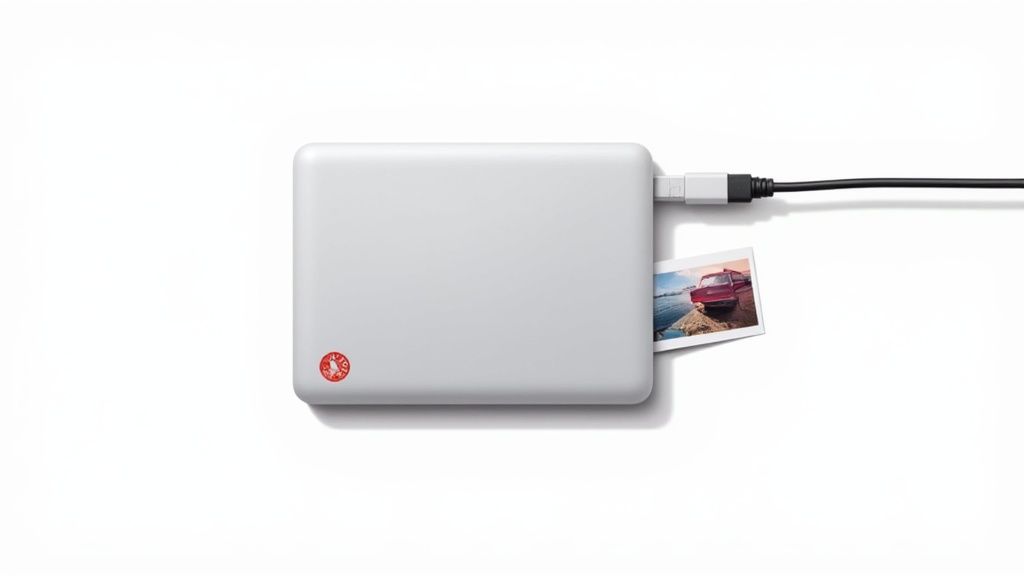
The primary advantage is ownership and privacy. Your photos are stored locally under your direct supervision, safe from potential online data breaches or company policy changes. With capacities now reaching multiple terabytes, a single drive can hold decades of high-resolution photos and videos. This makes external drives an excellent component of a comprehensive backup strategy, especially for photographers or families with vast digital collections. Properly managing your files is key, and it's helpful to learn how to manage data usage for large photo collections to keep your transfers efficient.
How to Implement This Solution
- Follow the 3-2-1 Backup Rule: Maintain three copies of your photos on at least two different types of media (e.g., an external drive and a cloud service), with one copy stored off-site.
- Establish a Routine: Schedule regular backups, such as weekly or monthly, to ensure your latest photos are always protected.
- Organize Your Files: Create a clear folder structure by year, event, or theme before transferring files. This makes finding specific memories much easier later on.
Popular options like the Western Digital My Passport or LaCie Rugged series are known for their durability and performance. By incorporating an external hard drive into your photo storage ideas, you create a secure, offline archive that puts you in complete control of your cherished memories.
3. Network Attached Storage (NAS)
For those who want complete control over their digital photos and videos, a Network Attached Storage (NAS) device is like having your own private cloud. A NAS is a dedicated storage drive connected to your home network, creating a centralized hub where your entire family or office can securely save, access, and back up photos from any device.
The biggest advantage is data ownership and redundancy. Unlike third-party cloud services, your photos reside on hardware you own, safe from subscription fees or policy changes. Most NAS systems, like those from Synology or QNAP, support RAID configurations, which automatically create backup copies of your files across multiple hard drives. This powerful feature protects your precious memories from being lost due to a single drive failure, offering one of the most robust photo storage ideas for long-term preservation.
How to Implement This Solution
- Choose a RAID Configuration: For most users, RAID 1 (mirroring) is a great starting point, as it duplicates all your data onto a second drive for instant backup.
- Enable Automatic Backups: Configure your computers and mobile devices to automatically back up photos to the NAS on a set schedule.
- Set Up Secure Remote Access: Enable your NAS’s secure remote access features, often using a VPN, to access your photo library from anywhere in the world.
This solution is ideal for photographers or families with vast photo libraries who need a reliable, centralized system. When a drive eventually fails, it is critical to dispose of it properly. For ultimate peace of mind, consider professional services for secure hard drive shredding to ensure your private photos can never be recovered.
4. Memory Cards and USB Flash Drives
For photographers and event guests alike, memory cards and USB flash drives are the go-to tools for temporary and portable photo storage. These compact, solid-state devices like SD cards and USB sticks offer a quick, tangible way to save, organize, and transfer high-resolution images immediately after capturing them. They are essential for on-the-go storage before you can secure your photos in a more permanent location.
The biggest advantage is their portability and universal compatibility. Nearly every digital camera uses a memory card, and almost any computer has a USB port, making them incredibly versatile for moving files between devices without needing an internet connection. This makes them one of the most reliable photo storage ideas for backing up photos immediately after a shoot, ensuring your precious memories are safe before you even leave the venue.
How to Implement This Solution
- Label Everything: Use a permanent marker or small labels to identify the contents of each card or drive (e.g., "Wedding Ceremony," "Reception Candids").
- Prioritize Speed: Invest in high-speed cards (U3, V30 rated) and USB 3.0+ drives. This drastically reduces transfer times when moving large batches of photos to a computer.
- Store Safely: Keep cards and drives in protective cases to shield them from dust, moisture, and physical damage that could corrupt your files.
Top brands like SanDisk, Lexar, and Kingston offer a wide range of reliable options. While excellent for transfer and short-term backup, remember their primary role is temporary. Always move photos from these devices to a more permanent solution, like a hard drive or cloud service, as soon as possible.
5. Optical Media (DVDs and Blu-rays)
For those prioritizing long-term archival, optical media like DVDs and Blu-rays offer a time-tested, physical backup solution. Unlike hard drives or cloud services that are susceptible to failure or evolving technology, high-quality discs provide a tangible, offline copy of your most cherished memories, serving as an excellent component of a comprehensive photo storage strategy.
The core advantage is long-term data integrity without power requirements. Archival-grade discs, particularly M-Discs, are engineered to resist degradation from light, temperature, and humidity for centuries. This "write-once, read-many" format also prevents accidental deletion or overwriting, making it an incredibly secure way to create a permanent, unchangeable record of your wedding or family photo collection.
How to Implement This Solution
- Choose Archival-Grade Discs: Opt for high-quality media like Verbatim M-Disc or premium Taiyo Yuden discs, which are specifically designed for longevity.
- Store Discs Properly: Keep them in jewel cases, stored vertically in a cool, dark, and dry environment to prevent scratches and environmental damage.
- Create Multiple Copies: Burn at least two copies of each disc. Store one at home and another at a separate off-site location for true redundancy.
- Verify Periodically: Once a year, test a few discs to ensure they are still readable and that the data is intact, allowing you to re-burn a new copy if any degradation is detected.
This method is ideal for creating a "deep archive" or a final, permanent backup of your most important photos. While not as convenient for daily access, its reliability makes it one of the best photo storage ideas for safeguarding memories against digital decay.
6. Hybrid Backup Strategies
For those who believe there’s no such thing as being too careful with precious memories, a hybrid backup strategy is the ultimate solution. This approach combines multiple photo storage ideas to create a redundant, multi-layered system that protects your images against virtually any type of data loss, from hard drive failure to cloud service outages. It’s about not putting all your digital eggs in one basket.
The core advantage is comprehensive protection. A hybrid system leverages the strengths of different storage types: the accessibility of the cloud, the speed and capacity of local drives, and the security of off-site physical storage. For example, you might use Google Photos for daily viewing, an external hard drive for a complete local backup, and an additional off-site drive for disaster recovery, ensuring your photos are safe no matter what happens.
How to Implement This Solution
- Follow the 3-2-1 Rule: Keep at least three copies of your photos, store them on two different types of media (e.g., cloud and external drive), and keep one copy off-site.
- Automate Your Backups: Use software like Time Machine for Mac or built-in Windows tools to schedule automatic backups to your external drive. Many cloud services also offer automatic desktop syncing.
- Choose Your Combination: A popular setup is using a cloud service like iCloud or OneDrive for immediate access, a high-capacity external hard drive for a full local backup, and a secondary cloud service or a physical drive stored at a relative’s house for off-site security.
This method is for anyone who wants absolute peace of mind for their irreplaceable event photos. By creating a resilient system, you build a digital fortress around your memories. You can discover more about integrating these methods by reading about the best wedding photo storage solutions on WedPicsQR.com.
7. Photo Organization Software and DAM Systems
For those with large and growing photo collections, simply storing images on a hard drive or in the cloud isn't enough. Digital Asset Management (DAM) software and specialized photo organizers bring order to chaos by helping you catalog, tag, rate, and find any photo in seconds. These tools are the command center for your digital memories.
The core advantage is intelligent organization. Instead of relying on confusing folder names, DAM systems use metadata like keywords, ratings, locations, and facial recognition to create a searchable database. This is a game-changer for photographers or anyone serious about preserving their photo library. Tools like Adobe Lightroom and Capture One integrate powerful editing capabilities with top-tier organizational features, making them some of the most efficient photo storage ideas for serious enthusiasts.

How to Implement This Solution
- Establish a System: Before importing thousands of photos, decide on a consistent file naming convention and folder structure (e.g., Year/Month/Event).
- Tag on Import: Use the software to add keywords, captions, and ratings as you import new photos. Doing this from the start saves massive amounts of time later.
- Utilize Smart Collections: Create "smart collections" or albums that automatically group photos based on criteria you set, such as "5-star wedding photos from 2023."
Popular options range from Adobe Lightroom for its seamless cloud integration to free, open-source alternatives like Darktable. By adopting a DAM system, you aren't just storing photos; you're building a manageable, accessible, and future-proof archive of your most important moments. To get started, you can explore more ways on how to organize digital photos on WedPicsQR.com.
8. Dedicated Photo Storage Devices
For those who prefer a physical, offline backup separate from their computer, dedicated photo storage devices offer a streamlined and secure solution. These are purpose-built gadgets designed specifically for storing, managing, and sometimes even viewing your massive photo library, functioning independently of your main computer's storage. They are a step above a standard external hard drive.
The primary advantage is their focused functionality. Devices like the Gnarbox are built for photographers in the field, allowing them to back up SD cards without a laptop. Others, such as the Seagate Backup Plus Hub, combine massive storage with USB ports to simplify importing from multiple sources. This targeted design makes them one of the most reliable photo storage ideas for creating a tangible archive of your most important memories.
How to Implement This Solution
- For On-the-Go Backup: Choose a portable device like the Gnarbox to back up camera cards immediately after a shoot or while traveling, ensuring photos are safe before you even get home.
- Create a Central Home Hub: Use a desktop device like a Seagate or WD photo-specific drive as the permanent home for your entire collection, keeping it organized and separate from your daily computer files.
- Verify File Compatibility: Before purchasing, ensure the device supports your camera’s file formats, especially if you shoot in RAW, to avoid any conversion headaches.
These devices are perfect for serious hobbyists, professional photographers, or anyone who wants a robust, fire-and-forget backup system that isn't reliant on internet access or monthly cloud subscriptions. By investing in a dedicated device, you create a self-contained, secure vault for your irreplaceable photos.
9. Smartphone Cloud Integration
The simplest photo storage idea is often the one you already have: the native cloud service integrated directly into your smartphone. Services like Apple's iCloud Photos, Google Photos, and Samsung Cloud are designed to work invisibly in the background, automatically backing up every photo and video you take without you having to lift a finger. This creates an effortless digital negative of your entire camera roll.
The key advantage is its set-it-and-forget-it nature. Once enabled, your memories are automatically synced across all your devices and protected from device loss, damage, or theft. This makes it a foundational layer of any good backup strategy, ensuring that the candid moments captured on your phone are preserved in near real-time. From daily life to major events, your photo library remains safe and accessible.
How to Implement This Solution
- Choose the Right Plan: Most services offer a small amount of free storage. For a complete library, upgrade to a paid plan like Apple’s 200GB option or Google One’s 100GB plan.
- Enable Automatic Sync: In your phone’s settings, find the Photos or Cloud section and ensure that automatic backup and sync are turned on, preferably over Wi-Fi to save mobile data.
- Optimize Storage Settings: Use features like "Optimize iPhone Storage" to keep lower-resolution versions on your device while the full-quality originals are safe in the cloud, freeing up valuable phone space.
Services like iCloud Photos and Google Photos are perfect first-line-of-defense solutions. While they excel at automatic, personal backups, they are not a replacement for a comprehensive, redundant backup system. For maximum security, combine this method with an external hard drive or another cloud service. To explore your options, you can learn more about Google Photos and its features.
10. Offsite and Geographic Redundancy
A single backup is good, but what happens if a local disaster like a fire, flood, or theft wipes out both your computer and your nearby backup drive? Offsite and geographic redundancy is an advanced photo storage idea that protects your memories by keeping copies in entirely separate physical locations. This strategy ensures that even if one location is compromised, your digital photo library remains safe and recoverable.
The core advantage is ultimate disaster-proofing. By distributing your backups, you eliminate a single point of failure. This method is the gold standard for long-term preservation, protecting your priceless photos from regional events that could destroy backups stored in the same building or even the same city. It’s the digital equivalent of not putting all your eggs in one basket.
How to Implement This Solution
- Store a Physical Drive Offsite: Keep an encrypted external hard drive at a trusted family member’s home in another town, or secure one in a bank safety deposit box.
- Use Geographically Distributed Cloud Services: Choose a cloud backup provider like Backblaze or CrashPlan that operates data centers across different states or countries, automatically providing geographic redundancy.
- Combine Cloud and Physical Backups: Use your primary cloud service for daily access and an offsite physical drive for an air-gapped, archival copy that you update quarterly or annually.
This approach is crucial for anyone who considers their photo collection irreplaceable. While it requires more effort than a single backup, it provides unparalleled peace of mind, knowing your memories are protected against nearly any conceivable threat.
10-Way Photo Storage Comparison
| Solution | Implementation complexity | Resource requirements | Expected outcomes | Ideal use cases | Key advantages |
|---|---|---|---|---|---|
| Cloud Storage Services | Low — sign-up and install apps | Internet access, subscription for larger storage, device apps | Automatic cloud backups, cross-device access, AI search | Casual users, mobile backup, multi-device sync | Scalable storage, automatic sync, strong search/AI |
| External Hard Drives | Low — plug-and-play, manual setup for backups | One-time purchase of drive, USB/Thunderbolt ports | Large local backups, fast transfers, single-location access | Bulk offline backups, budget-conscious users | Low cost per GB, full local control, fast transfers |
| Network Attached Storage (NAS) | Medium–High — network setup, RAID config | NAS unit, multiple drives, continuous power, network | Centralized multi-user storage with redundancy and remote access | Families, small businesses, enthusiasts with large libraries | Local speed, RAID redundancy, expandable personal cloud |
| Memory Cards & USB Flash Drives | Very low — simple plug-and-play | Small portable media, card readers or USB ports | Portable temporary storage and quick transfers | Field photographers, on-the-go transfers, short-term use | Extremely portable, low cost, direct device compatibility |
| Optical Media (DVDs & Blu-rays) | Low — burning discs and labeling | Discs, compatible drives, controlled storage environment | Long-term cold archival storage, offline preservation | Long-term archival, legal records, permanent copies | Low power need, offline, long archival lifespan (with quality media) |
| Hybrid Backup Strategies | High — integrate multiple systems and policies | Cloud subscriptions, local drives/NAS, offsite storage | Multi-layered redundancy, high recovery confidence | Professionals, irreplaceable collections, critical archives | Comprehensive protection, balances accessibility and security |
| Photo Organization Software & DAM | Medium–High — setup and workflow learning | Software licenses, CPU/RAM, integrated storage | Searchable, tagged, streamlined workflows and batch processing | Professional photographers, large libraries, studios | Enhanced discoverability, automation, metadata-driven workflows |
| Dedicated Photo Storage Devices | Low–Medium — device setup, simple UI | Specialized hardware, possible proprietary software | Photo-focused storage with preview and easy management | Non-technical users, travelers, photographers needing field devices | Purpose-built interface, built-in redundancy and previews |
| Smartphone Cloud Integration | Very low — enabled by default on devices | Smartphone, internet/Wi‑Fi, possible paid storage plans | Zero-effort automatic backups and AI organization | Mobile photographers, casual users, everyday backups | Seamless automatic backup, ecosystem integration, AI tools |
| Offsite & Geographic Redundancy | Medium — coordination and logistics | Additional storage locations or providers, transport or cloud regions | Protection against regional disasters, highest resilience | Irreplaceable family archives, professional collections | Best disaster protection, survives local catastrophes |
Creating Your Forever Archive
Every event - especially weddings - deserves a well-organized memory vault. By combining smart photo storage ideas with effortless collection tools you can preserve your stories for decades. Adopting tailored photo storage ideas gives you a simple way to access, share and protect every captured moment.
Key Takeaways
- Instant Collection: Use QR code–driven tools like WedPicsQR for app-free, instant photo uploads at venue entrances or on invites, ensuring easy, seamless consolidation.
- Layered Storage: Blend cloud storage services, external hard drives and NAS solutions to prevent data loss.
- Portable Backups: Keep USB flash drives or memory cards offsite for quick restoration if primary systems fail.
- Archival Media: Burn essential galleries to DVDs or Blu-ray discs and label them for future browsing.
- Software Organization: Leverage photo management and DAM systems with tagging features to simplify search and retrieval.
- Dedicated Devices: Invest in purpose-built photo storage devices for high-capacity on-premise archives.
- Smartphone Sync: Enable automatic cloud integration on mobile devices for continuous backup of guest uploads.
“A robust archive is the best gift you can give to future versions of yourself and your family.”
Next Steps for Seamless Photo Storage
- Display your event’s QR code at entrances or on printed materials to kick off easy, instant uploads.
- Choose a primary cloud service (like Google Photos or Dropbox) and back it up with a RAID-configured NAS.
- Schedule quarterly backups to DVDs or Blu-ray discs, and rotate offsite flash drives.
- Enable smartphone auto-sync and set up alerts for upload completion to stay on top of new content.
Why Mastering These Photo Storage Ideas Matters
- Emotional Value - Your wedding photos carry the feelings of the day. Proper storage keeps those emotions intact.
- Time Efficiency - A clear system saves you from frantic file searches months after the event.
- Future-Proofing - Adopting varied photo storage ideas means your archive adapts as technology evolves.
- Cost Control - Combining free and paid photo storage ideas helps you optimize spending over time.
Your Broader Benefits
By deploying multiple photo storage ideas you create a bulletproof archive.
- Peace of mind when you travel for honeymoons or anniversaries
- Effortless sharing across family, friends and vendors
- Confidence that your digital heirlooms won’t vanish
- Protected legacy - hand down digital albums to future generations
Every layer you add is another safeguard against corruption, accidental deletion or hardware failure. In the end you and your loved ones enjoy your wedding album without distraction.
Final Thought
Investing in both seamless collection and strategic storage turns photo management into a celebration itself. With QR codes at the heart of instant, app-free sharing and a multi-layered backup plan, your memories will thrive through device changes and software updates. Start building your forever archive today and transform fleeting moments into timeless treasures.
Ready to simplify your photo storage ideas? Start using WedPicsQR for seamless, app-free uploads and build your ultimate memory archive today. Visit WedPicsQR to get started.
Capture Your Wedding Memories with WedPicsQR
Create a unique photo-sharing page for your wedding and let your guests contribute to your visual story.
Create Your First Photo Page