
Designing Wedding Albums Your Clients Will Cherish
Designing a wedding album is all about telling a story with every photo you have—and that means gathering everything from the very beginning. You'll have your professional shots, of course, but you also need those candid guest photos. A game-changer I've seen lately is using a tool like WedPicsQR. It lets you create an instant, shared gallery with a simple QR code, and best of all, guests don't need to download an app. This seamless consolidation trick alone ensures you don't miss out on those priceless, spontaneous moments.
Gathering Every Moment Instantly

The first real step to a killer wedding album is building a complete photo collection. Your photographer will nail the big moments, but it's the unfiltered shots from your guests that add so much warmth and personality. Let's be honest, the old way of collecting these—chasing people down via text and social media for weeks—is a total headache.
Thankfully, modern tools have completely fixed this. The secret is making it ridiculously easy for everyone to share photos the second they take them through the seamless consolidation of QR codes.
The Power of App-Free QR Code Sharing
Imagine this: your guests scan a QR code and can instantly upload their photos directly to your private gallery. No app to download, no account to create, no complicated website to figure out. This is what I call frictionless sharing, and its incredible ease of use is the key to getting way more photos from a wider range of people.
When you remove those annoying barriers, even your less tech-savvy relatives can easily add their favorite snapshots. It all feeds into one organized hub, giving you a rich, diverse library to pull from when you start designing the album.
The goal is to make sharing a photo as simple as taking one. When guests can contribute in seconds with a simple QR code scan, you get more authentic, in-the-moment captures that truly reflect the joy of the day.
Practical Ways to Display Your QR Code
Getting your QR code in front of people is crucial. You want it to be visible and accessible all night, but not in an obnoxious way. Just think about high-traffic spots and moments when guests will already have their phones out.
Here are a few practical examples that I've seen work incredibly well:
- Venue Entrance: A welcome sign or easel right at the entrance is perfect. Display your event’s QR code at the venue entrance or on invitations for instant photo uploads. It catches guests as they arrive and sets the expectation for photo sharing right away.
- On Invitations or Programs: Tucking the QR code into your wedding invitations or ceremony programs gives everyone a heads-up and lets them start sharing from the get-go.
- Table Centerpieces: Small, elegant cards with the QR code on each reception table mean nobody has to go looking for it.
- Cocktail Napkins or Coasters: Custom-printed napkins are a clever and functional way to remind guests to share their pics during cocktail hour.
You can learn more about how to effectively use event QR codes for seamless photo collection in our detailed guide.
Versatility Beyond the Wedding Day
While this method is a perfect fit for wedding albums, its simplicity makes it great for just about any occasion. Although the primary focus is often on weddings, the same straightforward, app-free approach can be used to gather memories from all kinds of events.
Think about its versatility for:
- Milestone Birthdays: Capture every laugh and surprise at a 30th, 50th, or 80th birthday bash.
- Corporate Gatherings: Seamlessly consolidate all the photos from team-building events, holiday parties, or conferences into one professional gallery.
- Family Reunions: Create a shared album that documents multiple generations coming together.
When you start with a complete and diverse photo collection, you've already laid the foundation for a truly compelling album, no matter what you're celebrating.
Crafting an Authentic Wedding Story
You've got a gallery full of gorgeous professional shots and all those amazing candids from your guests. Now what? This is where the real fun begins—turning that pile of pictures into a story. We're not just picking the prettiest photos here; we're weaving them together to tell the emotional story of your day, from the quiet jitters before the ceremony to the wild joy on the dance floor.
The magic really happens when you mix the polished and the candid. Your photographer's images are the stunning cornerstones, the big moments captured perfectly. But it’s the guest photos that add the soul. Those are the unexpected laughs, the happy tears during speeches, and the hilarious dance moves that truly bottle up the feeling of the day.
Identifying Your Narrative Anchors
Every great story has its big, pivotal moments, and your wedding album is no different. As you start sifting through your collection, keep an eye out for what I call 'hero' images. These are the powerful, emotionally-charged photos that stop you in your tracks. They're strong enough to command a full two-page spread all by themselves.
What makes a hero image? It could be:
- The first look, absolutely brimming with raw emotion.
- That epic, dramatic portrait of the two of you against a breathtaking backdrop.
- The triumphant walk back down the aisle right after you said "I do."
Think of these images as the anchors of your story. They give the viewer a moment to pause and really soak in a key scene before turning the page. Giving these photos the space they deserve creates a beautiful rhythm, making the album feel less like a slideshow and more like a film.
Your album shouldn't just be a collection of photos; it should be a documentary of a feeling. Always choose genuine emotion over technically perfect but stiff poses. That’s how you create a personal keepsake the couple will treasure for decades.
Building Thematic Chapters
To make your album flow naturally, break it down into chapters that follow the timeline of the wedding day. This structure turns your album into a book you can read from beginning to end, with each section telling its own mini-story.
I usually structure an album in these distinct parts:
- Getting Ready: This is all about the anticipation. Think detail shots of the dress and suit, plus those quiet moments with your closest family and friends.
- The Ceremony: From the walk down the aisle and the exchange of vows to the first kiss and the look on your parents' faces—it all goes here.
- The Celebration: This chapter captures the energy. The grand entrance, the heartfelt toasts, the first dance, and all the candid fun from the reception.
Organizing your photos this way makes it easy to group smaller, dynamic moments into beautiful collages. For example, a spread in "The Celebration" chapter could feature a collage of guests laughing and dancing around a larger photo of the cake cutting. This technique lets you pack in more memories without ever feeling cluttered.
This focus on storytelling is what modern album design is all about. We're seeing a huge shift in what couples want. Industry experts are predicting that in 2025, documentary-style wedding albums that capture candid, emotional moments will completely take over. We're moving away from overly posed shots and focusing on creative, emotionally resonant narratives. If you want to dive deeper, you can check out some of these predicted wedding album trends on Folio Albums. And remember, a wedding album is a deeply personal gift; for more inspiration, you can always explore other handmade wedding gift ideas.
Applying Modern Album Design Principles
Now that you have your wedding story mapped out, it’s time for the fun part: designing the layouts that bring it all to life. A great story deserves an equally beautiful presentation. Modern album design isn't about cramming every single photo onto the page; it's about being intentional, creating clean layouts, and letting your best images breathe.
The secret to a professional-looking album boils down to a few core concepts. Think of negative space—the empty parts of the page—as your best friend. When you surround a single, stunning portrait with plenty of clean white space, you instantly elevate its importance. This simple trick draws the viewer's eye exactly where you want it to go, giving the album a sophisticated, gallery-like feel.
Establishing a Clear Visual Hierarchy
When someone opens a spread in your album, their eyes should know exactly where to land first. This is what designers call visual hierarchy. You create it by giving certain photos more weight than others. Let's be real: not every image is created equal. Some are absolute showstoppers, while others play a fantastic supporting role.
A "hero" image, like the first kiss or that perfect candid laugh, might take up an entire page or even a full two-page spread. Supporting shots, like guests' reactions during the vows, can be arranged in smaller sizes around it. This contrast in scale naturally guides the eye through the page, telling a little story in a logical, visually pleasing way.
Thinking about which photos go where? Here’s a simple way to approach it.
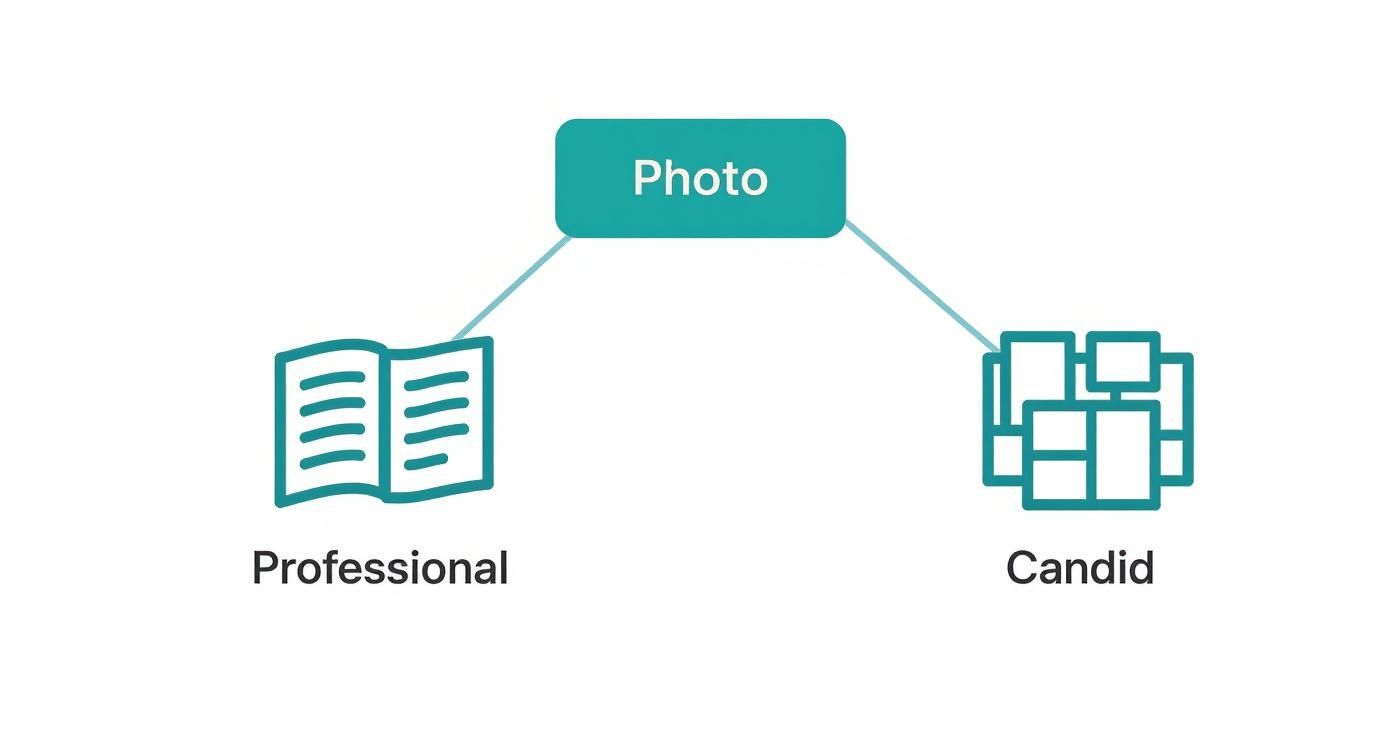
This visual guide reinforces a great rule of thumb: use your powerful professional shots for big, impactful spreads, and weave in those dynamic candid guest photos in fun, engaging collages.
Comparing Popular Layout Styles
The overall vibe of your album should match the wedding itself. Was it a classic, formal affair or a relaxed, bohemian party? The layout style you pick plays a huge role in capturing that mood.
Picking a style can feel overwhelming, so let's break down the most popular options to see what might fit your story best.
Album Layout Style Comparison
| Layout Style | Key Characteristics | Best For | Design Tip |
|---|---|---|---|
| Clean & Minimalist | Heavy use of white space, clean lines, symmetrical layouts, often 1-2 photos per spread. | Modern, classic, or formal weddings where the focus is on timeless elegance. | Give your "hero" shots an entire page to themselves. The simplicity makes a powerful statement. |
| Lush & Romantic | Softer layouts, overlapping images, sometimes includes subtle decorative elements or borders. | Traditional, rustic, or vintage-themed weddings that emphasize emotion and connection. | Pair a large color photo with a smaller, faded black-and-white image to create depth and nostalgia. |
| Magazine / Documentary | Dynamic mix of full-bleed photos, multi-image collages, and varied compositions. | High-energy weddings with lots of candid moments and a big story to tell. | Mix up your spreads. Follow a full-bleed photo page with a multi-photo grid to keep the pacing interesting. |
The best design choice is the one that enhances the story without distracting from it. The layout should feel invisible, allowing the emotions and moments captured in the photos to take center stage.
Sticking to one consistent style is what will make your album feel cohesive and professionally done. For a deeper dive into creating beautiful, balanced pages, exploring resources on mastering book design and layout can be incredibly helpful. The core principles of good design are universal, and they apply just as much to a wedding album as they do to a bestselling novel.
Choosing Complementary Typography
If you decide to add text to your album—like names, dates, locations, or quotes—the font you choose should complement your wedding's aesthetic, not compete with the photos.
A simple, elegant sans-serif font often works best for a modern look. For a more traditional wedding, a classic serif or a subtle script can be a beautiful touch.
The key here is restraint.
- Use typography sparingly.
- Ensure it’s legible.
- Place it tastefully, often in an area of negative space.
The words are there to add a little context, not to steal the show. For more creative inspiration on what to include, you might want to explore these unique photo album ideas that can add another layer of personalization.
By carefully considering space, hierarchy, style, and typography, you can transform a collection of beautiful photos into a polished, professional, and deeply personal work of art that you'll treasure forever.
Selecting Premium Materials and Printers
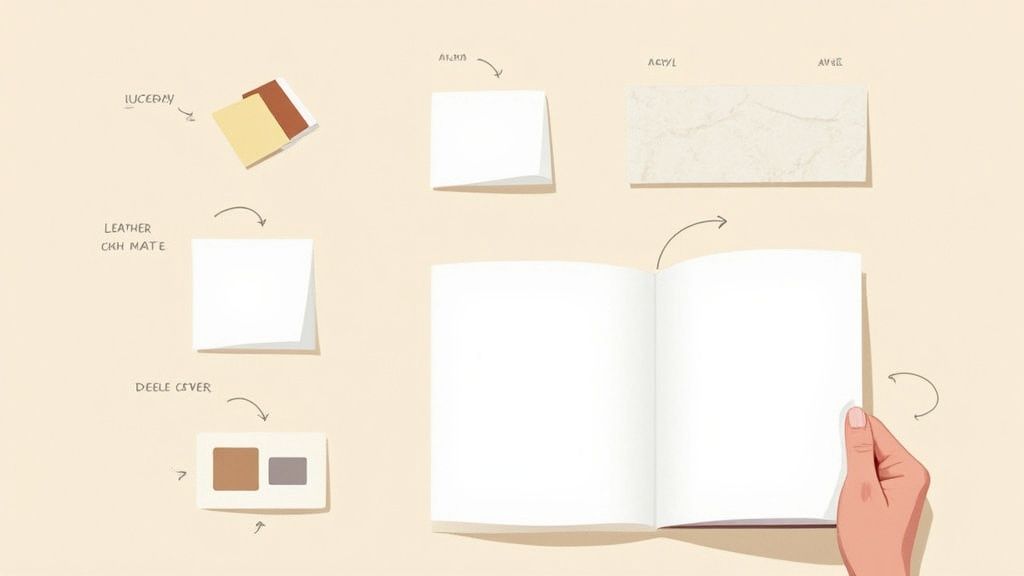
This is where the magic really happens. The tactile experience of a wedding album—the weight of the pages, the feel of the cover—is what elevates it from a simple photo book to a family heirloom. While your design tells the story, the physical materials are what your clients will feel every time they open it.
Getting these choices right guarantees a durable, high-end product that feels just as special as it looks. Let's dive into making your vision a tangible reality.
Understanding Paper Finishes and Page Types
The paper you choose has a huge impact on how the photos look and feel. Different finishes can subtly enhance the mood of the images, so you'll want to match the paper to the wedding's overall vibe.
- Lustre: This is my go-to for most albums. It's the perfect middle ground, offering the vibrant color saturation of a glossy finish but with the fingerprint resistance of matte. It has a slight sheen that just makes photos pop without being distractingly reflective.
- Matte: A classic, non-reflective finish that gives everything a soft, sophisticated look. Matte is fantastic for fine art or documentary-style photography because it cuts glare and lends a timeless quality to the images.
- Deep Matte: Think of this as the luxury option. It's a completely flat, non-reflective paper with a smooth, almost velvety texture. It produces incredibly rich, deep blacks and is perfect for a high-end, artistic feel.
Beyond the finish, look at the page construction itself. The best albums use thick, rigid pages that lay completely flat when opened. This layflat binding is non-negotiable for creating those stunning panoramic spreads that flow seamlessly across two pages, with no part of the image lost in the center gutter.
A great wedding album should engage more than just the eyes. The feel of a premium linen cover or the smooth turn of a thick, archival page creates a sensory experience that digital files can never replicate.
Choosing the Perfect Cover Material
The album cover is your first impression. It sets the tone for the entire book and should be a reflection of the couple's style and the theme of their wedding day.
The options are vast, and each one offers a distinct look and feel:
| Cover Material | Best For | Key Characteristics |
|---|---|---|
| Genuine Leather | A timeless, traditional aesthetic. | Durable, classic, and ages beautifully. It develops a rich patina over time. |
| Linen | A modern, organic, or rustic style. | Offers a soft, textured feel and comes in a wide array of colors. |
| Acrylic | A bold, contemporary statement. | A favorite photo is printed behind a sleek acrylic plate for a high-impact, modern look. |
| Photo Wrap | A personalized, magazine-style look. | The entire cover is a custom-printed image, allowing for complete personalization. |
Don't forget the finishing touches. Many printers offer customizations like debossing or foil stamping, which let you press the couple's names and wedding date right onto the cover for an elegant, personal finish.
Vetting Printing Labs and Ensuring Color Accuracy
Your choice of a printing lab is one of the most critical decisions you'll make. A professional lab that specializes in heirloom-quality products will use archival inks and papers, ensuring the album will last for generations without fading or turning yellow.
Before you commit to any lab, always order a sample album. There's no substitute for holding the final product in your hands. This is your chance to assess their print quality, binding craftsmanship, and material options up close. Pay special attention to skin tones, the neutrality of your black and whites, and the overall color vibrancy.
To make sure what you see on your screen is what you get in print, color management is non-negotiable. Calibrate your monitor regularly and design your album using the sRGB color profile—it’s the standard for most pro print labs. This one step will save you from the disappointment of unexpected shifts in color and brightness.
The demand for these high-end albums is real; the global flush mount album market was valued at $3.77 billion in 2024. You can find more insights on the flush mount photo album market at Grand View Research. By carefully selecting your materials and printer, you're not just making a book—you're honoring the memories within it and delivering a final product that truly stands the test of time.
Building an Efficient Album Design Workflow
Creating a wedding album is one of the most rewarding parts of being a photographer, but it can also become a massive time-suck that eats into your profits. The secret isn't just about good design; it's about having a rock-solid workflow that makes the whole process smooth, profitable, and enjoyable.
This journey doesn’t start when you open up your design software. It begins way back at the initial client consultation. This is your chance to frame the album not as some optional extra, but as the beautiful, final chapter of their wedding story. Getting everyone on the same page about timelines, proofing, and revisions right from the start prevents those endless email chains and keeps the project on track.
And let's be clear: the market for physical albums is stronger than ever. Couples want tangible heirlooms, not just a folder of digital files. In fact, with 90% of couples hiring a pro photographer, they're already primed to invest in preserving those memories. You can get a better sense of the value couples place on photography in the wedding market. An efficient workflow is how you tap into that demand without burning yourself out.
Streamlining the Design and Proofing Cycle
The key to a fast and profitable workflow is minimizing the back-and-forth with your clients while making sure they absolutely love the result. The single best way to do this? Present them with a complete, beautifully designed first draft.
Forget asking them to pick their favorites from a gallery of 800 images. That just creates decision fatigue. Instead, you step into the role of the storyteller. You deliver a cohesive narrative that feels like a premium, white-glove service. It transforms an overwhelming task for them into an exciting "reveal," and you'll find they come back with fewer, much more specific revision requests.
To make the layout process fly by, lean on your design software. Most professional tools have features built to save you time:
- Auto-Design Features: Use these as your starting point. Let the software populate the spreads, then you can go in and add your custom touches.
- Pre-made Templates: Create your own set of go-to layouts for different parts of the day, like getting ready, the ceremony, and the reception. This saves you from reinventing the wheel every time.
- Batch Editing: Apply consistent color grades or styles across multiple images at once to keep the album looking cohesive.
Once the design is ready, the proofing process needs to be dead simple. Modern online proofing systems are a lifesaver here. They let clients drop comments directly onto the pages or images, keeping all the feedback in one organized place. No more deciphering confusing emails!
Workflow Golden Rule: Put a two-round revision limit in your contract. This encourages clients to be thoughtful and consolidated with their feedback and stops the project from dragging on forever.
Pricing for Profit and Perceived Value
How you price your albums says a lot about their value. Don't treat them like a commodity. Position them as a luxury art piece that encapsulates the entire wedding experience.
Here are a few pricing strategies that work well:
- Package Integration: Build a base album right into your top-tier photography packages. This establishes it as a core part of your service from day one.
- A La Carte Upgrades: Offer tempting upgrades like extra pages, premium cover materials (think leather or acrylic), and parent album clones as separate add-ons.
- Tiered Album Options: Give couples two or three choices at different price points, varying by size, page count, and material quality.
Expanding Your Album Services
The great thing is, the skills you hone designing wedding albums are incredibly versatile. This opens up entirely new ways to make money, especially outside of the peak wedding season. The same storytelling and design principles apply to all sorts of other life events.
You can easily adapt your workflow to create gorgeous albums for:
- Corporate Events: Documenting company milestones, conferences, or award ceremonies.
- Milestone Birthdays: Creating a cherished keepsake for a 50th birthday or a big anniversary.
- Family Reunions: Compiling memories from a once-in-a-lifetime family gathering.
By building an efficient system, you’re not just making your wedding work more profitable. You’re setting yourself up to serve a much broader market, turning album design into a steady, year-round part of your business. But before you even think about design, the first step is always narrowing down the images. If you need a refresher, check out our guide on the meaning of culling photos.
Answering Your Top Wedding Album Design Questions
When you get to the final stretch of designing a wedding album, a few common questions always seem to pop up. Whether it's about managing client feedback or making those last few creative calls, getting clear answers is what separates a good album from a great one.
Think of this as the final checklist before you hit print. Getting these details right smooths out the whole process and ensures you deliver a timeless keepsake that your clients will absolutely adore.
How Many Photos Should I Put in a Wedding Album?
This is probably the number one question I hear, and thankfully, there’s a pretty simple rule of thumb. Aim for 3-5 images per spread (a spread is the left and right page when the album is open). It's the sweet spot that lets you create dynamic, interesting layouts without making the pages feel crowded.
So, for a standard 20-spread (40-page) album, you’ll want to select between 60 and 100 photos. This range is perfect. It gives you enough room for those breathtaking, full-page "hero" shots while still letting you build beautiful collage-style spreads that tell a more detailed story.
What’s the Best Way to Handle Client Revisions?
Clear communication from day one is your best friend here. The most effective way to handle this is by outlining your revision process right in your contract. This sets expectations from the start and saves you from the dreaded back-and-forth of endless changes that can completely derail a project.
The gold standard is offering two rounds of specific, consolidated feedback. I highly recommend using an online proofing tool where clients can drop comments directly on the design mockups. It keeps everything organized and actionable in one place.
This approach streamlines everything, making it less stressful for both you and your clients. It encourages them to be thoughtful with their feedback, which almost always leads to a faster, happier final approval.
Can I Mix Black and White Photos with Color?
Absolutely! When you do it with intention, mixing black and white images with color photos can create an incredibly powerful and artistic narrative. It adds a whole other layer of depth, emotion, and timelessness to the album.
The trick is to be deliberate. A strategy that works wonders is to design entire spreads in either all color or all black and white. This creates a cohesive "chapter" in the wedding story and avoids a jarring, disjointed viewing experience. For example, a spread full of emotional ceremony moments can be incredibly impactful when presented entirely in black and white.
Should I Design the Album Myself or Let the Client Choose the Photos?
It might feel like you're helping by asking the client to pick their favorites, but this usually leads to decision fatigue for them and a less cohesive album. Trust me on this: the best workflow is for you, the professional, to create the initial design. You're the storyteller. You have the eye for crafting a compelling story from start to finish.
Presenting a complete, beautifully designed album to your clients is like giving them a gift. It's a high-touch service that feels premium. This approach almost always results in fewer revision requests because you’ve already done the heavy lifting of weaving their memories into a beautiful story. It reinforces your value and solidifies your role as not just a photographer, but a true artist.
Crafting the perfect album starts with gathering every possible memory. With WedPicsQR, you can effortlessly collect every candid shot from your guests in real-time. Just display a simple QR code—no apps, no hassle. Create your free gallery today and ensure no moment is missed. Get started with WedPicsQR.
Capture Your Wedding Memories with WedPicsQR
Create a unique photo-sharing page for your wedding and let your guests contribute to your visual story.
Create Your First Photo Page